Zivid Studio 中未找到相机
问题
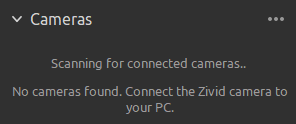
Zivid Studio 无法发现您的相机,并输出以下消息:
解决方案
通过查看相机背面的 以太网链路 LED 确保相机已开机并正确连接。同时检查电缆在 PC(或交换机)端的链路 LED。如果任一链路 LED 熄灭,则表示链路层未建立。请更换电缆或尝试使用其他端口后再继续。
对相机进行断电重启并观察投影。启动后大约 60 秒内,相机会将其 IP 地址和链路状态以 启动画面 的形式投影出来。这样您无需任何 SDK 连接即可确认相机自身的状态。
确认您的 网络配置。
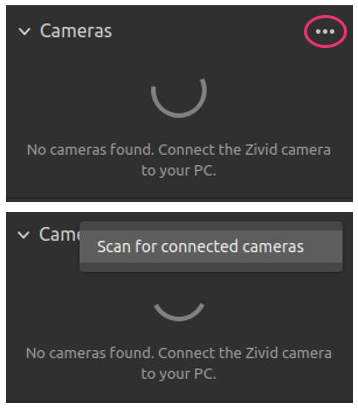
点击 ... 扫描已连接的相机,然后点击 Scan for connected cameras ,或重新启动 Zivid Studio。
如果您仍然无法发现相机,请尝试以下操作之一:
检查您的系统上是否没有
Cameras.yml配置文件。此文件将根据 IP 地址或主机名限制您可以连接的相机。您可以在 Restrict Discoverable Cameras with Cameras.yml 中阅读更多相关信息。如果您要配置固件版本为 SDK 2.9 及以下的相机,则 PC 的 IP 必须首先位于相机的本地子网范围内。请转到 静态 IP 网络配置 了解如何执行此操作。
将相机恢复出厂设置,恢复其默认 IP 地址
172.28.60.5。 Zivid SDK 将专门搜索并发现具有此 IP 地址的任何相机。 转到 恢复出厂设置按钮 了解如何执行此操作。如果您遇到恢复出厂设置按钮的问题,请参阅 重置按钮无法重置网络配置。如果您需要以编程方式监控链路速度变化(例如检测间歇性电缆问题),请参阅 检测以太网链路变化。
如果相机此前工作正常,但在运行过程中反复断开连接或重启,而不是完全无法被发现,请参阅 相机在运行期间反复断开连接或重启。
如果您仍然无法找到相机,请联系 customersuccess@zivid.com 。