手眼标定结果不理想(机器人标定不良:DH 参数)
问题
手眼标定结果不理想(差或勉强合格),介于以下几种组合之间:
手眼变换 |
手眼残差 |
投影验证 |
触碰测试 |
|---|---|---|---|
合理的 |
差 |
差 |
差 |
合理的 |
尚可 |
欠佳 |
差 |
如果您的机器人 DH 参数不准确,请为您的特定机器人加载正确的 DH 参数,并重复手眼标定(参见下方的 潜在解决方案)。
手眼标定结果不佳的示例
手眼变换矩阵看起来合理,与粗略的手动测量结果一致(见下表和图像)。
0.999 |
-0.006 |
0.045 |
-51.743 |
0.006 |
1.000 |
0.012 |
-89.999 |
-0.045 |
-0.012 |
0.999 |
126.972 |
0 |
0 |
0 |
1 |
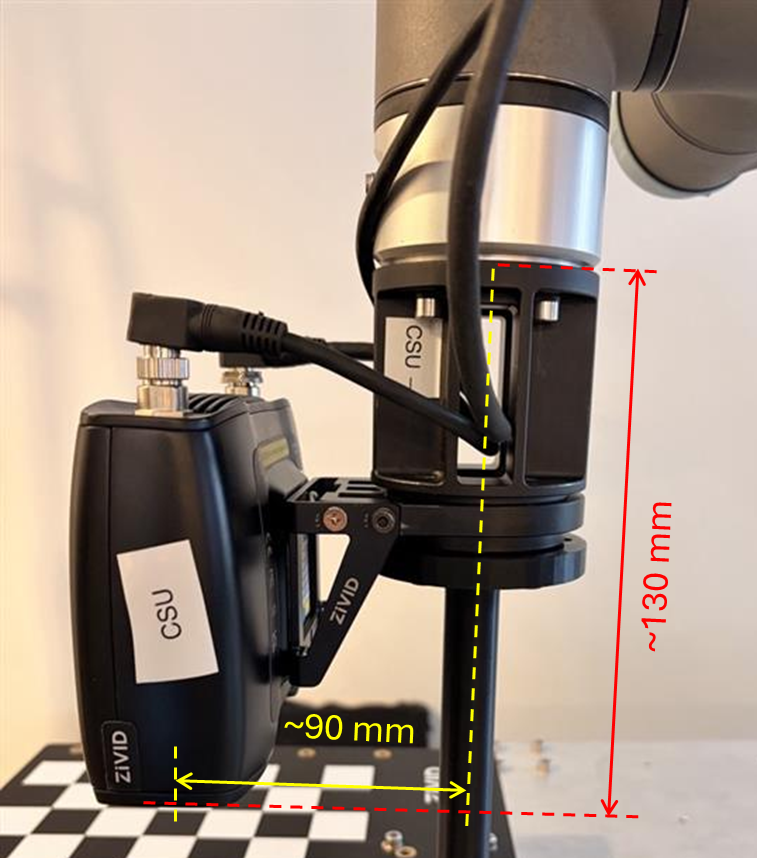
标定的残差明显大于预期,大约高出一个数量级。
N(位姿) |
平均旋转角度(°) |
最大旋转角度(°) |
平均平移残差(mm) |
最大平移残差(mm) |
|---|---|---|---|---|
14 |
0.093 |
0.131 |
0.793 |
1.418 |
对于小型机器人,我们预计残差在亚毫米范围内;而对于大型机器人,残差则可能在毫米范围内。至于残差的旋转分量,我们预计其在亚度范围内。
全部的残差数据
位姿 |
旋转角度(°) |
平移量(mm) |
|---|---|---|
1 |
0.065 |
0.183 |
2 |
0.125 |
0.937 |
3 |
0.063 |
0.897 |
4 |
0.099 |
0.906 |
5 |
0.107 |
0.890 |
6 |
0.031 |
0.368 |
7 |
0.069 |
0.999 |
8 |
0.103 |
1.418 |
9 |
0.116 |
0.917 |
10 |
0.099 |
0.989 |
11 |
0.094 |
0.060 |
12 |
0.122 |
0.377 |
13 |
0.089 |
0.917 |
14 |
0.131 |
1.250 |
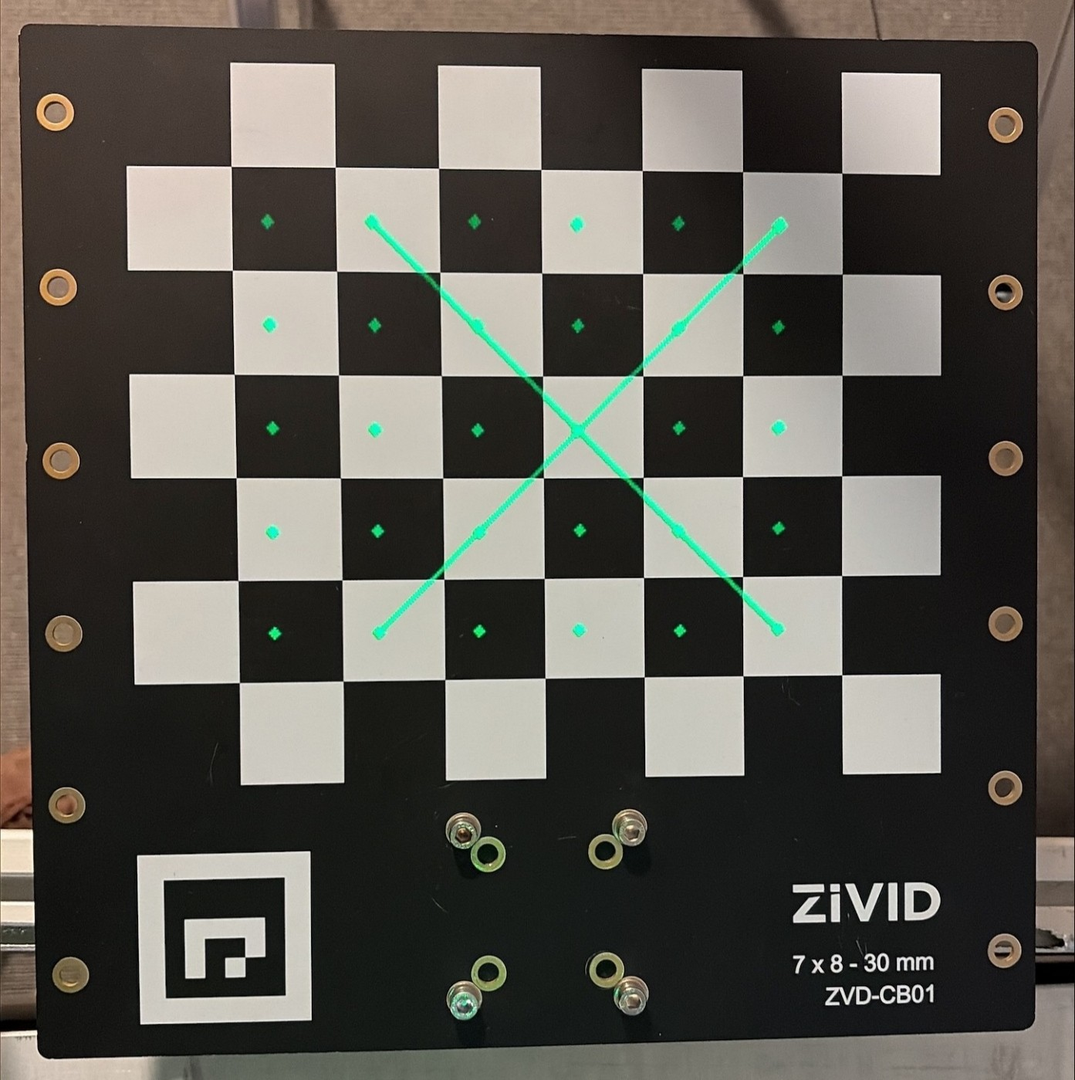
投影验证在技术上是成功的,但产生的误差仍然过大,无法接受。即使手眼标定不正确,投影验证误差也可能看起来可以接受,因此对通过的结果也应保持谨慎。
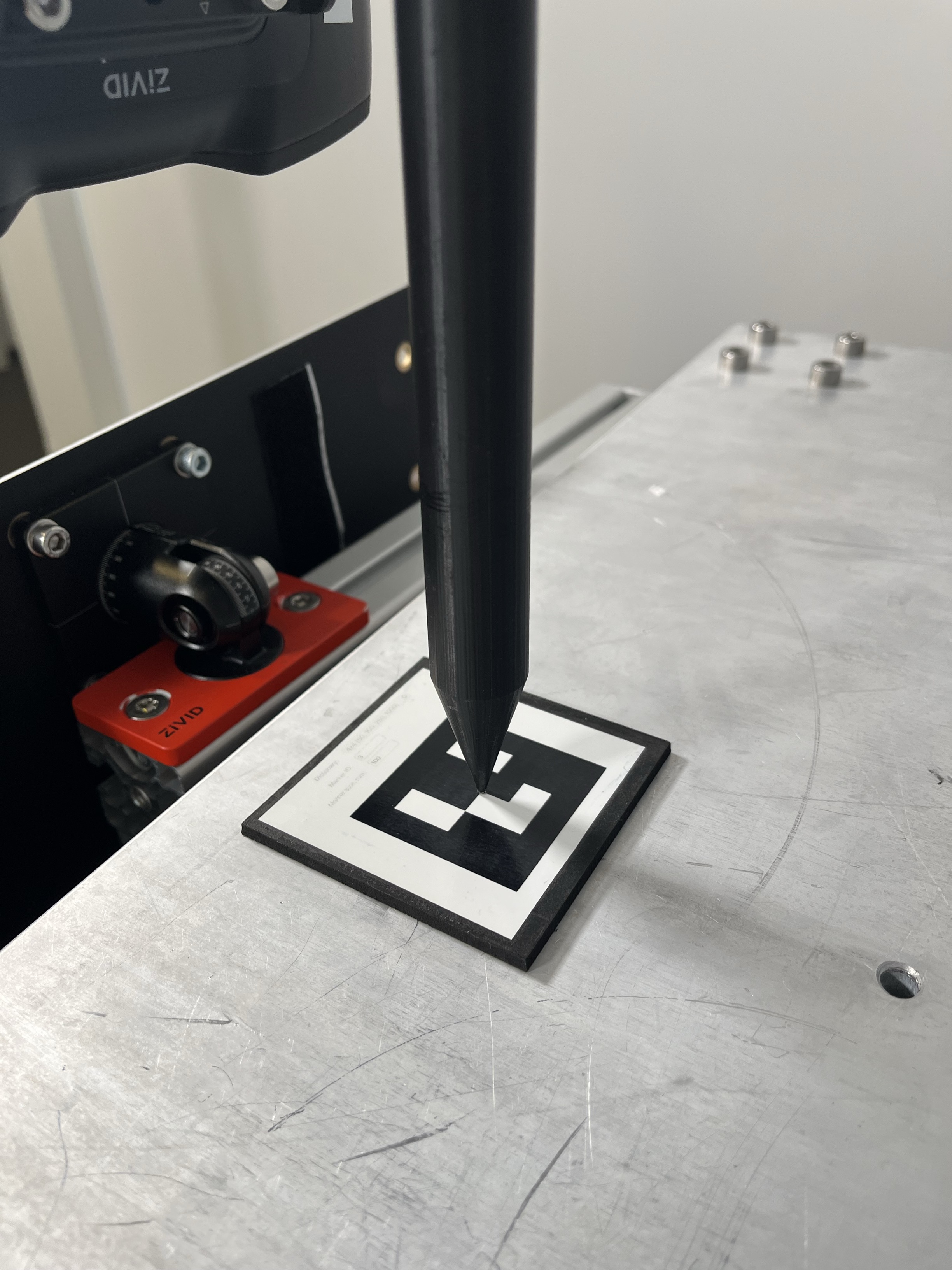
触碰测试结果不理想。例如,触碰测试工具的尖端无法触及 ArUco 标记。
潜在原因
机器人标定 DH 参数不准确或错误。
这通常是因为:
使用了标称 DH 参数,而不是该特定机器人经过标定后的参数。
该机器人未经校准。
DH 参数是一种系统地描述机器人运动链几何形状的方法,该方法为每个关节使用一个齐次变换矩阵,通过精确的四个数值来定义各个连杆相对于前一个连杆的位置关系。这是计算正运动学的基础。
通常情况下,何时需要校准机器人的 DH 参数?
您收到了一台未经出厂校准的新机器人(大多数主流机器人都是如此)。
您的机器人没有*真正的校准*(也称为*绝对精度*或*增强精度*)。
机器人遭受了机械损坏。
更换了几何形状发生变化的机械部件后。
该机器人将用于高精度应用领域。
你注意到工作空间中存在系统性的位置误差。
潜在解决方案
确保在手眼标定过程中使用正确的 DH 参数(通过正向运动学从关节角度计算机器人位姿)。
如果您的机器人已校准,请使用该特定机器人的 DH 参数,而不是标称参数。
如果您的机器人未进行校准,请校准机器人以获得准确的 DH 参数。
使用同一数据集重复进行手眼标定。
验证手眼标定结果(变换矩阵、残差、投影)。
运行 触碰测试 (如果手眼标定结果良好)。
重现问题(机器人校准错误)
本文介绍了三种手眼标定测试,并将其与 DH 参数的差异进行了比较:
不良的 DH 参数(修改值:d5 = d5 + 5 mm)
不良的 DH 参数(标称值)
良好的 DH 参数(从机器人控制器加载)
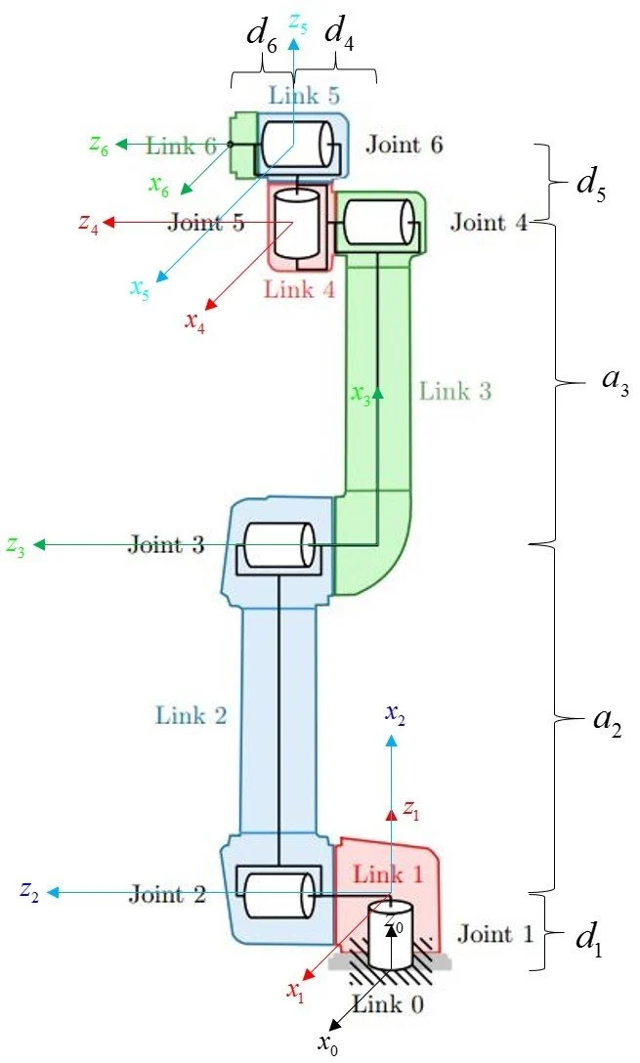
我们使用 Universal Robots UR5e 机器人和 RoboDK 软件,该软件允许从机器人控制器加载 DH 参数并进行修改。此外,其参数库中还包含 UR5e 机器人的标称 DH 参数。
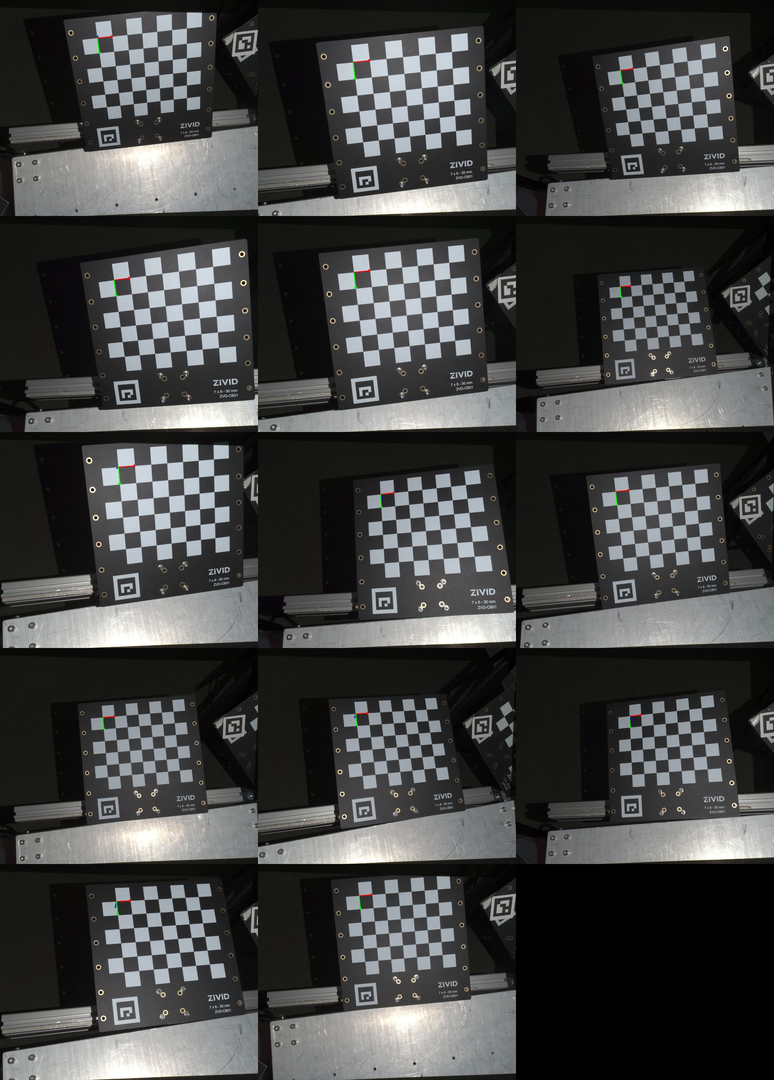
本节中介绍的所有手眼标定都是使用下图所示的数据集进行的。
不良的 DH 参数(修改值:d5 = d5 + 5 mm)
该测试模拟了由于机器人校准错误或丢失而导致的 DH 参数不正确的情况。
将 DH 参数加载到 RoboDK 软件中并进行有意修改:将连杆 d5 延长 5 毫米。然后,利用修改后的 DH 参数,根据关节坐标计算用于手眼标定的机器人位姿。最后,利用关节坐标将机器人移动到这些位姿。
标定结果如下:
0.999 |
-0.005 |
0.043 |
-55.557 |
0.004 |
1.000 |
0.013 |
-91.703 |
-0.043 |
-0.013 |
0.999 |
123.231 |
0 |
0 |
0 |
1 |
N(位姿) |
平均旋转角度(°) |
最大旋转角度(°) |
平均平移残差(mm) |
最大平移残差(mm) |
|---|---|---|---|---|
14 |
0.019 |
0.031 |
0.145 |
0.259 |
全部的残差数据
位姿 |
旋转角度(°) |
平移量(mm) |
|---|---|---|
1 |
0.026 |
0.115 |
2 |
0.018 |
0.192 |
3 |
0.020 |
0.110 |
4 |
0.029 |
0.259 |
5 |
0.023 |
0.229 |
6 |
0.011 |
0.078 |
7 |
0.012 |
0.132 |
8 |
0.016 |
0.073 |
9 |
0.015 |
0.075 |
10 |
0.008 |
0.061 |
11 |
0.024 |
0.226 |
12 |
0.018 |
0.155 |
13 |
0.031 |
0.149 |
14 |
0.028 |
0.175 |
投影验证在技术上成功了,但产生的误差过大,无法接受。即使手眼标定不正确,投影验证误差也可能看起来可以接受,因此对通过的结果也应保持谨慎。
触碰测试结果不理想,因为触碰测试工具的尖端没有接触到 ArUco 标记。
DH 参数(标称值)
此测试模拟使用错误的 DH 参数。为此,我们使用了标称 DH 参数,而不是从机器人控制器中获取的参数。
然后,利用标称 DH 参数,根据关节坐标计算出用于手眼标定的机器人位姿。最后,利用关节坐标将机器人移动到这些位姿。
RoboDK 使用标称 DH 参数(在新建的机器人工作站中)来计算关节空间中定义的机器人位姿目标的正向运动学。如果您使用其他软件计算正向运动学,也可能最终使用标称 DH 参数,而这可能并非您所期望的。使用标称 DH 标定实际上意味着假设机器人未经标定。
备注
用于手眼标定的机器人位姿必须在笛卡尔空间中提供。然而,在采集数据集时,在关节空间中定义机器人位姿并使用 movej 命令移动机器人更为方便。这是因为在关节空间中进行位姿转换时,机器人位姿之间的运动是确定性的。
另一种方法是在笛卡尔空间中定义机器人位姿,并将其直接传递给机器人控制器。机器人控制器随后会使用逆运动学计算相应的关节坐标,这是驱动关节到达目标位姿所必需的。然而,逆运动学可能会产生多个解,这增加了另一层复杂性。如果无法控制选择哪个解,可能会导致机器人出现意想不到的运动("忍者式动作")。为了避免这种情况,您必须实现自己的逆运动学、自己的多解选择逻辑(机器人配置),或者两者都要实现。
标定结果如下:
0.999 |
-0.006 |
0.045 |
-51.743 |
0.006 |
1.000 |
0.012 |
-89.999 |
-0.045 |
-0.012 |
0.999 |
126.972 |
0 |
0 |
0 |
1 |
N(位姿) |
平均旋转角度(°) |
最大旋转角度(°) |
平均平移残差(mm) |
最大平移残差(mm) |
|---|---|---|---|---|
14 |
0.093 |
0.131 |
0.793 |
1.418 |
全部的残差数据
位姿 |
旋转角度(°) |
平移量(mm) |
|---|---|---|
1 |
0.065 |
0.183 |
2 |
0.125 |
0.937 |
3 |
0.063 |
0.897 |
4 |
0.099 |
0.906 |
5 |
0.107 |
0.890 |
6 |
0.031 |
0.368 |
7 |
0.069 |
0.999 |
8 |
0.103 |
1.418 |
9 |
0.116 |
0.917 |
10 |
0.099 |
0.989 |
11 |
0.094 |
0.060 |
12 |
0.122 |
0.377 |
13 |
0.089 |
0.917 |
14 |
0.131 |
1.250 |
投影验证在技术上成功了,但产生的误差仍然过大,无法接受。即使手眼标定不正确,投影验证误差也可能看起来可以接受,因此对通过的结果也应保持谨慎。
触碰测试结果不理想,因为触碰测试工具的尖端没有接触到 ArUco 标记。
良好的 DH 参数(从机器人控制器加载)
此测试演示了如何使用正确的 DH 参数。为此,我们从机器人控制器加载了特定机器人的 DH 参数。这些 DH 参数与同一机器人的标称参数不同。
从 UR5e 检索 URP 文件(包含 DH 参数)并将其加载到 RoboDK 中
对于 UR5e,机器人标定(DH 参数)封装在任何 URP 程序文件中。因此,必须从机器人上获取 URP 文件并将其加载到 RoboDK 中,才能将正确的 DH 参数应用到 RoboDK 工作站。这样,RoboDK 将使用正确的 DH 参数来计算关节空间中定义的机器人位姿目标的正向运动学。如果您使用其他软件来计算正向运动学,则可能还需要找到一种方法从机器人上加载 DH 参数。
您可以使用以下命令从机器人获取任何 URP 程序:
选项 A:U 盘(在机器人示教器上)
将 U 盘插入机器人示教器接口。
在示教器上 → Program → Open 。
Select program → Save As → 选择 USB 存储设备。
将
.urp文件复制到您的电脑。
选项 B:SSH / SFTP
使用机器人的 IP 地址通过 SSH/SFTP 连接到机器人。机器人的 IP 地址可以在关于(About)菜单中找到。 RoboDK
导航到程序目录(通常为
/programs)。下载
.urp文件。
RoboDK 包含了一个示例 Python 脚本,用于将控制器的真实 DH 参数加载到仿真中:
UR_LoadControllerKinematics.py (RoboDK-API)
RoboDK-API
步骤:
打开 RoboDK。
转到 Tools → Run Script...
从以下位置加载
UR_LoadControllerKinematics.py:
RoboDK-API/Python/Examples/Scripts/UR_LoadControllerKinematics.py
脚本运行时:
它会要求您在 RoboDK 中选择机器人。
然后它会要求您选择 URP 文件。
RoboDK 教程: 更新机器人运动学 - RoboDK文档
然后,利用已加载的手眼标定参数,根据关节坐标计算机器人用于手眼标定的位姿。接着,利用关节坐标将机器人移动到这些位姿,并执行手眼标定。
标定结果如下:
0.999 |
-0.004 |
0.043 |
-55.936 |
0.003 |
1.000 |
0.013 |
-91.920 |
-0.043 |
-0.013 |
0.999 |
129.087 |
0 |
0 |
0 |
1 |
N(位姿) |
平均旋转角度(°) |
最大旋转角度(°) |
平均平移残差(mm) |
最大平移残差(mm) |
|---|---|---|---|---|
14 |
0.022 |
0.035 |
0.180 |
0.338 |
全部的残差数据
位姿 |
旋转角度(°) |
平移量(mm) |
|---|---|---|
1 |
0.025 |
0.146 |
2 |
0.016 |
0.197 |
3 |
0.019 |
0.166 |
4 |
0.031 |
0.338 |
5 |
0.031 |
0.236 |
6 |
0.006 |
0.060 |
7 |
0.010 |
0.154 |
8 |
0.016 |
0.102 |
9 |
0.031 |
0.147 |
10 |
0.009 |
0.145 |
11 |
0.030 |
0.249 |
12 |
0.024 |
0.151 |
13 |
0.035 |
0.255 |
14 |
0.031 |
0.169 |
投影验证成功。
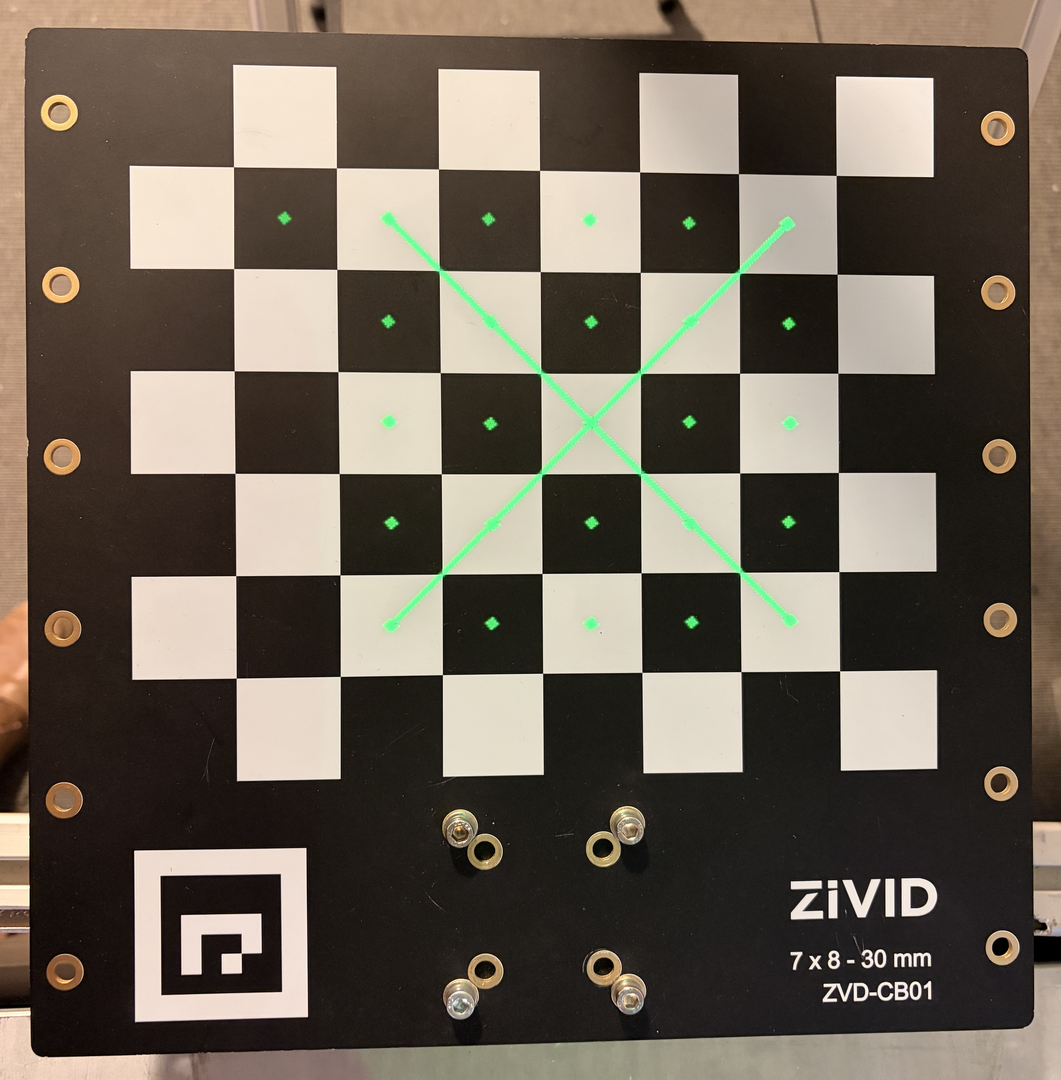
然后通过触碰测试验证了手眼标定。
触碰测试成功,证实了手眼标定的正确性和准确性。
比较
下表比较了手眼标定矩阵(平移值)和手眼标定残差的结果。
数据集 |
X (mm) |
Y (mm) |
Z (mm) |
|---|---|---|---|
好(从机器人装载的) |
-55.936 |
-91.920 |
129.087 |
差(名义上的) |
-51.743 |
-89.999 |
126.972 |
差(经过修改的) |
-55.557 |
-91.703 |
123.231 |
Δ(好 - 差 名义值) |
-4.193 |
-1.921 |
2.115 |
Δ(好 - 差 修正值) |
-0.379 |
-0.217 |
5.856 |
数据集 |
N |
平均旋转角度(°) |
最大旋转角度(°) |
平均平移残差(mm) |
最大平移残差(mm) |
|---|---|---|---|---|---|
好(从机器人装载的) |
14 |
0.022 |
0.035 |
0.180 |
0.338 |
差(名义上的) |
14 |
0.093 |
0.131 |
0.793 |
1.418 |
差(经过修改的) |
14 |
0.019 |
0.031 |
0.145 |
0.259 |