Touch Test Fails (Poor Robot Positioning Accuracy) after Good Hand-Eye Calibration (Incorrect TCP)
Problem
Your hand-eye calibration results look good, but the touch test fails.
핸드-아이 캘리브레이션 변환 |
핸드-아이 캘리브레이션 잔차 |
프로젝션 검증 |
터치 테스트 |
|---|---|---|---|
합리적인 |
좋은 |
좋은 |
나쁜 |
우수한 핸드-아이 캘리브레이션 결과의 예
핸드-아이 캘리브레이션 행렬은 합리적이며 대략적인 수동 측정에서 예상되는 결과와 일치합니다(아래 표 및 이미지 참조).
0.999 |
-0.002 |
0.0412 |
-55.598 |
0.001 |
0.999 |
0.0283 |
-90.654 |
-0.041 |
-0.028 |
0.998 |
129.044 |
0 |
0 |
0 |
1 |
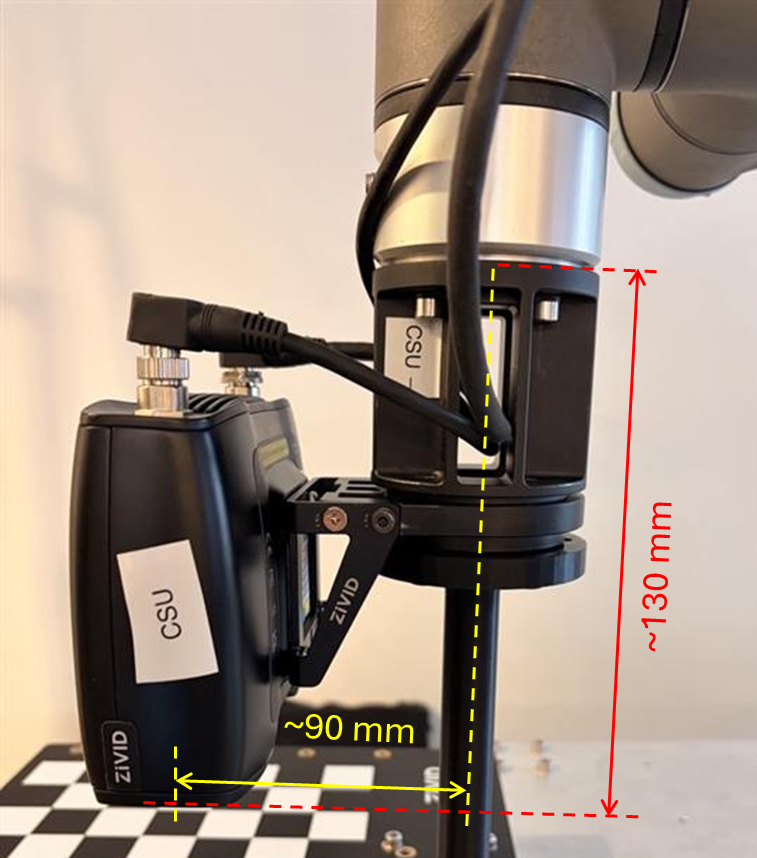
캘리브레이션 잔차가 허용 가능한 범위 내에 있으므로 최적화가 성공적으로 수렴되었음을 나타냅니다.
N (포즈) |
회전 평균 (°) |
최대 회전각(°) |
이동 평균(mm) |
최대 이동 거리(mm) |
|---|---|---|---|---|
10 |
0.021 |
0.042 |
0.109 |
0.172 |
For smaller robots, we expect the residuals to be in the sub-millimeter range, while for larger robots, the residuals can be in the millimeter range. As for the rotational component of the residuals, we expect them to be in the sub-degree range.
전체 잔차
포즈 |
회전 (°) |
이동 (mm) |
|---|---|---|
1 |
0.017292 |
0.163 |
2 |
0.008218 |
0.135 |
3 |
0.028 |
0.172 |
4 |
0.009 |
0.053 |
5 |
0.042 |
0.080 |
6 |
0.008 |
0.098 |
7 |
0.022 |
0.138 |
8 |
0.025 |
0.077 |
9 |
0.036 |
0.125 |
10 |
0.013 |
0.048 |
프로젝션을 이용한 검증 또한 통과하여 헨드-아이 변환이 정확하고 정밀함을 나타냅니다.
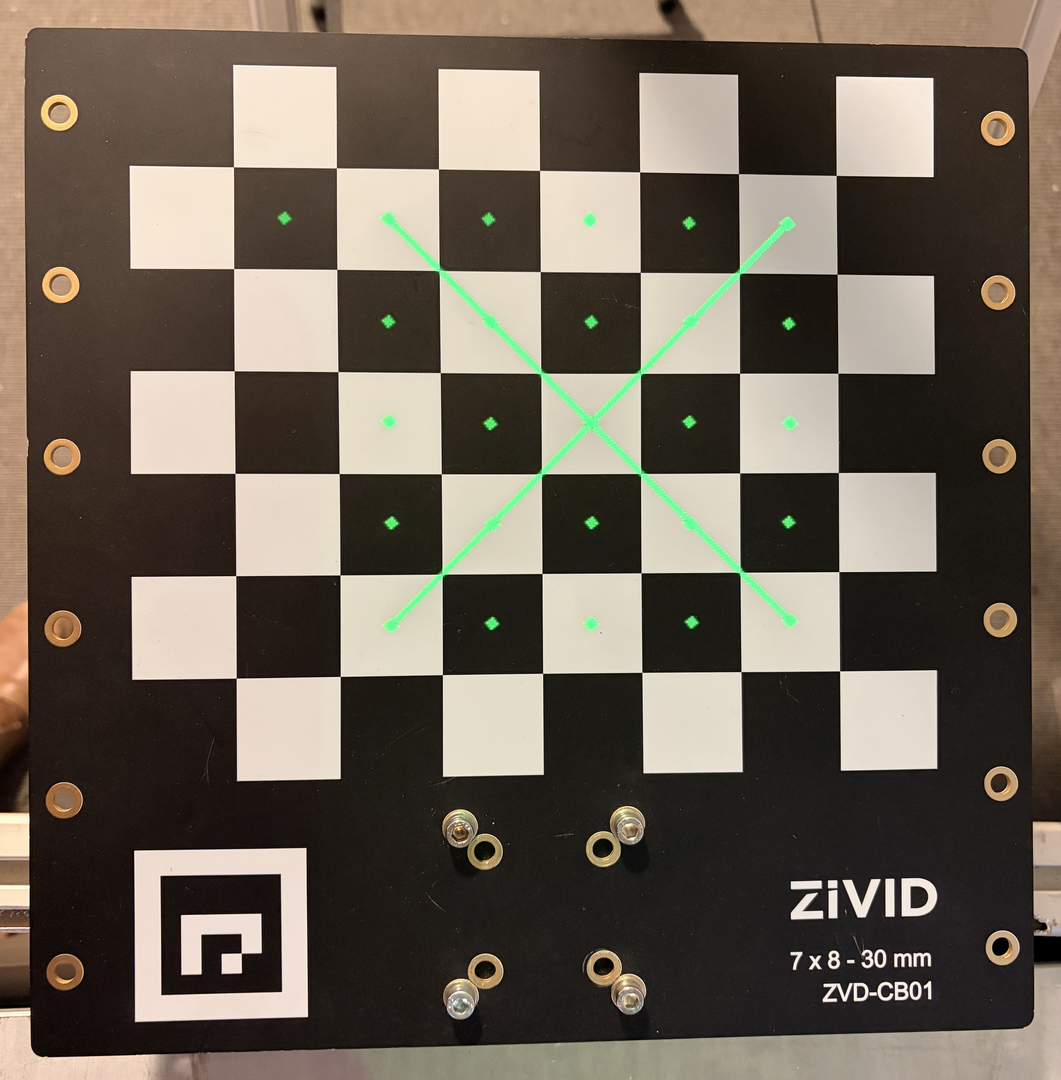
핸드-아이 캘리브레이션을 성공적으로 완료한 직후 다음과 같은 현상 중 하나 이상이 나타납니다.
터치 테스트가 실패했습니다(예상 지점에 닿지 않았습니다).
로봇의 위치 설정이 정확하지 않은 것 같습니다(예: 물체 집기/배치 위치가 지속적으로 어긋남).
TCP 프레임에서 로봇 끝부분이 회전하는 동안 작은 호를 그리며 “표류” 하거나 움직입니다.
Potential Cause
The Tool Center Point (TCP) is incorrect (measured wrong or misaligned).
핸드-아이 잔상이 양호해 보이더라도, 잘못된 TCP(툴팁 위치)는 로봇이 추정한 툴팁 위치가 실제 툴팁 위치와 일치하지 않음을 의미합니다. 이는 다음과 같은 문제로 이어집니다.
핸드-아이 캘리브레이션을 잘 조절하는 수학
물리적 정확도가 떨어짐
터치 테스트가 목표를 달성하지 못했습니다
TCP 프레임에서의 회전으로 인해 공구 끝단에서 눈에 띄는 편차가 발생합니다(가장 신뢰할 수 있는 지표).
이러한 불일치는 핸드-아이 캘리브레이션이 제대로 이루어진 후에도 터치 테스트가 실패하는 가장 흔한 원인입니다.
How to Verify TCP if Touch Test Fails
이는 권장되는 가장 안전한 TCP 유효성 검사 방법입니다. 접촉이 필요 없고 회전 만 사용하며 TCP 오류를 명확하게 보여줍니다.
참고
로봇 제조업체에서 제공하는 통합 TCP 캘리브레이션 및 검증 도구를 사용하는 것이 좋습니다.
필수 조건:
티칭/슬로우 모드가 활성화되었습니다.
단단하고 고정된 뾰족한 물체 (예: 평평한 표면에 수직으로 서 있는 나사).
뾰족한 도구를 장착한 로봇.
절차:
Position tool tip: Move the robot so that the very tip of the tool coincides exactly with the tip of the reference object. (no contact force, alignment only.)
TCP 프레임으로 전환: 로봇 펜던트에서 TCP 좌표계를 선택합니다.
TCP를 중심으로 회전: X, Y, Z축을 중심으로 작은 회전(±10~30°)을 수행합니다. 이동은 하지 마십시오.
툴팁을 살펴보세요:
TCP가 정확할 경우: 툴팁은 회전하는 동안 기준점에 정확히 유지됩니다.
If TCP is incorrect: the tip visibly sweeps an arc or moves relative to the reference point during rotation. This drift is the definitive sign of a bad or wrongly measured TCP.
변동이 관찰되면 TCP를 다시 측정하십시오.
Potential Solution
기준점을 사용하고 로봇에 내장된 TCP 추정 절차를 이용하여 TCP를 재보정합니다.
TCP 검증 순환 테스트를 반복합니다.
TCP 연결이 올바른지 확인되면 터치 테스트를 다시 실행하십시오.
참고
TCP가 잘못되었더라도 핸드-아이 캘리브레이션 잔차가 양호하게 보이는 것은 정상입니다. 캘리브레이션은 프레임 간의 변환을 해결하는 것이지 툴팁의 물리적 위치를 해결하는 것이 아닙니다.
TCP가 올바르게 설정되었는지 확신이 서지 않는다면, 캘리브레이션을 다시 수행하기보다 회전 방법을 사용하여 TCP를 확인하는 것이 더 빠릅니다.