Zivid キャリブレーション ボードの検出に失敗しました
問題
Zivid SDK は、ハンドアイキャリブレーションまたはインフィールド修正/検証中にチェッカーボードを検出できません。
考えられる原因と解決策
Zivid calibration board を使用する場合、基準マーカー( ArUco マーカー)が画像内に見えている必要があります。見えていない場合、インフィールド修正またはハンドアイキャリブレーションの実行時にチェッカーボードの検出に失敗します。Zivid キャリブレーションボードは認定された製品であるため、使用することを推奨します。基準マーカーがなくこの要件が課されていなかった従来の 9x6 のグレーホワイトチェッカーボードのサポートは、SDK 2.14 で廃止されました。
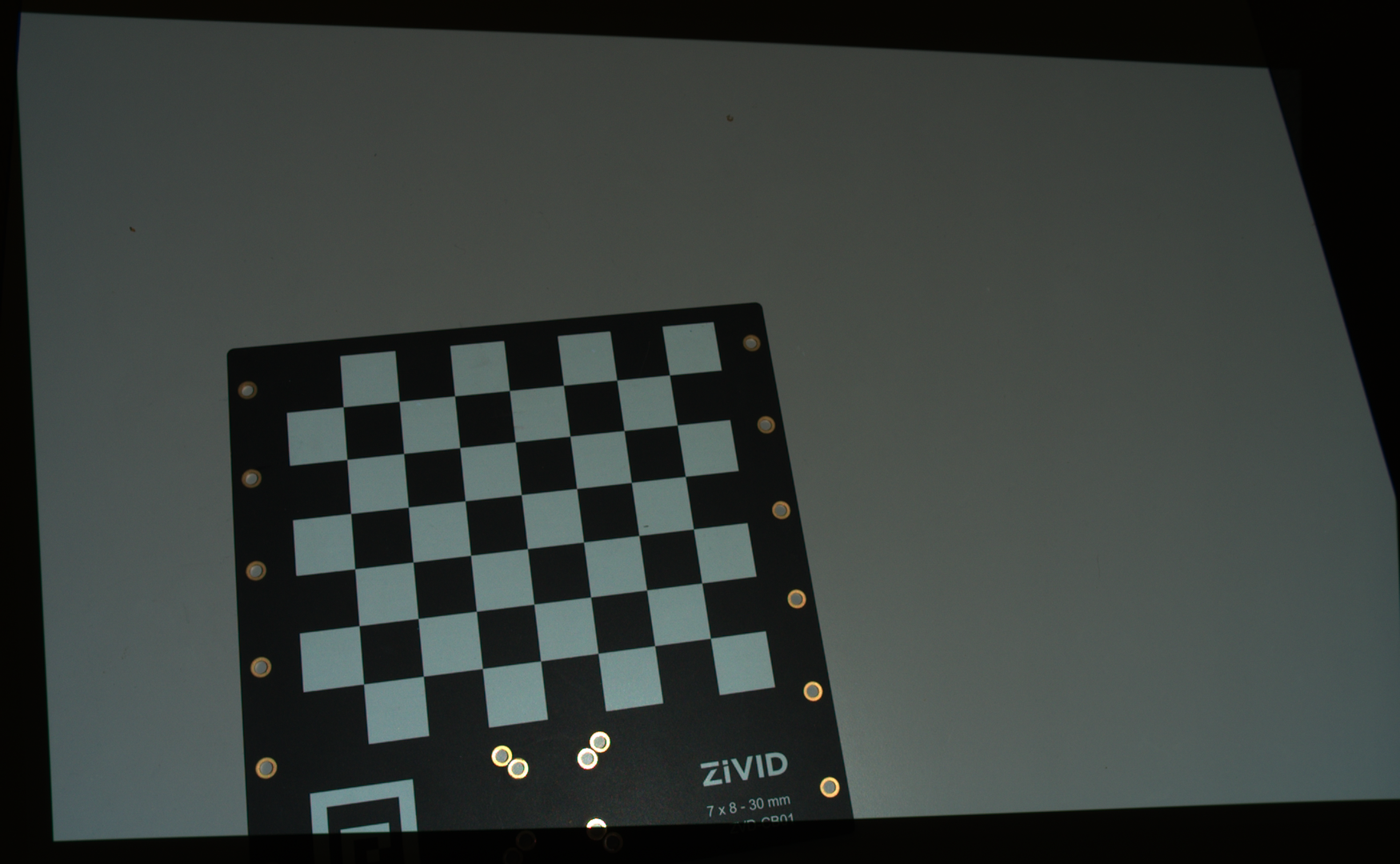 目に見えない基準マーカー
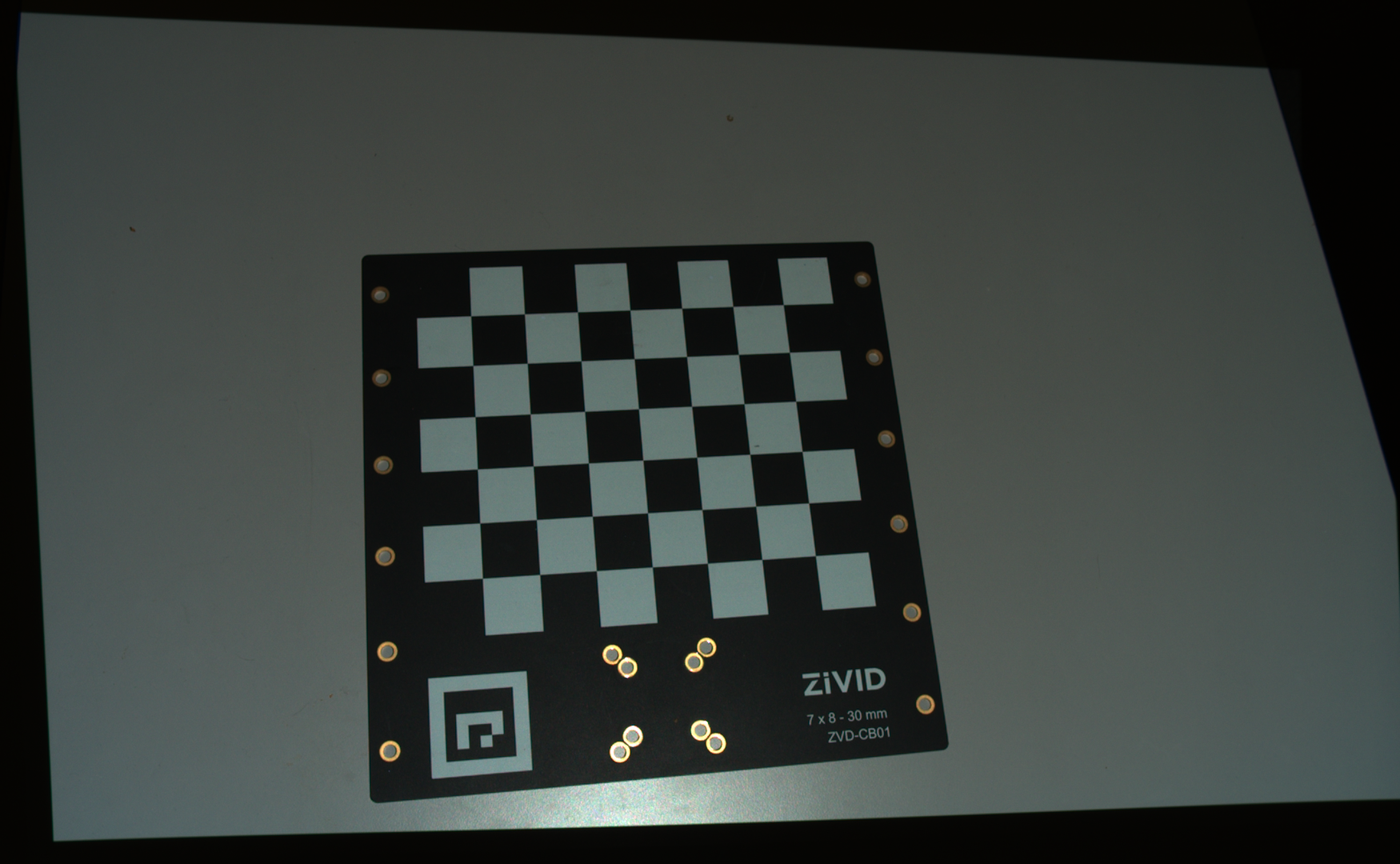 目に見える基準マーカー
Tip
Zivid Studio を使用してキャプチャが適切かどうかを検査します
この関数が特徴点を検出できない場合でも、SDK はエラーをスローしない点に注意してください。代わりに空のリストを返します。これは、点群内でチェッカーボードが見つからないことは通常の失敗と見なされ、(例外的な)エラーとは見なされないためです。そのため、キャプチャ後に Calibration::DetectionResult::valid() を使用して検出結果を検証することを推奨します。以下のコードは、これをプログラムに実装する方法を示しています。

const auto detectionResult = Zivid::Calibration::detectCalibrationBoard(frame);

if(detectionResult.valid())
{
    std::cout << "Calibration board detected " << std::endl;
    handEyeInput.emplace_back(robotPose, detectionResult);
    currentPoseId++;
}
else
{
    std::cout << "Failed to detect calibration board. " << detectionResult.statusDescription() << std::endl;
}
using (var frame = camera.Capture2D3D(settings))
{
    var detectionResult = Detector.DetectCalibrationBoard(frame);

    if (detectionResult.Valid())
    {
        Console.WriteLine("Calibration board detected");
        handEyeInput.Add(new HandEyeInput(robotPose, detectionResult));
        ++currentPoseId;
    }
    else
    {
        Console.WriteLine("Failed to detect calibration board, ensure that the entire board is in the view of the camera");
    }
}
detection_result = zivid.calibration.detect_calibration_board(frame)

if detection_result.valid():
    print("Calibration board detected")
    hand_eye_input.append(zivid.calibration.HandEyeInput(robot_pose, detection_result))
    current_pose_id += 1
else:
    print(f"Failed to detect calibration board. {detection_result.status_description()}")