Touch Test Fails (Poor Robot Positioning Accuracy) after Good Hand-Eye Calibration (Incorrect TCP)
Problem
Your hand-eye calibration results look good, but the touch test fails.
Hand-eye matrix |
Calibration residuals |
Projection verification |
Touch test |
|---|---|---|---|
Reasonable |
Good |
Good |
Bad |
Example of good hand-eye results
Hand-Eye Calibration Matrix
0.999 |
-0.002 |
0.0412 |
-55.598 |
0.001 |
0.999 |
0.0283 |
-90.654 |
-0.041 |
-0.028 |
0.998 |
129.044 |
0 |
0 |
0 |
1 |
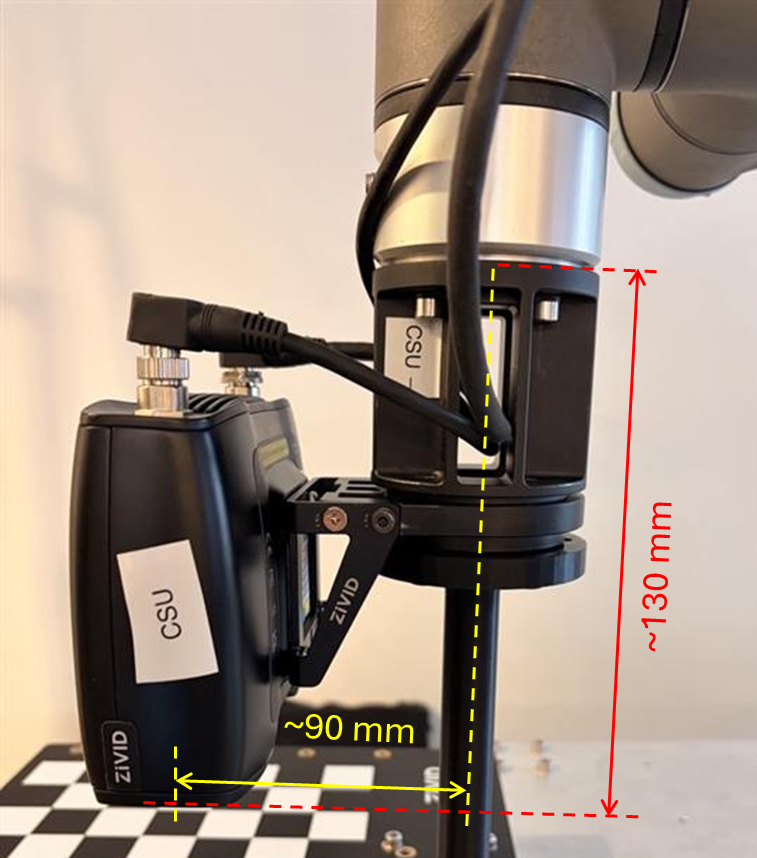
The Hand-Eye Calibration Matrix appears reasonable and is consistent with what one would expect from rough manual measurements (see image below).
Residuals
The calibration residuals are within an acceptable range, indicating that the optimization has converged successfully. For smaller robots, we expect the residuals to in the sub-millimeter range, while for larger robots, the residuals can be in the millimeter range. As for the rotational component of the residuals, we expect them to be in the sub-degree range.
N (Poses) |
Rotation avg (deg) |
Rotation max (deg) |
Translation avg (mm) |
Translation max (mm) |
|---|---|---|---|---|
10 |
0.021 |
0.042 |
0.109 |
0.172 |
Pose |
Rotation (deg) |
Translation (mm) |
|---|---|---|
1 |
0.017292 |
0.163 |
2 |
0.008218 |
0.135 |
3 |
0.028 |
0.172 |
4 |
0.009 |
0.053 |
5 |
0.042 |
0.080 |
6 |
0.008 |
0.098 |
7 |
0.022 |
0.138 |
8 |
0.025 |
0.077 |
9 |
0.036 |
0.125 |
10 |
0.013 |
0.048 |
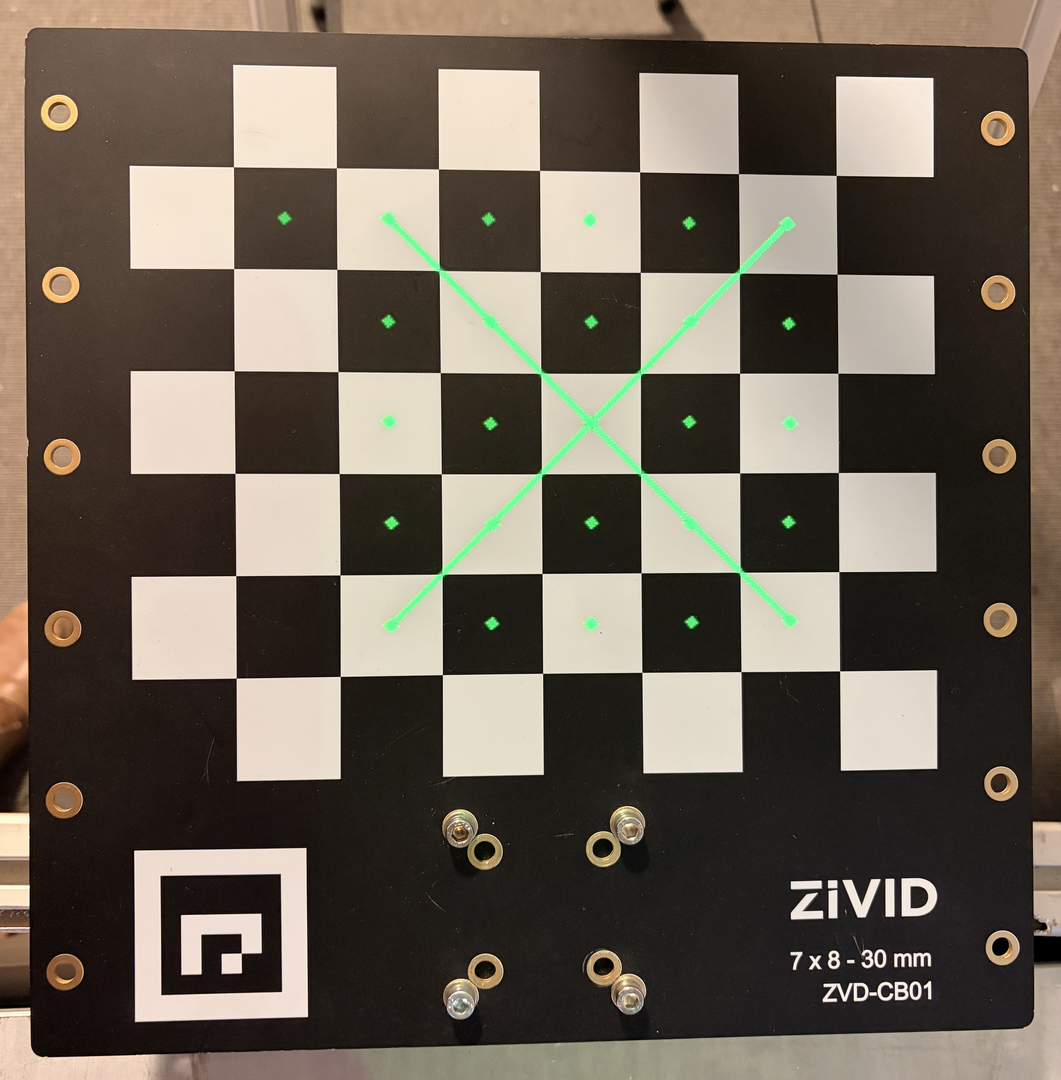
Verification using projection also passes, indicating that the hand-eye transformation is correct and accurate.
Immediately after running a successful hand-eye calibration, you observe one or more of the following:
The Touch Test fails (does not land on the expected point).
Robot positioning appears inaccurate (e.g., object picking/placement is consistently offset).
Robot tip “drifts” or sweeps in a small arc during rotation in TCP frame.
Potential Cause
The Tool Center Point (TCP) is incorrect (miss-measured or miss-aligned).
Even if hand-eye residuals look good, an incorrect TCP means the robot’s assumed tool tip location does not match the physical tip. This leads to:
Good hand-eye calibration math
Bad physical accuracy
Touch tests missing their target
Rotation in TCP frame causing visible drift at the tool tip (the most reliable indicator)
This mismatch is the most common cause of failed touch tests after an otherwise correct hand-eye calibration.
How to Verify TCP if Touch Test Fails
This is the recommended and safest TCP validation method. It requires no contact, only rotations, and clearly reveals TCP errors.
참고
It is recommended to use the integrated TCP calibration and verification tools provided by your robot manufacturer.
Prerequisites:
Teach/slow mode enabled.
A rigid, fixed pointed object (e.g., a screw standing vertically on a flat surface).
Robot equipped with a pointed tool.
Procedure:
Position tool tip: Move the robot so that the very tip of the tool coincides exactly with the tip of the reference object. (no contact force, just alignment.)
Switch to TCP Frame: On the robot pendant, select the TCP coordinate system.
Rotate around TCP: Perform small rotations (±10-30°) around X, Y, and Z. Do not translate.
Observe the tool tip:
If TCP is correct: the tool tip remains exactly on the reference point throughout the rotation.
If TCP is incorrect: the tip visibly sweeps an arc or moves relative to the reference point during rotation. This drift is the definitive sign of a bad or miss-measured TCP.
Re-measure the TCP if drift is observed.
Potential Solution
Recalibrate the TCP, using a pointed reference and the robot’s built-in TCP estimation procedure.
Repeat the TCP verification rotation test.
Once TCP is confirmed correct, re-run the touch test.
참고
It is normal for hand-eye calibration residuals to look good even if TCP is wrong. Calibration solves the transformation between frames, not the tool tip’s physical location.
When in doubt, verifying TCP via the rotation method is faster than re-running a calibration.