Create a HALCON “Hello World” Program
이 튜토리얼은 스크린샷을 통해 각 단계를 안내하면서, HALCON을 사용하여 Zivid용 HDevelop 프로그램을 만들고 개발을 시작하는 방법을 보여줍니다.
Requirements
참고
이 튜토리얼은 다음 HALCON 버전에서 테스트되었습니다: 19.05 Progress, 20.05 Progress, 21.11 Progress, 24.05 Progress, 24.11 Progress-Steady, 25.05 Progress, 25.11 Progress, 26.05 Progress.
Instructions
Create ZividHelloWorld.hdev
HALCON을 실행한 다음 File → New Program 을 클릭합니다. Program Window main () 에 다음 코드를 추가하십시오.
<c>* Connect to the camera</c>
<l>open_framegrabber ('GenICamTL',1, 1, 0, 0, 0, 0, 'progressive', -1, 'default', -1, 'false', 'default', 'default', 0, 0, AcqHandle)</l>
<c/>
<c>* Create a window and print 'Hello World!'</c>
<l>dev_open_window (0, 0, 512, 512, 'black', WindowHandle)</l>
<l>write_string(WindowHandle,'Hello World!')</l>
코드를 원하는 위치에 ZividHelloWorld.hdev 로 저장합니다.
Run the program
키보드에서 F5 키를 눌러 프로그램을 실행합니다.
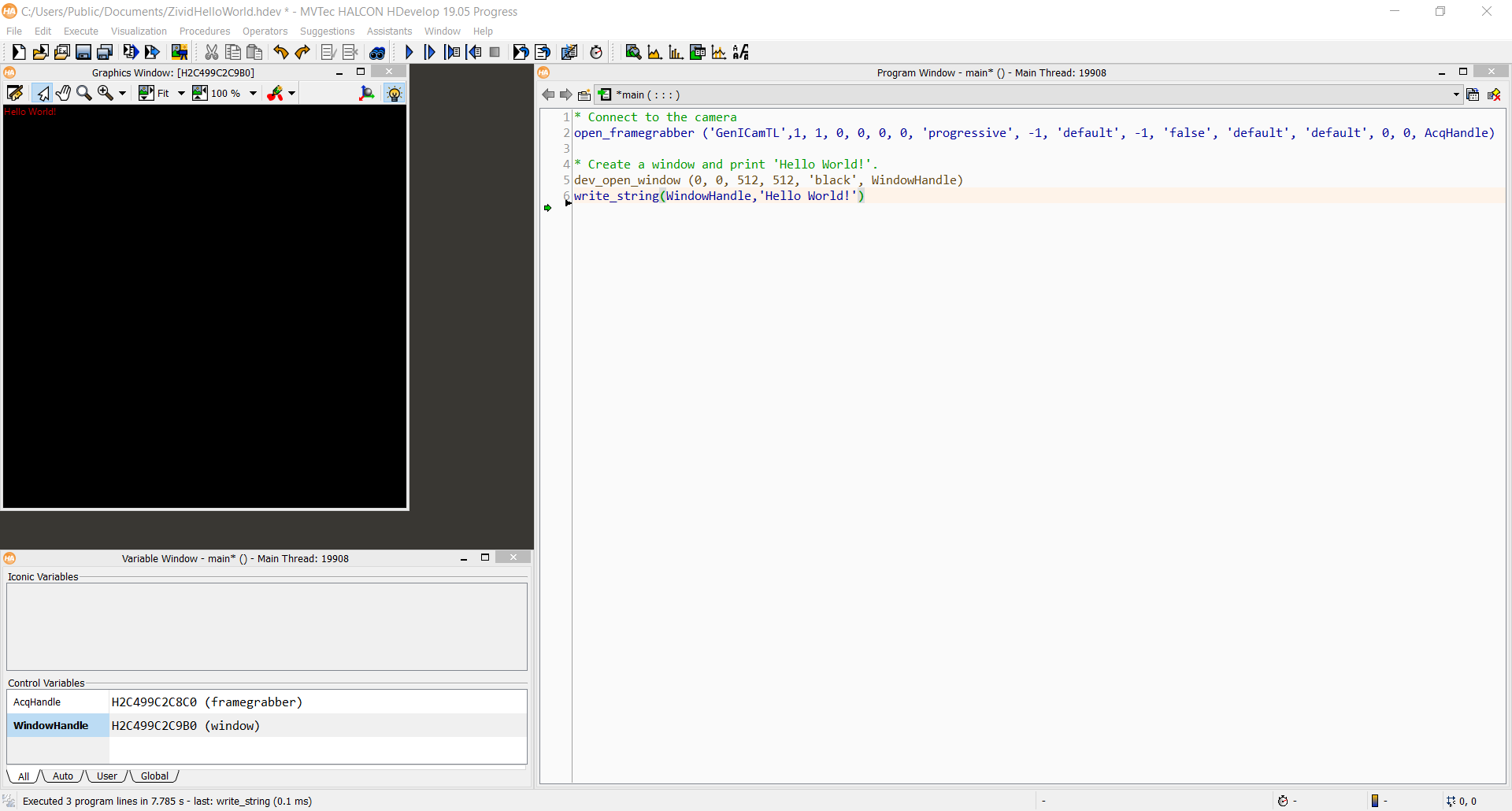
우리의 HALCON samples 을 확인하고 개발을 시작하십시오!