可用视图

There are five views available at the bottom of Zivid Studio.

如需在视图之间导航,您可以

  • Use the keyboard shortcuts 1 through 5.

  • Change manually at the bottom of the GUI by clicking on the thumbnails.

  • Select from the drop-down menu in the top left corner.

Each view has its own set of drop-down menus in the top left corner with different features to explore.

../../../_images/zivid-studio-guide-views.png

3D View

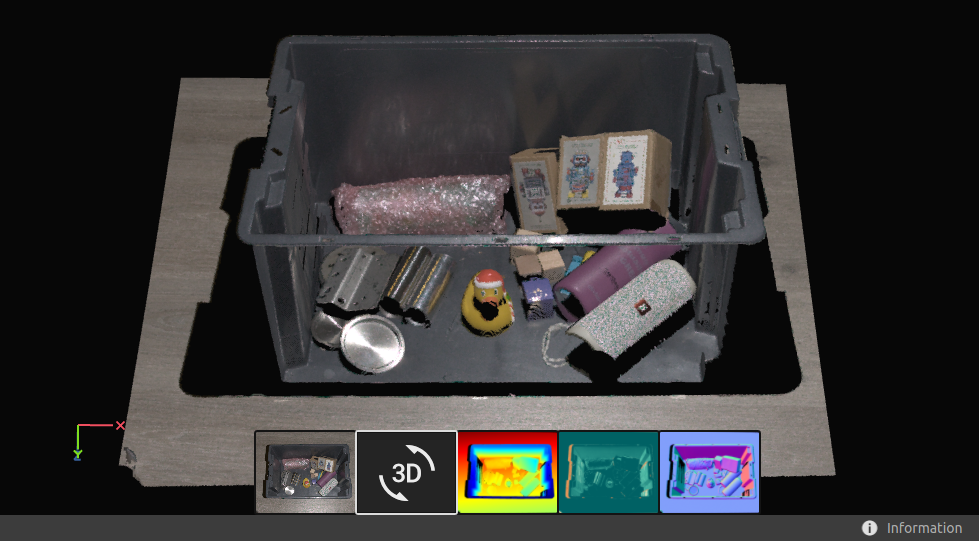
此视图显示 3D 捕获后或加载 ZDF 文件后的场景的点云。

  • 使用鼠标左键旋转点云。

  • 使用鼠标右键进行平移。

  • 可通过滚动鼠标滚轮或拖动鼠标中键(如果可用)放大或缩小图像。

../../../_images/studio-status-bar-pointcloud.png

Choosing how the point cloud is colored (C, D, R and S) and toggling the mesh (M) on and off in this view helps evaluate the point cloud quality.

Other features that affect the visualization of the point cloud are found in the top left drop-down menus:

  • 点的大小可以调整,这有助于检查纹理很重要的区域。

  • If Depth (D) point cloud coloring is enabled, you can adjust the Z range to display only a specific section of the point cloud.

  • A transform can be applied to the point cloud, moving all points from the camera's coordinate system to a chosen one. Load the transform from file, or set it with the Region Of Interest.

    备注

    This also affects the Depth and Normals views, since they are relative to the current coordinate system.

    请参阅 转换 以了解更多相关信息。

  • 如果您已启用 感兴趣区域框 ,则可以修改它的可见性。

2D Color Image

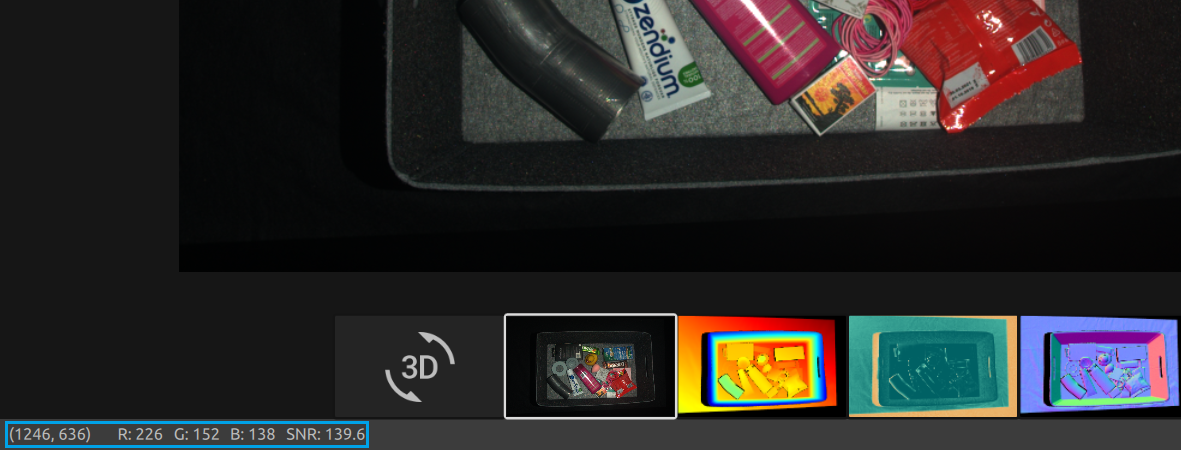
此视图显示 2D 捕获或加载 ZDF 文件后的场景彩色图像。

  • 将鼠标指针置于图像中的某个像素上,即可获取图像坐标和 RGB 值。像素值显示在窗口左下角的状态栏中。

  • 可通过滚动鼠标滚轮或拖动鼠标中键(如果可用)放大或缩小图像。

  • 使用鼠标左键平移视图。

../../../_images/studio-status-bar-color.png

当使用不同的像素采样进行 2D+3D 捕获时,您可以在左上角的下拉菜单中在 2D 捕获和 3D 捕获的 2D 图像之间切换。

Depth(深度)

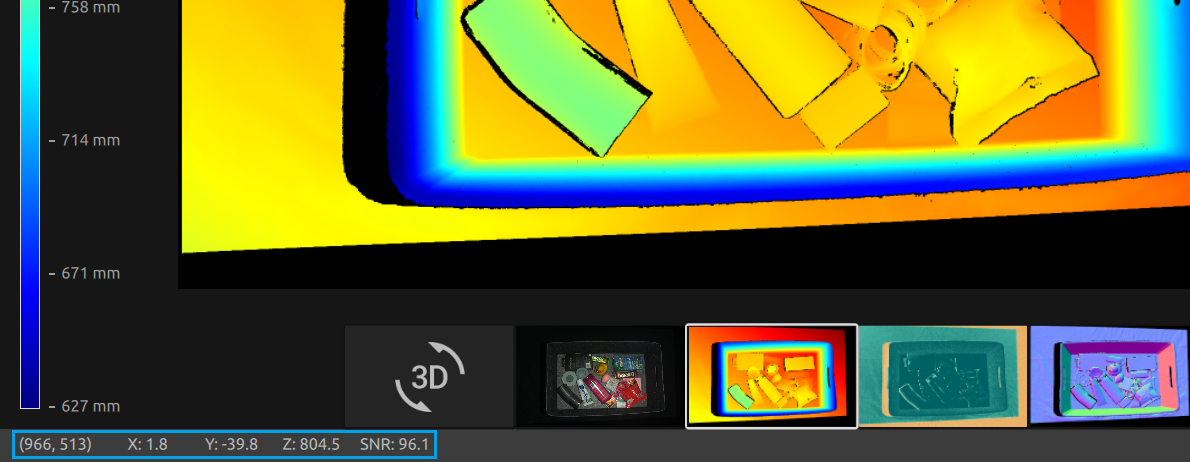
捕获或加载ZDF文件后,此视图将显示场景的深度图像。

  • 将鼠标指针置于图像中的某个像素上,即可获取图像坐标、XYZ 值和 SNR 值 。像素值显示在窗口左下角的状态栏中。

  • 可使用视图左上角的下拉菜单设定Z的范围。

  • Use zoom and pan features in the same way as described in the Color View.

../../../_images/studio-status-bar-depth.png

色标表示从相机到成像物体表面沿 z 轴的距离变化。要修改沿 z 轴的范围,您可以使用左上角下拉菜单中的固定 Z 范围来缩小色标。

SNR(信噪比)

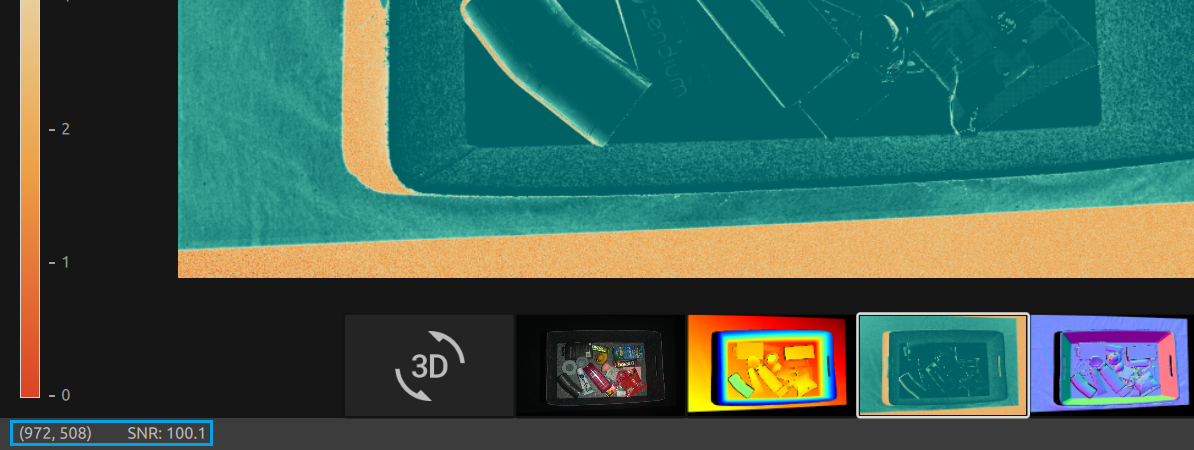
此视图将在捕获或加载ZDF文件后显示场景的SNR图。

  • 将鼠标指针放在图像中的一个像素上以获得图像坐标和 SNR值 。像素值显示在窗口左下角的状态栏中。

  • Use zoom and pan features in the same way as described in the Color View.

../../../_images/studio-status-bar-snr.png

The color scale represents the variation in the SNR values. A pixel found at the higher end of the color scale represents a point associated with strong signal quality. For a point associated with a pixel found at the lower end of the color scale the ratio is more influenced by noise. Hence, these points involve higher uncertainty.

如需了解更多详细内容,请参阅 SNR 值

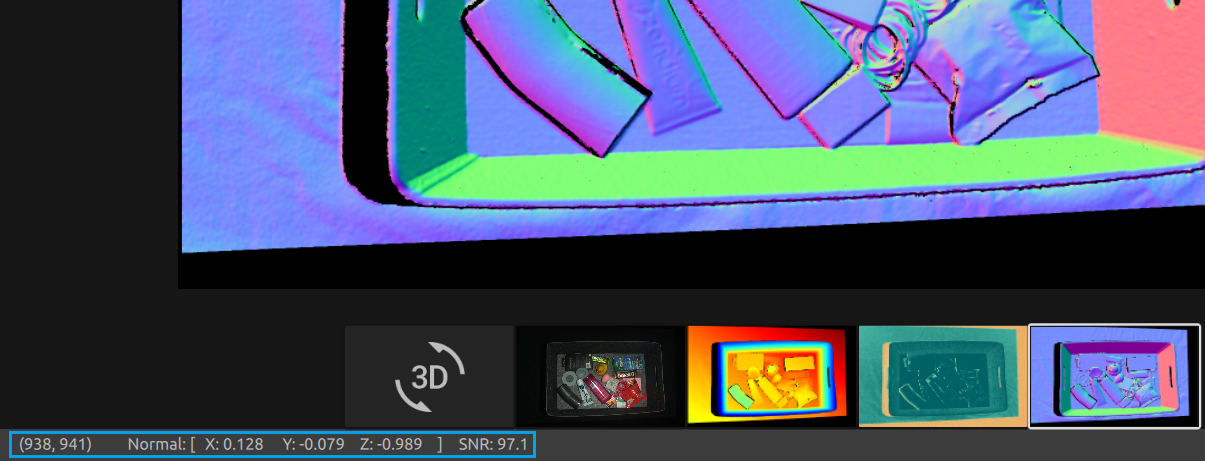
Normals(法线)

此视图将在捕获或加载ZDF文件后显示场景的法线图。

  • 将鼠标指针放置在图像中的一个像素上以获取图像坐标、法线坐标和 SNR值 。像素值显示在窗口左下角的状态栏中。

  • Use zoom and pan features in the same way as described in the Color View.

../../../_images/studio-status-bar-normals.png

法线图提供了场景表面法线的 2D 表示,其中 RGB 颜色分量描述法线向量。它有助于检查表面曲率、表面纹理和物体之间的过渡,因为颜色渐变可以很好地描述这些。

有关法线的介绍,请参阅 法线 一文。

继续阅读有关 Zivid Studio 的内容: 工具栏

Version History

SDK

变更

2.17.0

A fixed Z range slider is added to the Depth view.

2.15.0

在3D视图中添加SNR彩色图,并添加Transform对点云进行变换。

2.14.0

3D 视图中添加了 3D 轴指示器、彩虹色图和更多点尺寸选项。

2.8.0

增加了调整的点大小的功能、SNR图和法线图。