在 Windows 上安装 Zivid
要在 Windows 上安装 Zivid,请下载并运行 Zivid 安装程序,选择与您的 GPU 匹配的 GPU 计算后端。
下载并运行最新的 Zivid Software 安装程序。
根据您将与 Zivid 一起使用的 GPU,选择要安装的 GPU 计算后端。
GPU
CUDA
OpenCL
Intel
否
是
NVIDIA
最佳
是
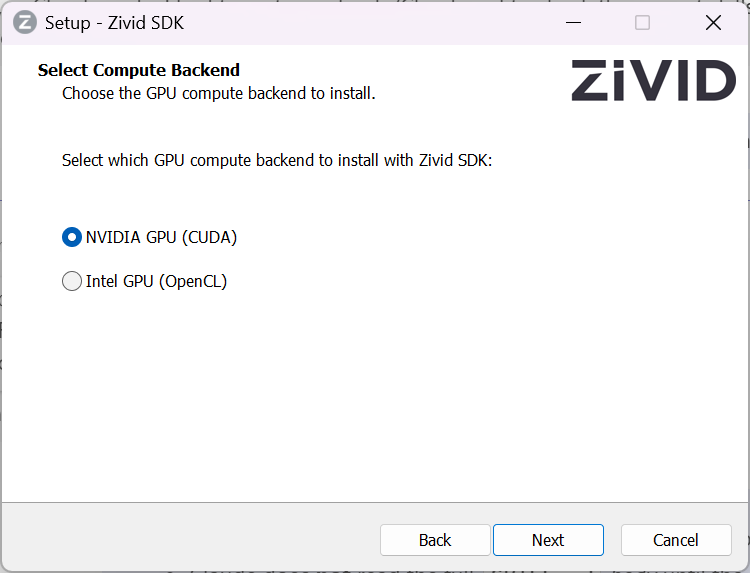
备注
如果您在 NVIDIA GPU 上安装 OpenCL,SDK 将无法启动,除非您编辑 Config.yml 文件以明确允许该配置。详情请参阅 NVIDIA 计算设备不受 OpenCL 版本支持 。
如果您使用 HALCON,请勾选安装 GenICam GenTL Producer (Experimental) 的选项。
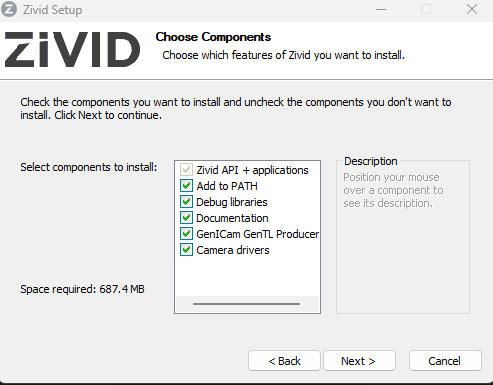
小心
GenICam/HALCON 的支持是实验性的。
打开 Zivid Studio 并检查没有发生错误以验证安装是否成功。
备注
如果遇到问题,您可能需要安装或更新 GPU 驱动程序 。
接下来进行 网络配置 。