サンプリング(2D)
Settings2D::Sampling controls how the 2D image is generated from the sensor: its Color mode, its Pixel resolution, and, on Zivid 3, its Interval timing relative to flickering ambient light.
色
Setting Settings2D::Sampling::Color to rgb or grayscale specifies the type of information that can be captured from the scene.
Depending on camera model the setting will have different options.
Zivid 2/2+ |
Zivid 2+ R |
Zivid 3 |
|
|---|---|---|---|
|
✓ |
✓ |
✓ |
|
✓ |
||
|
✓ |
✓ |
The behavior of different capture functions in relation to Settings2D::Sampling::Color is as follows:
Capture2D3D() と Capture2D()
Acquire full color information when
Settings2D::Sampling::Coloris set torgb.Acquire texture or intensity information when
Settings2D::Sampling::Coloris set tograyscale.
Capture3D()
Does not acquire color or texture information, regardless of the
Settings2D::Sampling::Colorsetting.すべてのピクセルに均一な RGB 値( \(R=200\) 、 \(G=50\) 、 \(B=200\) )を割り当て、ピンク色の画像と点群を生成します。
キャプチャ機能 |
|
2D 画像 |
点群 |
|---|---|---|---|
|
|
RGB |
RGB |
|
RGB |
RGB |
|
|
グレースケール |
グレースケール |
|
|
RGB |
RGB |
|
|
|
RGB |
/ |
|
RGB |
/ |
|
|
グレースケール |
/ |
|
|
RGB |
/ |
|
|
|
ピンク |
ピンク |
|
ピンク |
ピンク |
|
|
ピンク |
ピンク |
|
|
ピンク |
ピンク |
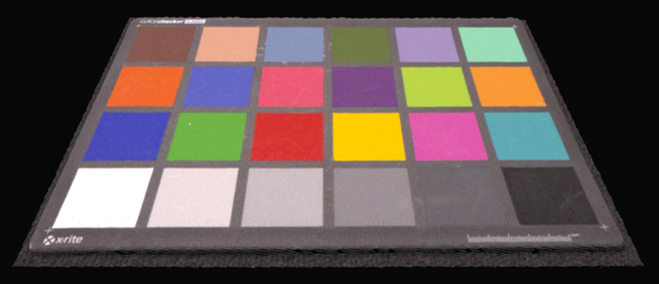 Capture2D3D() を Settings2D::Sampling::Color を rgb に設定して使用すると、点群はカラーになります。
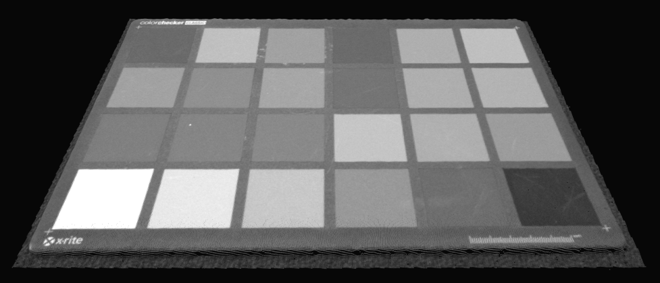 Settings2D::Sampling::Color をグレースケールに設定して Capture2D3D() を使用すると、点群はグレースケールになります。
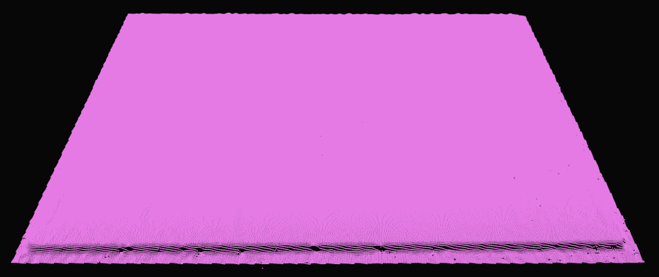 Capture3D() を使用すると、Settings2D::Sampling::Color に関係なく、点群はピンク色で表示されます。
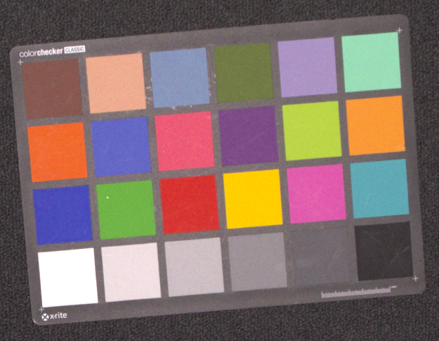 Capture2D3D() または Capture2D() を Settings2D::Sampling::Color を rgb に設定して使用すると、2D 画像はカラーになります。
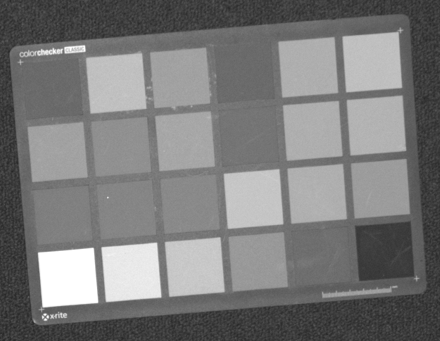 Capture2D3D() または Capture2D() を Settings2D::Sampling::Color をグレースケールに設定して使用した場合、2D 画像はグレースケールになります。
 Capture3D() を使用すると、Settings2D::Sampling::Color の設定に関係なく、2D 画像はピンク色になります。
ピクセル
The Settings2D::Sampling::Pixel parameter is used to choose the sampled pixels to generate 2D image.
Depending on camera model the setting will have different options.
Zivid 2/2+ |
Zivid 2+R/3 |
|
|---|---|---|
|
✓ |
✓ |
|
✓ |
|
|
✓ |
|
|
✓ |
|
|
✓ |
|
|
✓ |
|
|
✓ |
各カメラの解像度は以下のとおりです。
3D キャプチャ |
Zivid 3 |
Zivid 2+/2+R |
Zivid 2 |
|---|---|---|---|
フル解像度 [1] |
2816 x 2816 |
2448 x 2048 |
1944 x 1200 |
2x2 [1] |
1408 x 1408 |
1224 x 1024 |
972 x 600 |
4x4 [1] |
704 x 704 |
612 x 512 |
利用不可 |
all に設定すると、すべてのピクセルがサンプリングされ、2D 画像はフル解像度になります。
以下の図は、センサーグリッドと関連するインデックスを示しています。
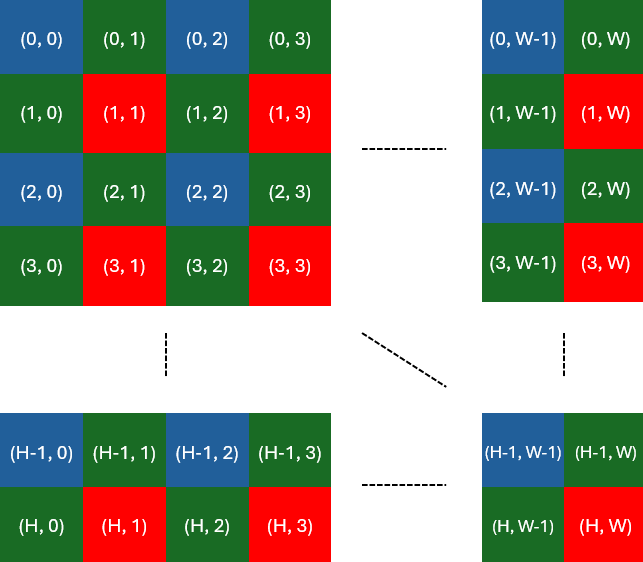
サブサンプリング(2x2)を行うと、元のピクセル数の 1/4 が得られます。
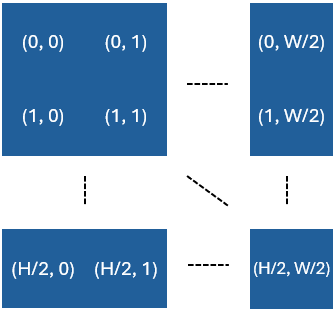
これは、2x2 のサブサンプリングまたはダウンサンプリングを行った後、x 軸と y 軸に沿ったピクセル数が 2 で割られることを意味します。4x4 のサブサンプリングの場合、x 軸と y 軸に沿った点の数は 4 で割られます。
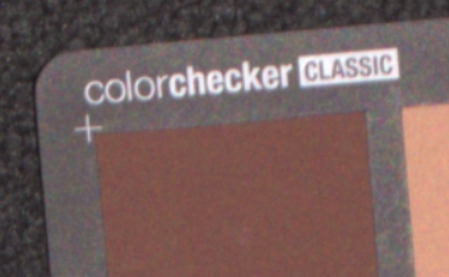
As an example see the zoomed-in sections of three images of the same scene, each captured with different Settings2D::Sampling::Pixel setting.
 all
all
 by2x2
by2x2
 by4x4
by4x4
サブサンプリングによって、取得および処理されるデータ量が少なくなるため、取得およびキャプチャ時間が短縮されます。さらに、データをより扱いやすいサイズに変換するためのダウンサンプリングが不要になるため、ストレージと後処理の要件が軽減されます。データ量が 4 分の 1 になるため、ユーザーによる後処理(例えば、AI ベースのセグメンテーション)が高速化されます。
間隔
サンプリング間隔設定は、外部光源との干渉を避けるために、2D 画像取得のタイミングを制御します。
注釈
2D サンプリング間隔は Zivid 3 でのみ利用可能です。
When Settings2D::Sampling::Interval is disabled, the camera captures images as quickly as possible, based solely on the specified exposure times.
When Settings2D::Sampling::Interval is enabled, the base time interval for 2D image acquisition is defined by the Settings2D::Sampling::Interval::Duration parameter.
Actual acquisitions will align with the nearest multiple of this duration, depending on the exposure times.
例
露光時間が 3 000 µs、サンプリング間隔が 10 000 µs の場合、データ取得は 10 000 µs(1 x 10 000 µs)で行われます。
露光時間が 15 000 µs、サンプリング間隔が 10 000 µs の場合、データ取得は 20 000 µs(2 x 10 000 µs)で行われます。
露光時間が 9 000 µs、持続時間が 10 000 µs の場合でも、システムオーバーヘッドにより、取得が 20 000 µs で行われる可能性があります。この動作は実行時に決定されるため、事前に予測することはできません。
露光時間がサンプリング間隔に近い場合、内部処理のオーバーヘッドにより、キャプチャタイミングが変動する可能性があります。
ちらつく周囲光への適応
サンプリング間隔は、次のような環境光がちらつく場合に特に有効です。
交流(AC)電源で動作する蛍光灯
強力な LED 照明を備えたバーコードスキャナー
ちらつく光は、露光時間がグリッド周波数と同期していない場合、撮影された画像に色の不一致を引き起こす可能性があります(例: ランダムな緑色またはピンク色の色合い )。
ちらつく交流電源のライト
これを軽減するために:
Enable
Settings2D::Sampling::IntervalSet
Settings2D::Sampling::Interval::Durationbased on the grid frequency:10 000 µs for 50 Hz
8 333 µs for 60 Hz
この同期により、ちらつき光による干渉を回避し、一貫した色再現が保証されます。
注釈
露光時間 をグリッド周波数に合わせる方が、サンプリング間隔を使用するよりも良い解決策です。サンプリング間隔は、例えば、露光時間を調整して 2D 画像の露出過多を回避することができない場合など、代替手段としてのみ使用してください。別の例としては、露光時間を長くして補正するためにプロジェクターの明るさを下げすぎなければならず、カラー画像にノイズが多く発生する場合などが挙げられます。これは、rgb モードを使用している場合に発生し、rgbStrongAmbientLight モードを使用している場合には発生しません。
If your exposure times already compensate for flicker (e.g., 10 000 µs for 50 Hz), it is recommended to keep Settings2D::Sampling::Interval disabled.
アクティブ光源
サンプリング間隔は、アクティブに点滅する光源(バーコードスキャナ、LED ストロボなど)と同期するためにも使用でき、干渉を最小限に抑え、画像品質を向上させるのに役立ちます。アクティブ光源からの干渉を回避する方法については アクティブ光源からの干渉を回避する方法 を参照してください。
バージョン履歴
SDK |
変更点 |
|---|---|
2.17.0 |
Zivid 3 カメラ向けに Sampling Interval 設定のサポートを追加しました。 |