バーコード検出
注釈
この API には有効な ソフトウェアライセンス が必要です。
バーコード検出 API を使用すると、2D 画像内のバーコードを検出およびデコードできます。
バーコードは、製品番号などの情報をエンコードする平行線、スペース、または形状のパターンによる、視覚的で機械読み取り可能なデータ表現です。 Zivid SDK は、以下の線形(1D)およびマトリックス(2D)バーコード形式をサポートしています。
Linear: EAN-13, EAN-8, Code 128, Code 93, Code 39, UPC-A [1], UPC-E, ITF
マトリックス:QR コード、データマトリックス
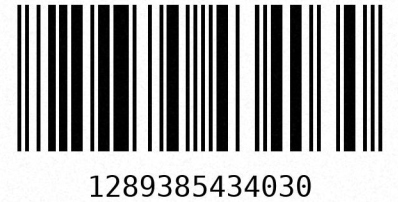
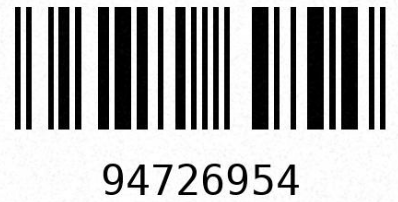
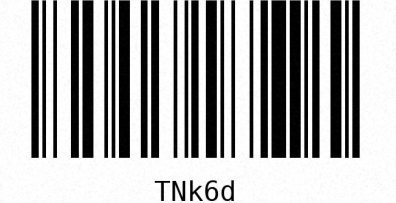
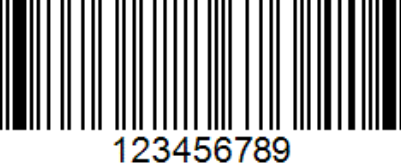
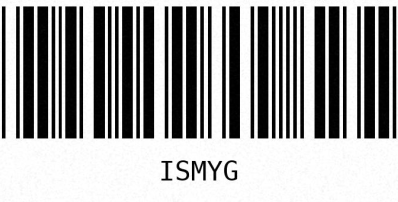
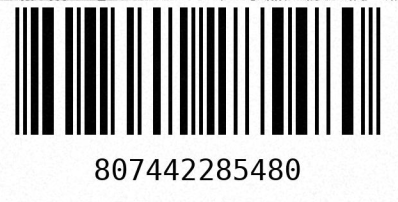
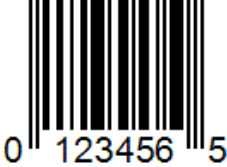
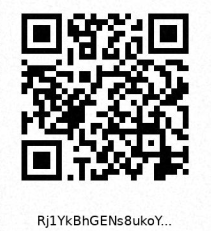
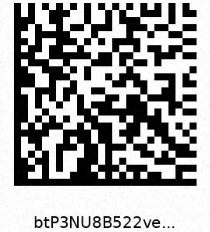
サポートされているバーコード形式の例。
Barcodes may come in various sizes, where the width of the smallest bar or space is the main sizing parameter. This smallest feature is called the module size (or X-dimension), and it is commonly expressed in mils, where one mil is 1/1000 inch (0.0254 mm). For example, standard retail linear barcodes typically vary between 7 mil (0.178 mm) and 13 mil (0.330 mm). Smaller barcodes require higher resolution to be detected and decoded reliably.
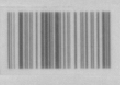 8 ミル
8 ミル
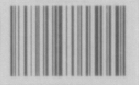 10 ミル
10 ミル
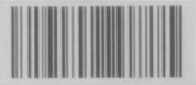 12 ミル
12 ミル
同じ距離から撮影した、異なるサイズの Code 128 バーコードの例。
バーコード検出 API
まず、バーコード検出器を初期化します。これは一度だけ実行すればよく、キャプチャするたびに実行する必要はありません。
次に、すべての形式を検索するのではなく、サポートされているバーコード形式の中から検出対象を指定します。これにより、検出速度が向上し、デコードもより安定します。この例では、簡略化のためにサポートされているすべての形式を選択します。

// Select your specific barcode formats for optimal performance
const auto linearFormatFilter = LinearBarcodeFormat::code128 | LinearBarcodeFormat::code93
                                | LinearBarcodeFormat::code39 | LinearBarcodeFormat::ean13
                                | LinearBarcodeFormat::ean8 | LinearBarcodeFormat::upcA
                                | LinearBarcodeFormat::upcE | LinearBarcodeFormat::itf;
const auto matrixFormatFilter = MatrixBarcodeFormat::qrcode | MatrixBarcodeFormat::dataMatrix;
# Select your specific barcode formats for optimal performance
linear_format_filter = {
    LinearBarcodeFormat.code128,
    LinearBarcodeFormat.code93,
    LinearBarcodeFormat.code39,
    LinearBarcodeFormat.ean13,
    LinearBarcodeFormat.ean8,
    LinearBarcodeFormat.upcA,
    LinearBarcodeFormat.upcE,
    LinearBarcodeFormat.itf,
}
matrix_format_filter = {MatrixBarcodeFormat.qrcode, MatrixBarcodeFormat.dataMatrix}
バーコードの検出とデコードを正しく行うには、鮮明で露出の適切な 2D 画像が不可欠です。バーコード検出器が推奨する 2D 設定を使用して、2D フレームをキャプチャしてください。
Linear barcodes are detected and decoded in two steps. Detection identifies candidate regions in the image that are likely to contain a barcode. Since decoding has not yet been attempted, the list may include false positives. These are regions that resemble a barcode but are not. Decoding reads the actual code from each candidate. If a candidate could not be decoded, the corresponding result is empty.
注釈
For a simpler one-call alternative, use readLinearCodes, which combines detection and decoding into a single function call.
The two-phase approach gives you explicit access to candidate regions and their bounding boxes before decoding.
Detect linear barcode candidate regions:
Then decode the detected candidates:
Print the candidates alongside their decoded results. Each detection candidate exposes its bounding box, and each decoded result exposes the code, format, and its own bounding box:
if(!detectionResults.empty())
{
    std::cout << "Detected " << detectionResults.size() << " linear barcode candidates:" << std::endl;
    for(size_t i = 0; i < detectionResults.size(); ++i)
    {
        std::cout << "-- Candidate " << (i + 1) << ":" << std::endl;
        std::cout << "   Bounding box: " << detectionResults[i].boundingBox() << std::endl;
        const auto &decodingResult = decodingResults[i];
        if(decodingResult.has_value())
        {
            const auto &decoded = decodingResult.value();
            std::cout << "   Code:         " << decoded.code() << std::endl;
            std::cout << "   Format:       " << toString(decoded.codeFormat()) << std::endl;
            std::cout << "   Bounding box: " << decoded.boundingBox() << std::endl;
        }
        else
        {
            std::cout << "   Failed to decode" << std::endl;
        }
    }
}
else
{
    std::cout << "No linear barcode candidates detected" << std::endl;
}
if detection_results:
    print(f"Detected {len(detection_results)} linear barcode candidates:")
    for i, (candidate, decoded) in enumerate(zip(detection_results, decoding_results, strict=False)):
        print(f"-- Candidate {i + 1}:")
        print(f"   Bounding box: {candidate.bounding_box()}")
        if decoded is not None:
            print(f"   Code:         {decoded.code()}")
            print(f"   Format:       {decoded.code_format()}")
            print(f"   Bounding box: {decoded.bounding_box()}")
        else:
            print("   Failed to decode")
else:
    print("No linear barcode candidates detected")
Matrix barcodes do not have a two-phase API.
Use readMatrixCodes to detect and decode in a single call:
Print the decoded matrix barcodes with their bounding boxes:
if(!matrixBarcodeResults.empty())
{
    std::cout << "Detected " << matrixBarcodeResults.size() << " matrix barcodes:" << std::endl;
    for(const auto &result : matrixBarcodeResults)
    {
        std::cout << "-- Code:         " << result.code() << std::endl;
        std::cout << "   Format:       " << toString(result.codeFormat()) << std::endl;
        std::cout << "   Bounding box: " << result.boundingBox() << std::endl;
    }
}
else
{
    std::cout << "No matrix barcodes detected" << std::endl;
}
if matrix_barcode_results:
    print(f"Detected {len(matrix_barcode_results)} matrix barcodes:")
    for result in matrix_barcode_results:
        print(f"-- Code:         {result.code()}")
        print(f"   Format:       {result.code_format()}")
        print(f"   Bounding box: {result.bounding_box()}")
else:
    print("No matrix barcodes detected")
Zivid Studio でのバーコード検出
Tip
Zivid Studio におけるバーコード検出には、ソフトウェアライセンスは必要ありません。
Zivid Studio を使えば、バーコード検出を簡単にテストできます。カメラを接続し、バーコードプリセットを選択して、バーコードを含むシーンの 2D キャプチャを実行します。次に View → Show barcodes をクリックすると、画像内のデコードされたバーコードを視覚的に確認できます。
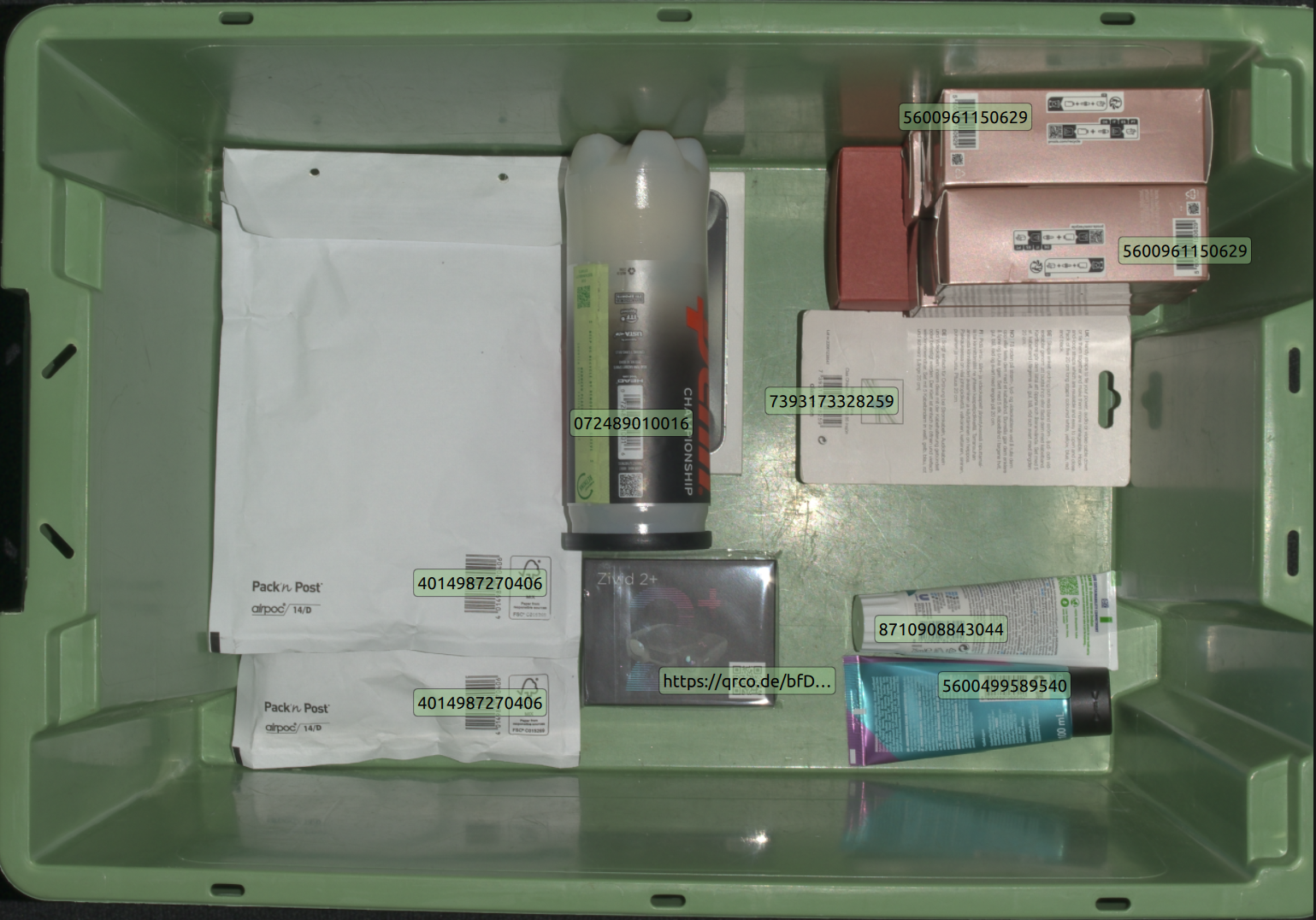
Zivid Studio で視覚化された検出済みバーコード。
View → Configure barcodes to detect で特定のバーコード形式を選択することで、検出を高速化できます。
バーコード検出性能
検出とデコードの性能は、以下の複数の要因に依存します。
バーコードサイズ
バーコードまでの距離
画像解像度
画像のフォーカス
水平および垂直 FOV
これらの要因はバーコード表面の空間解像度を構成するものであり、信頼性の高い検出とデコードのためにはこの解像度を最大化することが重要です。
画像解像度とフォーカスはカメラ設定で制御できます。最適なキャプチャ設定には BarcodeDetector::suggestSettings(camera) の使用を推奨します。カメラの水平および垂直 FOV はカメラモデルごとに固定されており、FOV が広いほど空間解像度は低下します。バーコードまでの距離はいくつかの制約内でアプリケーションによって制御できますが、カメラの動作範囲によっても制限されます。
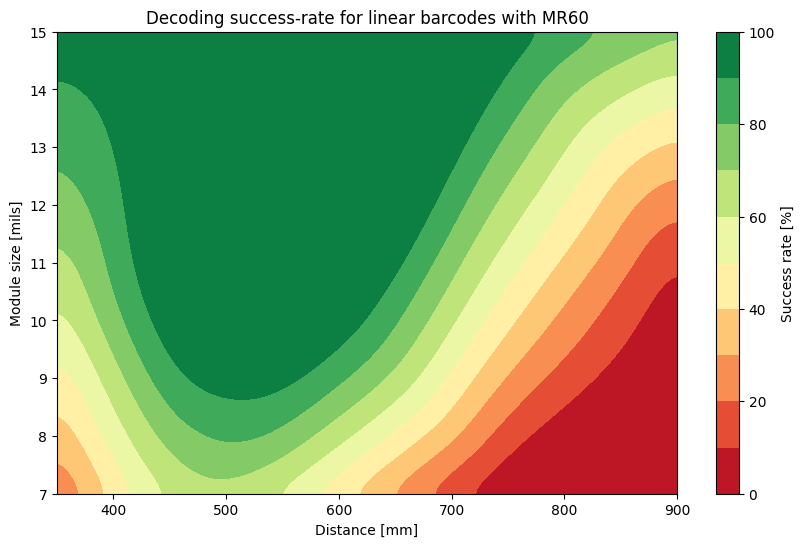
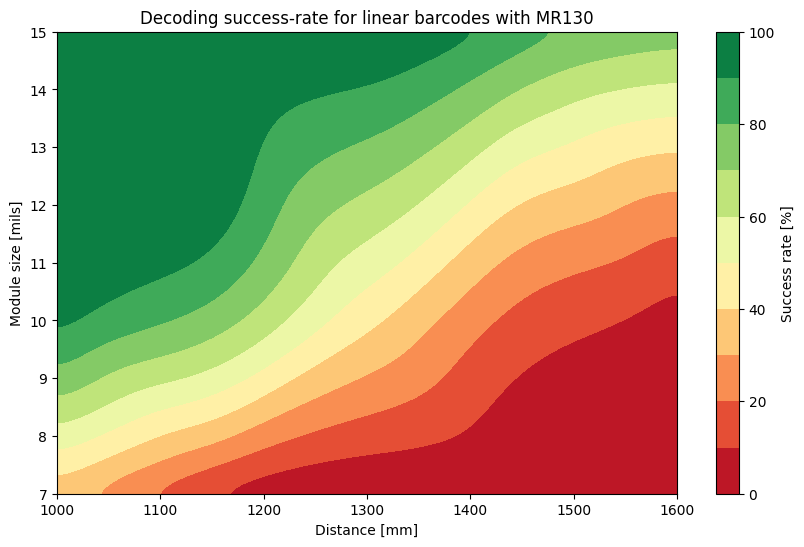
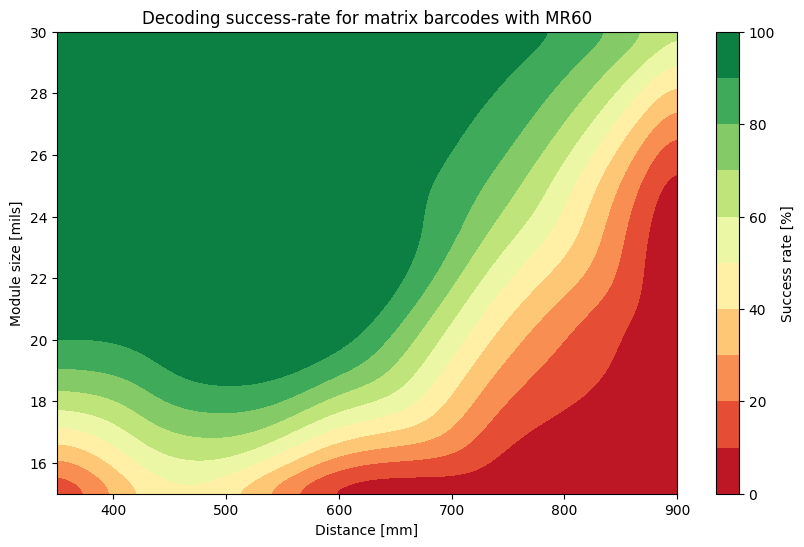
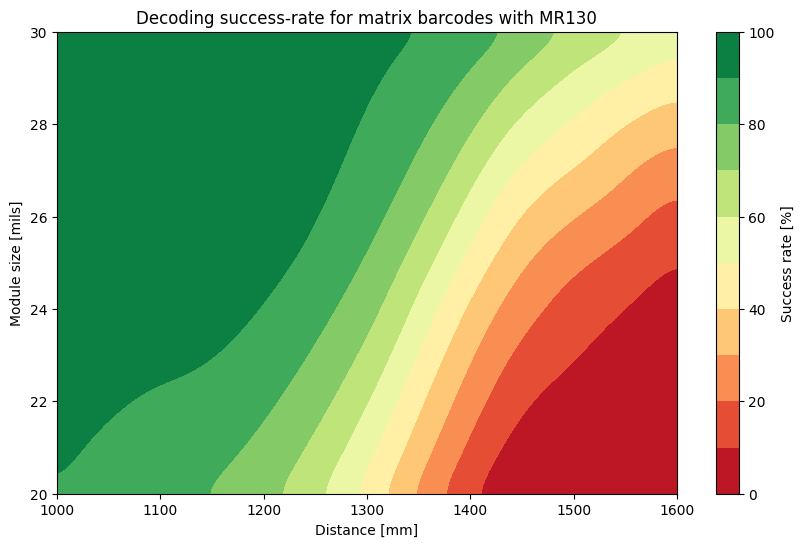
したがって、バーコード検出に推奨されるカメラは、動作範囲内で十分な空間解像度を提供する Zivid 2+ MR130 および MR60 です。以下に、FOV 内のさまざまな距離、向き、配置で検証された各種静的バーコードのベンチマークを示します。
Tip
信頼性の高いデコード結果を得るには、緑色の領域内に留まってください。
バージョン履歴
SDK |
変更点 |
|---|---|
2.18.0 |
Linear barcode detection and decoding are now separated into two steps.
|
2.17.0 |
バーコード検出 API が追加されました。 |