Unsatisfactory Hand-Eye Calibration Results (Bad Robot Calibration: DH Parameters)
Problem
The hand-eye calibration results are unsatisfactory (bad or marginal), looking like something between these combinations:
Hand-Eye Transform |
Hand-Eye Residuals |
Projection Verification |
Touch Test |
|---|---|---|---|
Reasonable |
Bad |
Bad |
Bad |
Reasonable |
Marginal |
Poor |
Bad |
If your robot’s DH parameters are inaccurate, load the correct DH parameters for your specific robot and repeat the hand-eye calibration (see Potential Solution below).
Example of bad hand-eye calibration results
The Hand-Eye Transformation Matrix appears reasonable and is consistent with what one would expect from rough manual measurements (see table and image below).
0.999 |
-0.006 |
0.045 |
-51.743 |
0.006 |
1.000 |
0.012 |
-89.999 |
-0.045 |
-0.012 |
0.999 |
126.972 |
0 |
0 |
0 |
1 |
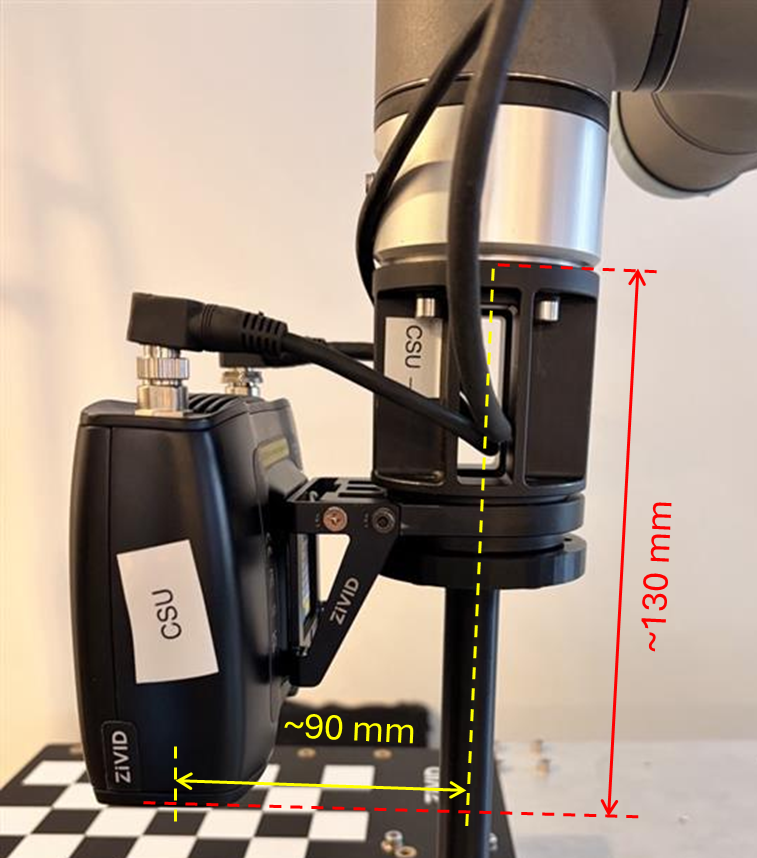
The calibration residuals are noticeably larger than expected, roughly an order of magnitude higher.
N (Poses) |
Rot. avg (°) |
Rot. max (°) |
Trans. avg (mm) |
Trans. max (mm) |
|---|---|---|---|---|
14 |
0.093 |
0.131 |
0.793 |
1.418 |
For smaller robots, we expect the residuals to be in the sub-millimeter range, while for larger robots, the residuals can be in the millimeter range. As for the rotational component of the residuals, we expect them to be in the sub-degree range.
Complete Residuals
Pose |
Rotation (°) |
Translation (mm) |
|---|---|---|
1 |
0.065 |
0.183 |
2 |
0.125 |
0.937 |
3 |
0.063 |
0.897 |
4 |
0.099 |
0.906 |
5 |
0.107 |
0.890 |
6 |
0.031 |
0.368 |
7 |
0.069 |
0.999 |
8 |
0.103 |
1.418 |
9 |
0.116 |
0.917 |
10 |
0.099 |
0.989 |
11 |
0.094 |
0.060 |
12 |
0.122 |
0.377 |
13 |
0.089 |
0.917 |
14 |
0.131 |
1.250 |
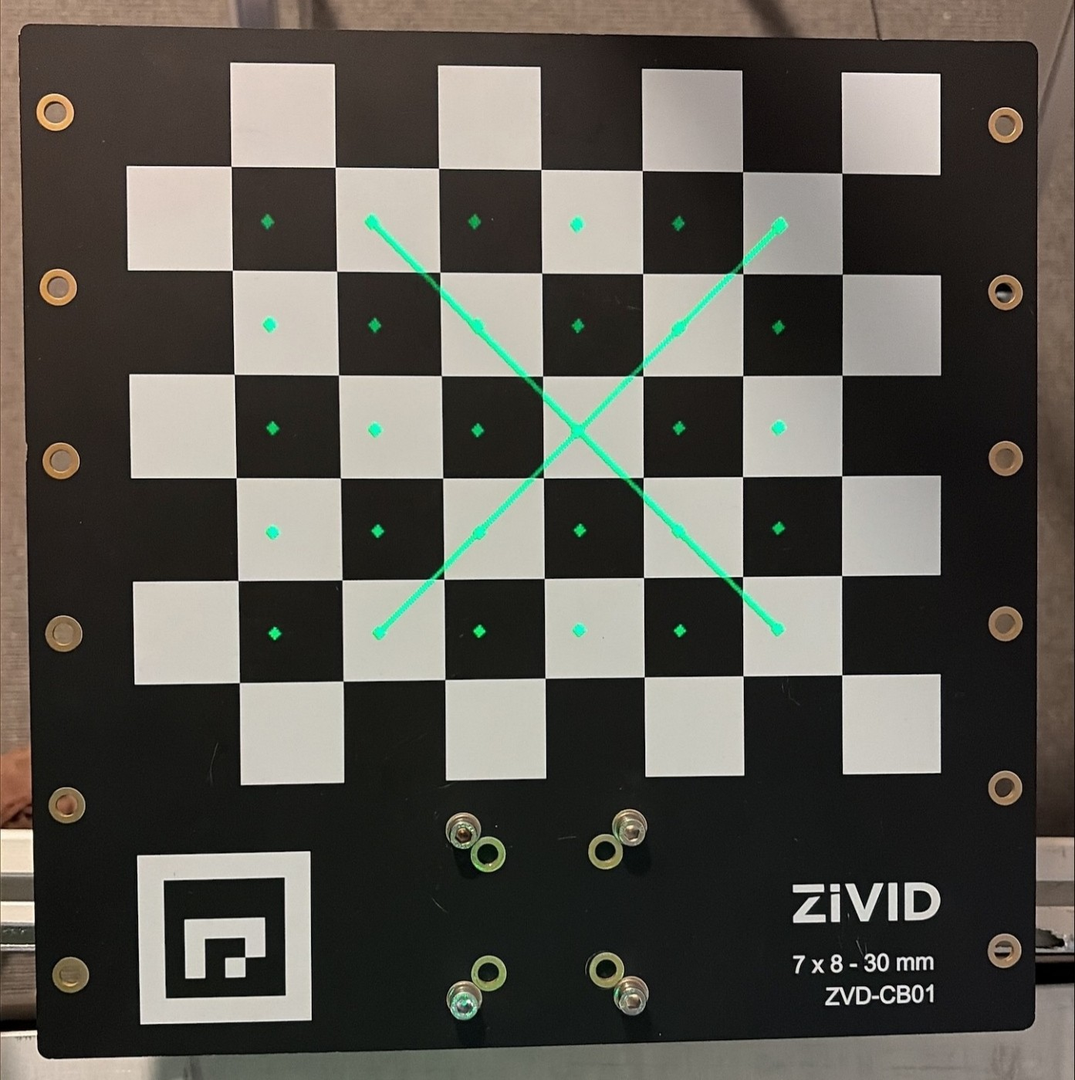
Verification by Projection technically succeeds, but the resulting error is still too large to be acceptable. Projection verification error can seem acceptable even if the hand-eye calibration is incorrect, so treat a passing result with caution.
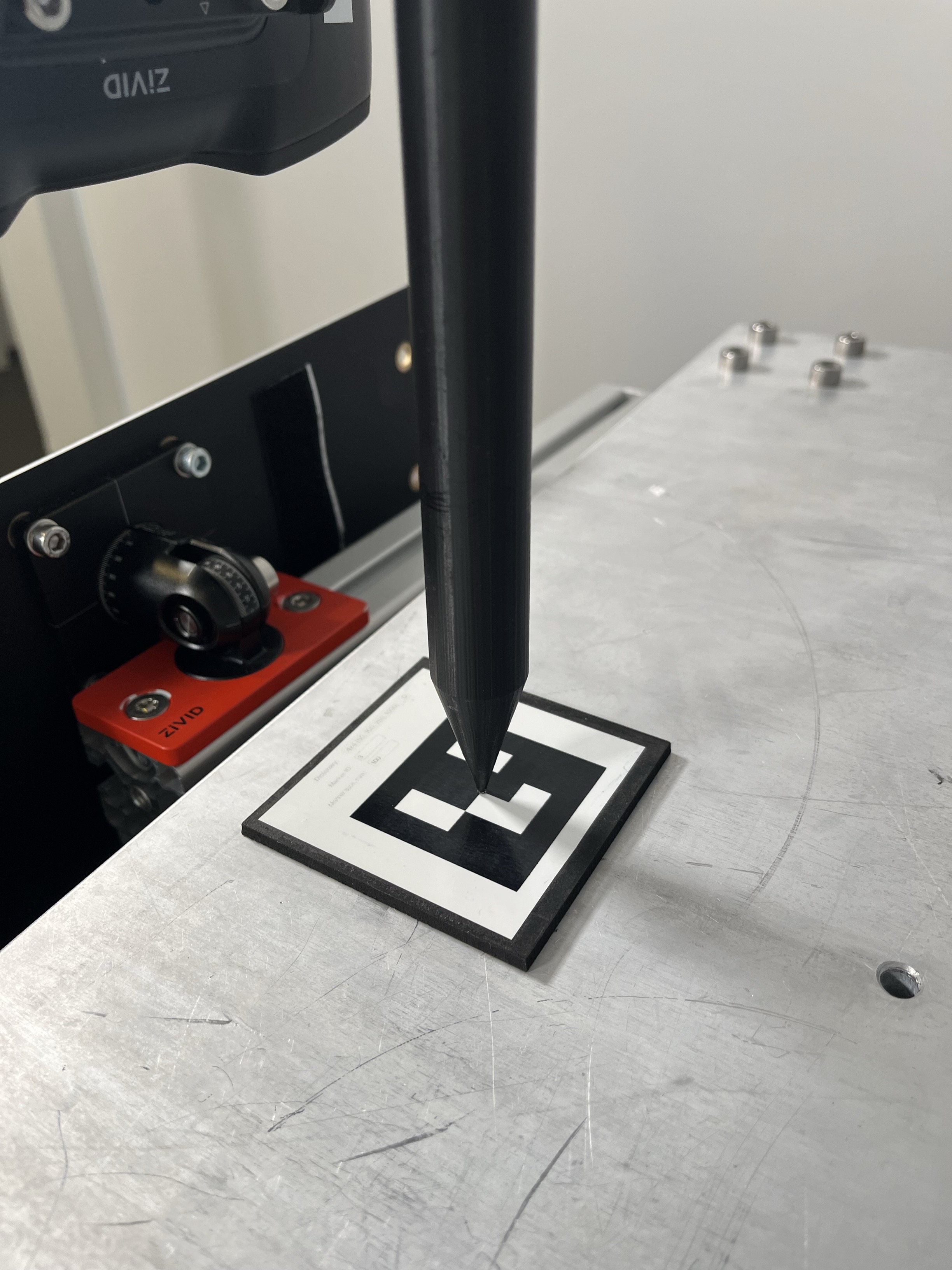
The touch test result is unsatisfactory. For example, the tip of the touch test tool does not reach the ArUco marker.
Potential Cause
The robot calibration DH parameters are inaccurate or wrong.
This is typically because:
The nominal DH parameters are used instead of those for the specific calibrated robot.
The robot is not calibrated.
DH parameters are a systematic way to describe the geometry of a robot’s kinematic chain that use one homogeneous transformation matrix per joint. They define how each link is positioned relative to the previous link, using exactly four numbers per joint. This is the foundation for computing forward kinematics.
When do you typically need to calibrate the robot’s DH parameters?
You received a new robot that is not factory calibrated (most major robots).
Your robot does not have true calibration (also called absolute accuracy or enhanced accuracy).
The robot has suffered mechanical damage.
After replacing the mechanical components that change geometry.
The robot is to be used in a high-accuracy application.
You notice systematic position errors across the workspace.
Potential Solution
Ensure that the correct DH parameters are used in the hand-eye calibration process (computing robot poses from joint angles with forward kinematics).
If your robot is calibrated, use the DH parameters for your specific robot, not the nominal ones.
If your robot is not calibrated, calibrate the robot to obtain accurate DH parameters.
Repeat the hand-eye calibration using the same dataset.
Verify the hand-eye calibration results (transform, residuals, projection).
Run the touch test (if the hand-eye calibration results are good).
Reproducing the issue (bad robot calibration)
Three hand-eye calibration tests are covered and compared with the difference in DH parameters:
Bad DH Parameters (modified values: d5 = d5 + 5 mm)
Bad DH Parameters (nominal values)
Good DH Parameters (loaded from robot controller)
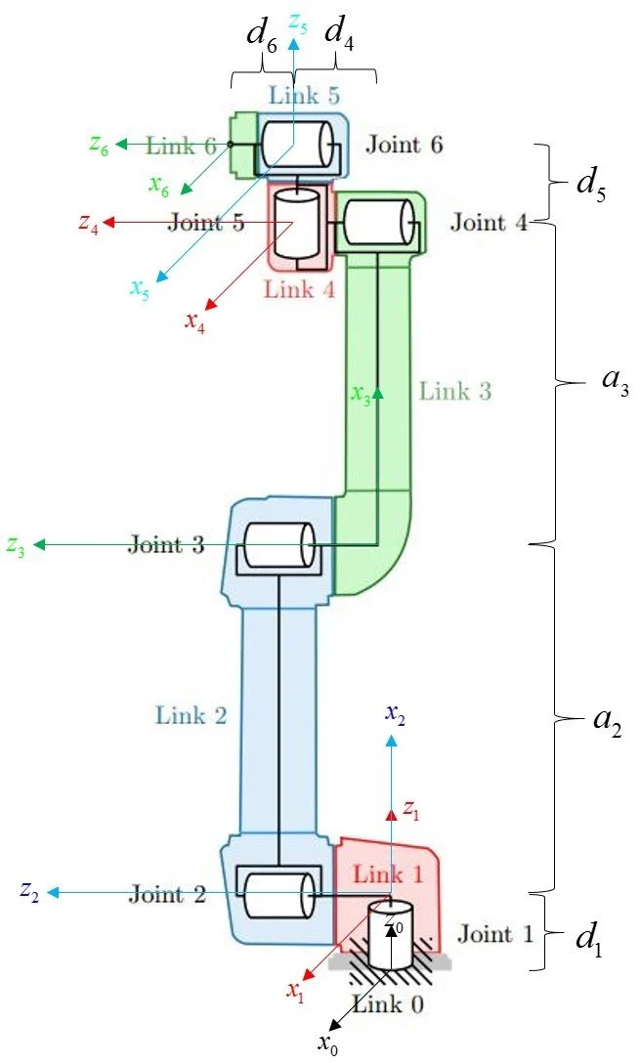
Universal Robots UR5e robot was used together with RoboDK software, which allows loading DH parameters from the robot controller and modifying them. In addition, it has nominal DH parameters for the UR5e robot in its library.
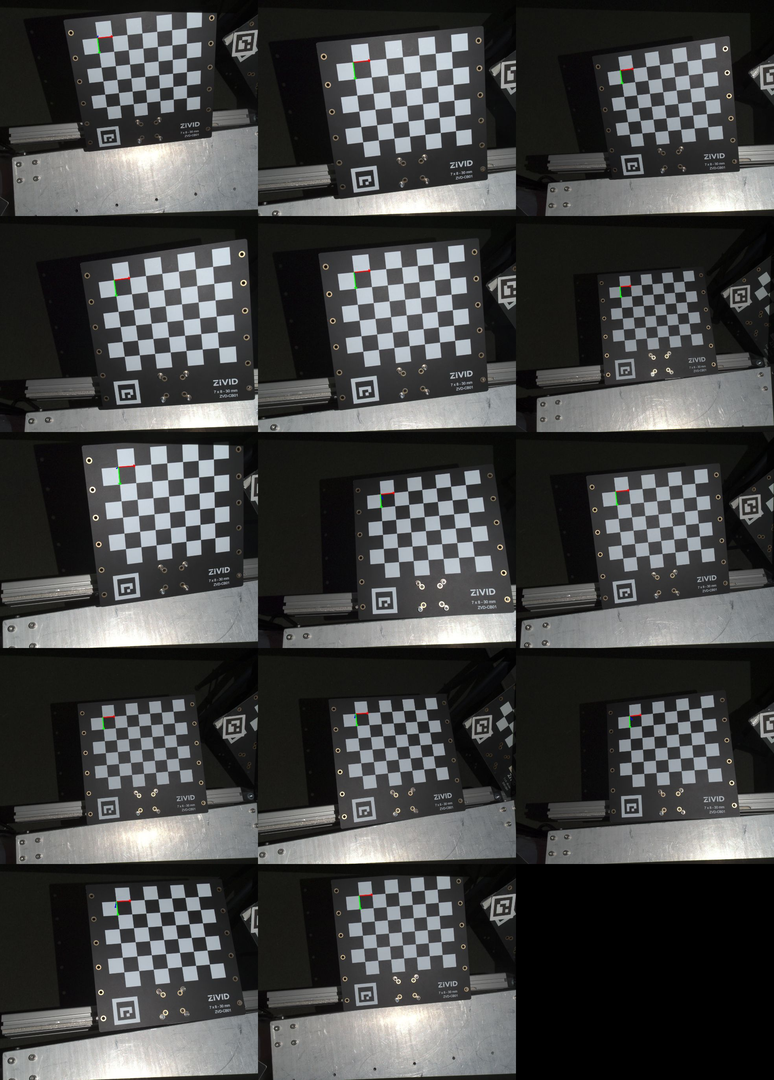
All hand-eye calibrations covered in this section were performed using the dataset shown in the images below.
Bad DH Parameters (modified values: d5 = d5 + 5 mm)
This test simulates having incorrect DH parameters due to a bad or lost robot calibration.
The DH parameters were loaded into RoboDK software and intentionally modified: the link d5 was extended by 5 mm. The robot poses for the hand-eye calibration were then computed from joint coordinates using the modified DH parameters. The robot was moved to those poses using joint coordinates.
The calibration resulted in the following results:
0.999 |
-0.005 |
0.043 |
-55.557 |
0.004 |
1.000 |
0.013 |
-91.703 |
-0.043 |
-0.013 |
0.999 |
123.231 |
0 |
0 |
0 |
1 |
N (Poses) |
Rot. avg (°) |
Rot. max (°) |
Trans. avg (mm) |
Trans. max (mm) |
|---|---|---|---|---|
14 |
0.019 |
0.031 |
0.145 |
0.259 |
Complete Residuals
Pose |
Rotation (°) |
Translation (mm) |
|---|---|---|
1 |
0.026 |
0.115 |
2 |
0.018 |
0.192 |
3 |
0.020 |
0.110 |
4 |
0.029 |
0.259 |
5 |
0.023 |
0.229 |
6 |
0.011 |
0.078 |
7 |
0.012 |
0.132 |
8 |
0.016 |
0.073 |
9 |
0.015 |
0.075 |
10 |
0.008 |
0.061 |
11 |
0.024 |
0.226 |
12 |
0.018 |
0.155 |
13 |
0.031 |
0.149 |
14 |
0.028 |
0.175 |
Verification by Projection technically succeeded, but the resulting error was too large to be acceptable. Projection verification error can seem acceptable even if the hand-eye calibration is incorrect, so treat a passing result with caution.
The touch test result was unsatisfactory as the tip of the touch test tool did not reach the ArUco marker.
DH Parameters (nominal values)
This test simulates using wrong DH parameters. For that purpose, the nominal DH parameters were used instead of the ones retrieved from the robot controller.
The robot poses for the hand-eye calibration were then computed from joint coordinates using the nominal DH parameters. The robot was moved to those poses using joint coordinates.
RoboDK uses nominal DH parameters (in a newly created robot station) to compute forward kinematics for the robot pose targets defined in joint space. If you use a different software to calculate forward kinematics, you can also end up using the nominal DH parameters, which you probably don’t want. Using nominal DH calibration effectively means assuming that the robot is not calibrated.
Note
Robot poses for hand-eye calibration must be provided in Cartesian space. However, when acquiring the dataset, it is more convenient to define robot poses in joint space and move the robot using movej commands. This is because the movement between robot poses is deterministic when done in joint space.
An alternative is to define robot poses in Cartesian space and pass them to the robot controller as such. The robot controller then calculates the corresponding joint coordinates using inverse kinematics, which is required to drive the joints to target poses. However, inverse kinematics can result in multiple solutions, which adds another layer of complexity. Not having control over which solution is selected can lead to unwanted robot motion (“ninja moves”). To avoid this, you have to implement your own inverse kinematics, your own logic for selecting one of multiple solutions (robot configuration), or both.
The calibration resulted in the following results:
0.999 |
-0.006 |
0.045 |
-51.743 |
0.006 |
1.000 |
0.012 |
-89.999 |
-0.045 |
-0.012 |
0.999 |
126.972 |
0 |
0 |
0 |
1 |
N (Poses) |
Rot. avg (°) |
Rot. max (°) |
Trans. avg (mm) |
Trans. max (mm) |
|---|---|---|---|---|
14 |
0.093 |
0.131 |
0.793 |
1.418 |
Complete Residuals
Pose |
Rotation (°) |
Translation (mm) |
|---|---|---|
1 |
0.065 |
0.183 |
2 |
0.125 |
0.937 |
3 |
0.063 |
0.897 |
4 |
0.099 |
0.906 |
5 |
0.107 |
0.890 |
6 |
0.031 |
0.368 |
7 |
0.069 |
0.999 |
8 |
0.103 |
1.418 |
9 |
0.116 |
0.917 |
10 |
0.099 |
0.989 |
11 |
0.094 |
0.060 |
12 |
0.122 |
0.377 |
13 |
0.089 |
0.917 |
14 |
0.131 |
1.250 |
Verification by Projection technically succeeded, but the resulting error was still too large to be acceptable. Projection verification error can seem acceptable even if the hand-eye calibration is incorrect, so treat a passing result with caution.
The touch test result was unsatisfactory as the tip of the touch test tool did not reach the ArUco marker.
Good DH Parameters (loaded from robot controller)
This test demonstrates how to use the correct DH parameters. For that purpose, the DH parameters given for the specific robot were loaded from the robot controller. These DH parameters are different from the nominal ones for the same robot.
Retrieving a URP file (with DH parameters) from the UR5e and loading it into RoboDK
For UR5e, the robot calibration (DH parameters) is encapsulated in any URP program file. Therefore, one has to retrieve the URP file from the robot and load it into RoboDK to apply the correct DH parameters to the RoboDK Station. As a consequence, RoboDK will use the correct DH parameters to compute forward kinematics for the robot pose targets defined in joint space. If you use a different software to calculate forward kinematics, you may also need to find a way to load DH parameters from your robot.
You can obtain any URP program from the robot using:
Option A: USB key (on robot teach pendant)
Insert USB stick into robot.
On the teach pendant → Program → Open.
Select program → Save As → choose USB storage.
Copy
.urpfile to your PC.
Option B: SSH / SFTP
SSH/SFTP to the robot using its IP. The robot IP can be found in About menu. RoboDK
Navigate to program directory (commonly
/programs).Download the
.urpfile.
RoboDK includes an example Python script to load the controller’s true DH parameters into the simulation:
UR_LoadControllerKinematics.py (RoboDK-API)
RoboDK-API
Steps:
Open RoboDK.
Go to Tools → Run Script…
Load
UR_LoadControllerKinematics.pyfrom:
RoboDK-API/Python/Examples/Scripts/UR_LoadControllerKinematics.py
When the script runs:
It will ask you to select the robot inside RoboDK.
Then it asks you to select the URP file.
RoboDK tutorial: Update Robot Kinematics - RoboDK Documentation
The robot poses for the hand-eye calibration were then computed from joint coordinates using the loaded DH parameters. The robot was moved to those poses using joint coordinates and the hand-eye calibration was performed.
The calibration resulted in the following results:
0.999 |
-0.004 |
0.043 |
-55.936 |
0.003 |
1.000 |
0.013 |
-91.920 |
-0.043 |
-0.013 |
0.999 |
129.087 |
0 |
0 |
0 |
1 |
N (Poses) |
Rot. avg (°) |
Rot. max (°) |
Trans. avg (mm) |
Trans. max (mm) |
|---|---|---|---|---|
14 |
0.022 |
0.035 |
0.180 |
0.338 |
Complete Residuals
Pose |
Rotation (°) |
Translation (mm) |
|---|---|---|
1 |
0.025 |
0.146 |
2 |
0.016 |
0.197 |
3 |
0.019 |
0.166 |
4 |
0.031 |
0.338 |
5 |
0.031 |
0.236 |
6 |
0.006 |
0.060 |
7 |
0.010 |
0.154 |
8 |
0.016 |
0.102 |
9 |
0.031 |
0.147 |
10 |
0.009 |
0.145 |
11 |
0.030 |
0.249 |
12 |
0.024 |
0.151 |
13 |
0.035 |
0.255 |
14 |
0.031 |
0.169 |
Verification by Projection was successful.
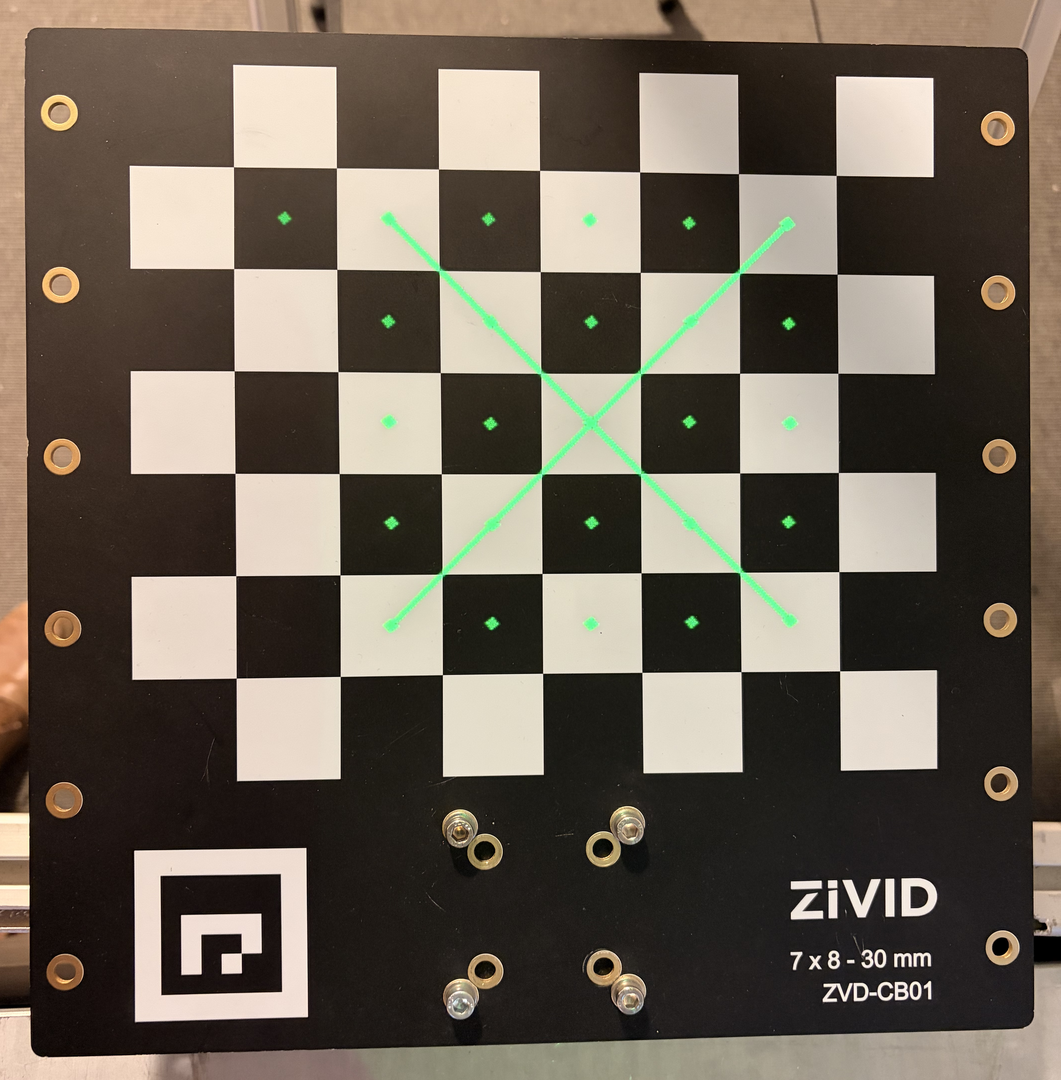
The Hand-Eye calibration was then verified with a touch test.
The touch test was successful, which confirms that the hand-eye calibration is correct and accurate.
Comparisons
The results between hand-eye calibration matrices (translation values) and hand-eye calibration residuals are compared in the tables below.
Dataset |
X (mm) |
Y (mm) |
Z (mm) |
|---|---|---|---|
Good (loaded from robot) |
-55.936 |
-91.920 |
129.087 |
Bad (nominal) |
-51.743 |
-89.999 |
126.972 |
Bad (modified) |
-55.557 |
-91.703 |
123.231 |
Δ (Good - Bad Nominal) |
-4.193 |
-1.921 |
2.115 |
Δ (Good - Bad Modified) |
-0.379 |
-0.217 |
5.856 |
Dataset |
N |
Rot. avg (°) |
Rot. max (°) |
Trans. avg (mm) |
Trans. max (mm) |
|---|---|---|---|---|---|
Good (loaded from robot) |
14 |
0.022 |
0.035 |
0.180 |
0.338 |
Bad (nominal) |
14 |
0.093 |
0.131 |
0.793 |
1.418 |
Bad (modified) |
14 |
0.019 |
0.031 |
0.145 |
0.259 |