Sampling(采样)- 2D
Settings2D::Sampling controls how the 2D image is generated from the sensor: its Color mode, its Pixel resolution, and, on Zivid 3, its Interval timing relative to flickering ambient light.
Color
将 Settings2D::Sampling::Color 设置为 rgb 或 grayscale 可指定可从场景中捕获的信息类型。根据相机型号,设置将有不同的选项。
Zivid 2/2+ |
Zivid 2+ R |
Zivid 3 |
|
|---|---|---|---|
|
✓ |
✓ |
✓ |
|
✓ |
||
|
✓ |
✓ |
与 Settings2D::Sampling::Color 相关的不同捕获函数的行为如下:
Capture2D3D() 和 Capture2D()
当
Settings2D::Sampling::Color设置为rgb时获取全彩信息。当
Settings2D::Sampling::Color设置为grayscale时获取纹理或强度信息。
Capture3D()
无论
Settings2D::Sampling::Color设置如何,都不会获取颜色或纹理信息。为所有像素分配统一的 RGB 值( \(R=200\) 、 \(G=50\) 和 \(B=200\) ),从而产生粉红色的图像和点云。
捕获功能 |
|
2D 图像 |
点云 |
|---|---|---|---|
|
|
RGB 图像 |
RGB 图像 |
|
RGB 图像 |
RGB 图像 |
|
|
灰度图像 |
灰度图像 |
|
|
RGB 图像 |
RGB 图像 |
|
|
|
RGB 图像 |
/ |
|
RGB 图像 |
/ |
|
|
灰度图像 |
/ |
|
|
RGB 图像 |
/ |
|
|
|
粉色图像 |
粉色图像 |
|
粉色图像 |
粉色图像 |
|
|
粉色图像 |
粉色图像 |
|
|
粉色图像 |
粉色图像 |
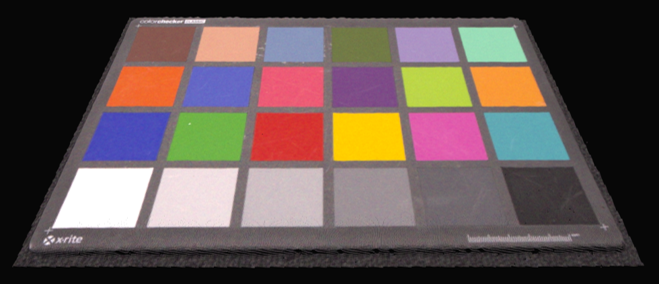 当使用 Capture2D3D() 并将 Settings2D::Sampling::Color 设置为 rgb 时,将得到彩色点云
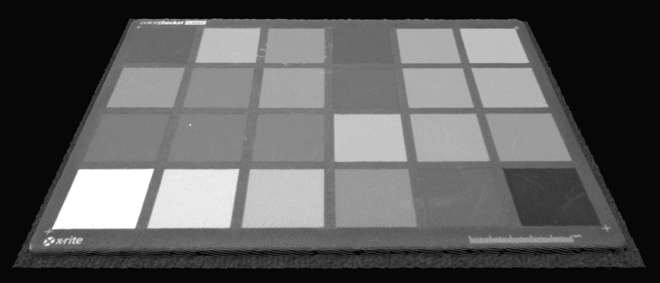 当使用 Capture2D3D() 并将 Settings2D::Sampling::Color 设置为 grayscale(灰度)时,将得到不带颜色数据的点云
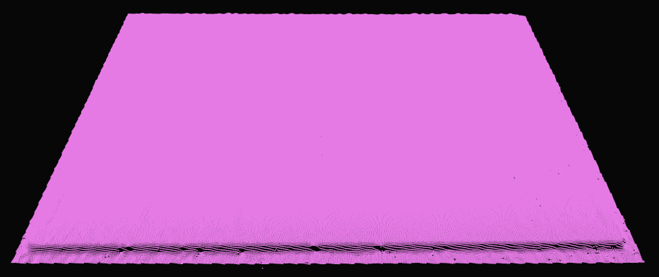 当使用 Capture3D() 时,无论 Settings2D::Sampling::Color 如何,将得到粉红色的点云
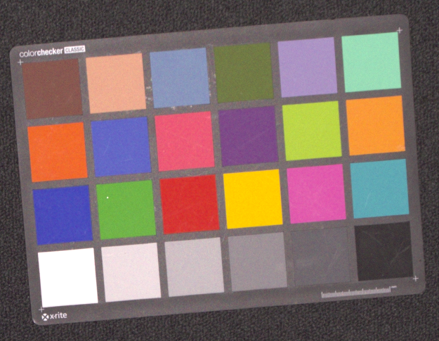 当使用 Capture2D3D() 或 Capture2D() 并将 Settings2D::Sampling::Color 设置为 rgb 时,输出的 2D 图像是彩色的
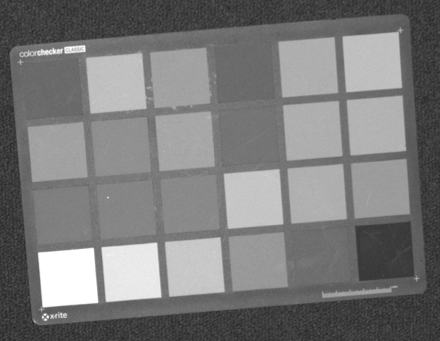 当使用 Capture2D3D() 或 Capture2D() 并将 Settings2D::Sampling::Color 设置为灰度时,输出的 2D 图像是灰度图像
 当使用 Capture3D() 时,无论 Settings2D::Sampling::Color 如何设置,2D 图像显示为一副粉红色图像
Pixel
Settings2D::Sampling::Pixel 参数用于选择采样像素以生成 2D 图像。根据相机型号,设置将有不同的选项。
Zivid 2/2+ |
Zivid 2+R/3 |
|
|---|---|---|
|
✓ |
✓ |
|
✓ |
|
|
✓ |
|
|
✓ |
|
|
✓ |
|
|
✓ |
|
|
✓ |
给定相机的相应分辨率如下:
3D 捕获 |
Zivid 3 |
Zivid 2+/2+R |
Zivid 2 |
|---|---|---|---|
全分辨率 [1] |
2816 x 2816 |
2448 x 2048 |
1944 x 1200 |
2x2 [1] |
1408 x 1408 |
1224 x 1024 |
972 x 600 |
4x4 [1] |
704 x 704 |
612 x 512 |
不适用 |
当设置为 all 时,所有像素都会被采样,并且二维图像具有全分辨率。
下图展示了传感器网格和相关索引。
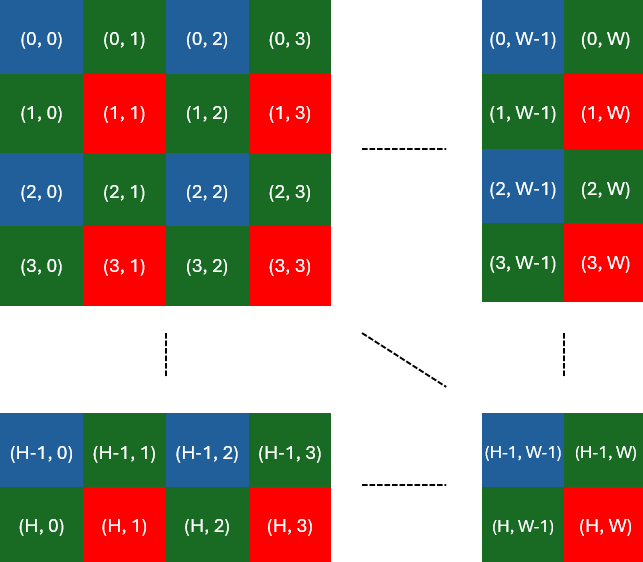
当我们进行子采样/下采样(2x2)时,我们得到原始像素数量的 1/4 的像素。
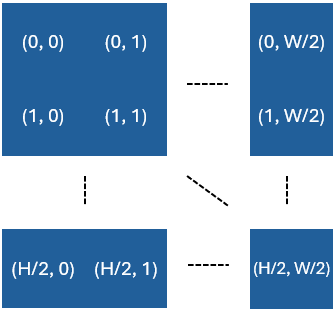
这意味着,在进行 2x2 子采样或下采样之后,x 和 y 轴上的像素数量将除以 2。对于 4x4 进行子采样,x 和 y 轴上的点数量将除以 4。
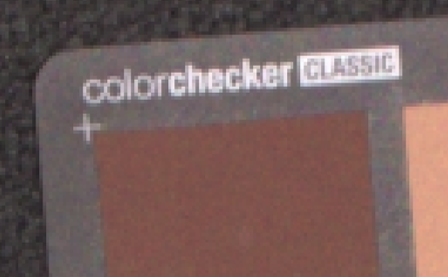
可在示例中查看同一场景的三张图像的放大部分,每张图像都是使用不同的 Settings2D::Sampling::Pixel 设置捕获的。
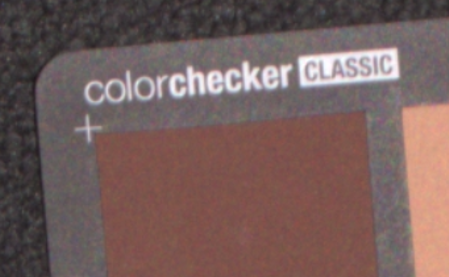 all
all
 by2x2
by2x2
 by4x4
by4x4
子采样缩短了采集和捕获时间,因为需要捕获和处理的数据量减少了。此外,它消除了将数据下采样以转换为更易管理大小的需求,从而减少了存储和后处理的要求。数据量减少到四分之一后,用户的后处理(例如,基于 AI 的分割算法)速度会更快。
Interval(间隔)
Sampling Interval(采样间隔)设置控制 2D 图像采集的时间,以避免受到外部光源的干扰。
备注
2D Sampling Interval (2D 采样间隔)功能仅适用于 Zivid 3。
当 Settings2D::Sampling::Interval 被禁用时,相机将仅根据指定的曝光时间尽快捕获图像。
启用 Settings2D::Sampling::Interval 后,2D 图像采集的基本时间间隔由 Settings2D::Sampling::Interval::Duration 参数定义。实际采集时间将根据曝光时间,与该时间间隔的最近倍数保持一致。
例子
如果曝光时间为 3000 微秒,采样间隔持续时间为 10000 微秒,则采集将在 10000 微秒 (1 x 10000 微秒) 时发生。
如果曝光时间为 15000 微秒,采样间隔持续时间为 10000 微秒,则采集将在 20000 微秒 (2 x 10000 微秒) 时发生。
如果曝光时间为 9000 微秒,持续时间为 10000 微秒,由于系统开销,采集可能仍会在 20000 微秒时发生。这种行为在运行时确定,无法预先预测。
当曝光时间接近采样间隔持续时间时,由于内部处理开销,捕获时间可能会波动。
适应闪烁的环境光
采样间隔在存在闪烁的环境光的环境中尤其有用,例如:
交流电(AC)供电的荧光灯
带强光 LED 照明的条形码扫描器
如果曝光时间未与电网频率同步,闪烁的光源可能导致所捕获图像出现颜色不一致的问题,例如 随机出现绿色或粉色色偏 。
交流电灯闪烁
为了缓解这种情况:
启用
Settings2D::Sampling::Interval根据电网频率设置
Settings2D::Sampling::Interval::Duration:10 000 µs for 50 Hz
8 333 µs for 60 Hz
这种同步有助于避免闪烁光线的干扰,并确保色彩还原的一致性。
备注
将 Exposure Time(曝光时间) 与电网频率匹配比使用采样间隔更好。采样间隔仅作为备选方案,例如,当无法通过调整曝光时间来避免 2D 图像过曝时。另一个例子是,当使用更长的曝光时间来补偿时,需要将投影仪亮度降低过多,从而导致彩色图像噪点增加。这种情况在使用 rgb 模式时会出现,而使用 rgbStrongAmbientLight 时则不会。
如果您的曝光时间已经补偿了闪烁(例如,50 Hz 时曝光时间为 10000 微秒),建议保持禁用 Settings2D::Sampling::Interval 。
主动光源
采样间隔还可以用于与主动脉冲光源(例如条形码扫描器、LED 频闪灯)同步,从而有助于最大限度地减少干扰并提高图像质量。了解更多关于 如何避免来自自动光源的干扰 。
版本历史记录
SDK |
变更 |
|---|---|
2.17.0 |
增加了对 Zivid 3 相机 Sampling Interval (采样间隔)设置的支持。 |