Highlight Suppression
Highlight Suppression removes bright spots that the Zivid camera’s projector causes in the 2D color image, and restores the structure and detail in these areas.
참고
Highlight Suppression is only available for Zivid 3 and Zivid 2+ MR130, MR60, and LR110. It is an experimental feature.
When a specular surface reflects the projector light directly into the camera, the pixels in that area become saturated. This is also known as blooming or glare. Highlight Suppression dims these highlights and recovers the contours that they hide. The suppressed areas have less color than the rest of the image, and can look gray.
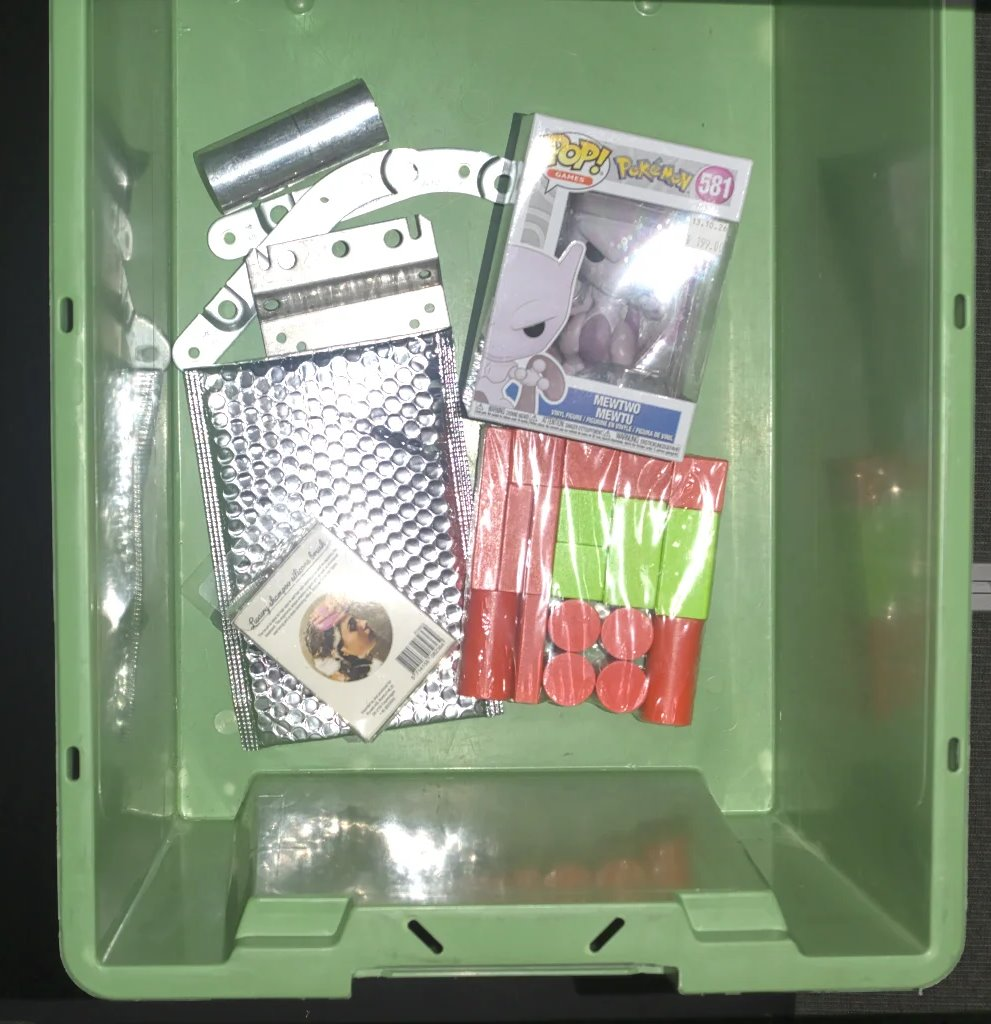 Highlight Suppression disabled
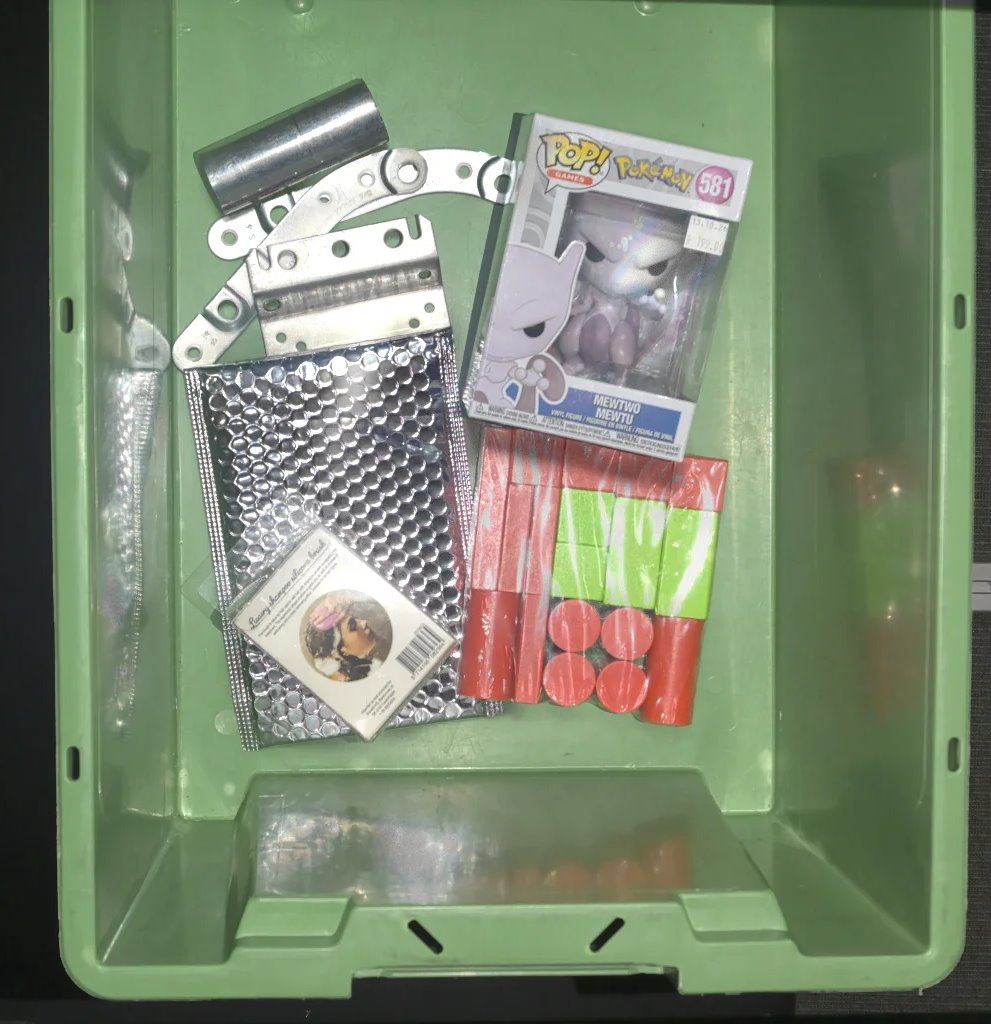 Highlight Suppression enabled
Highlight Suppression is disabled by default.
It does not work with Settings2D::Sampling::Color set to grayscale.
It runs an extra processing step on the color image, so the 2D capture can take more time.
To enable Highlight Suppression with the API, set the following in the 2D settings:
settings2D.set(Zivid::Settings2D::Processing::Color::Experimental::HighlightSuppression::Enabled::yes);
settings2D.Processing.Color.Experimental.HighlightSuppression.Enabled = true;
settings_2d.processing.color.experimental.highlight_suppression.enabled = True
For other ways to reduce bright spots, see Blooming.