Factory Reset Button
Zivid 2+ 및 Zivid 2 카메라에는 전원 커넥터 아래 카메라 뒷면에 공장 초기화 버튼이 있으며, 누르는 시간에 따라 카메라 전원을 재시작 하거나, 공장 출하 IP 주소로 재설정 하거나, 공장 출하 펌웨어로 되돌릴 수 있습니다.
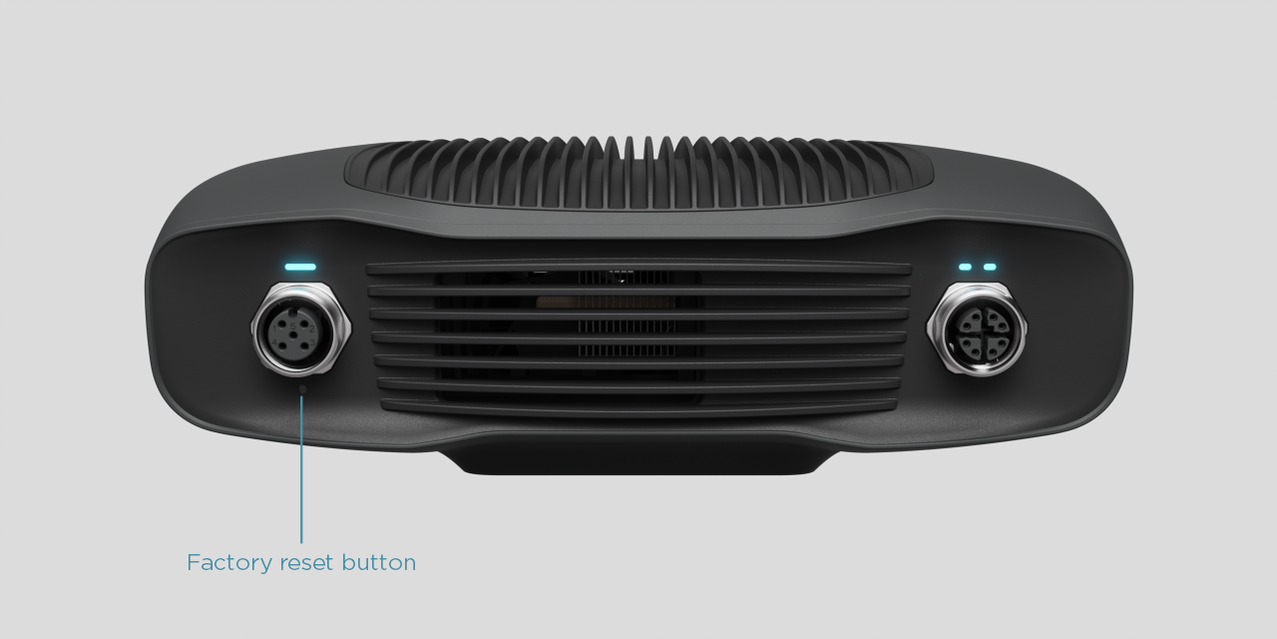
Reset (power cycle):
간헐적으로 혹은 5초 미만 동안 누릅니다.
Reset to factory IP address:
전원 LED가 녹색으로 바뀔 때까지 5~10초간 누르세요.
Revert to factory installed firmware:
전원 LED가 노란색으로 바뀔 때까지 10초 이상 누릅니다.
경고
Zivid 2는 공장 초기화 버튼에 알려진 문제가 있습니다. 자세한 내용은 Zivid Errata 를 참조하십시오. 공장 초기화 버튼에 문제가 발생하는 경우 Reset Button Fails to Reset Network Configuration 를 참조하십시오.