Positioning Correctly
이 페이지에서는 일반적인 카메라 위치 설정 가이드라인과 함께 빈 피킹 및 표면 이미징 애플리케이션에 대한 구체적인 안내, 그리고 Zivid 카메라에 대한 냉각을 위한 여유 공간 및 신호 보호 요구사항을 다룹니다.
촬영 장면 바로 위에 카메라를 장착하는 것이 가장 일반적이며 권장되는 방법입니다.
이는 정반사와 어두운 특성을 모두 가진 투명한 물체와 표면을 촬영할 때 특히 유리합니다. 이 경우 카메라를 물체에 수직으로 장착하면 카메라로 돌아오는 신호를 최대화할 수 있습니다.
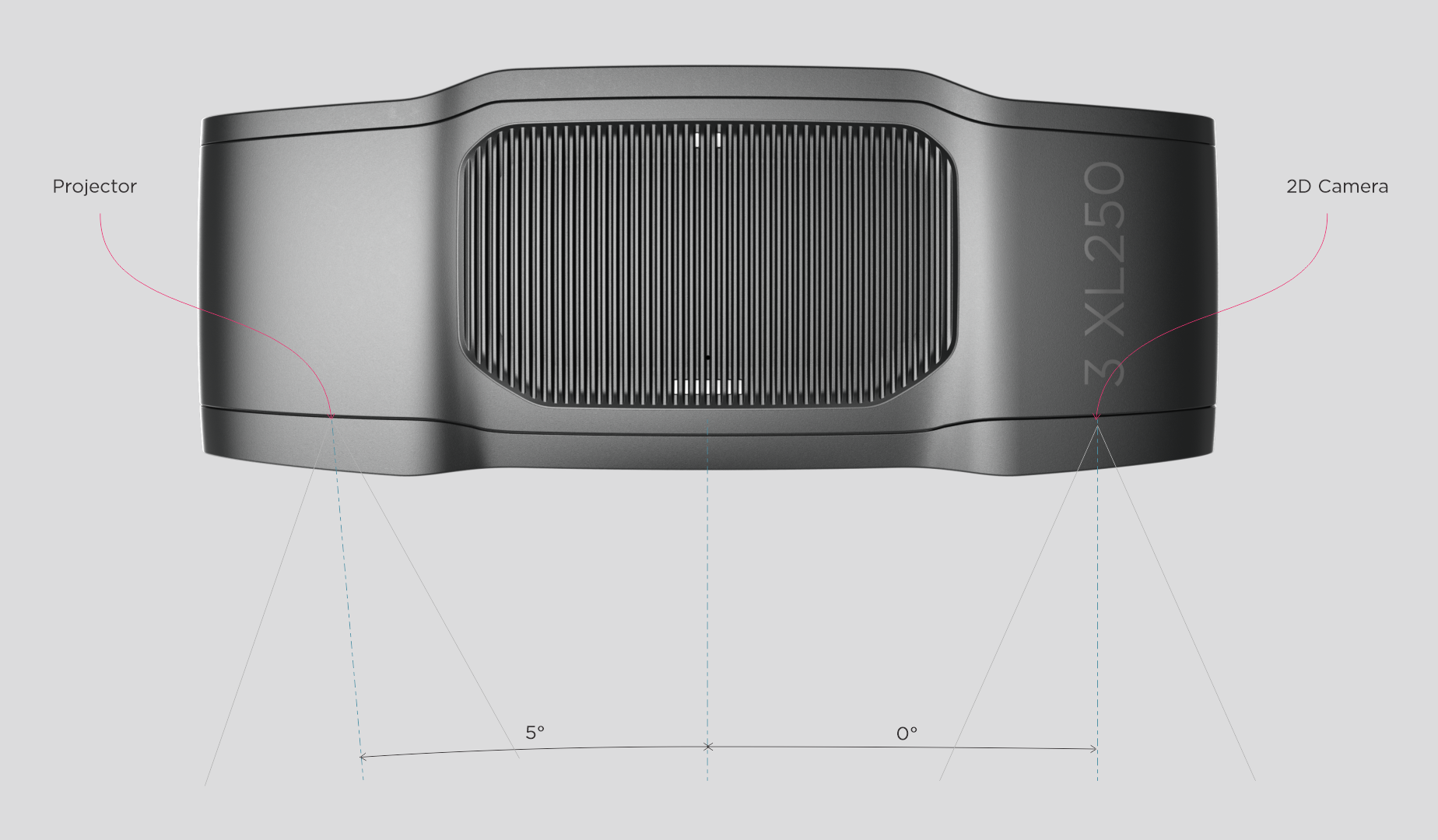
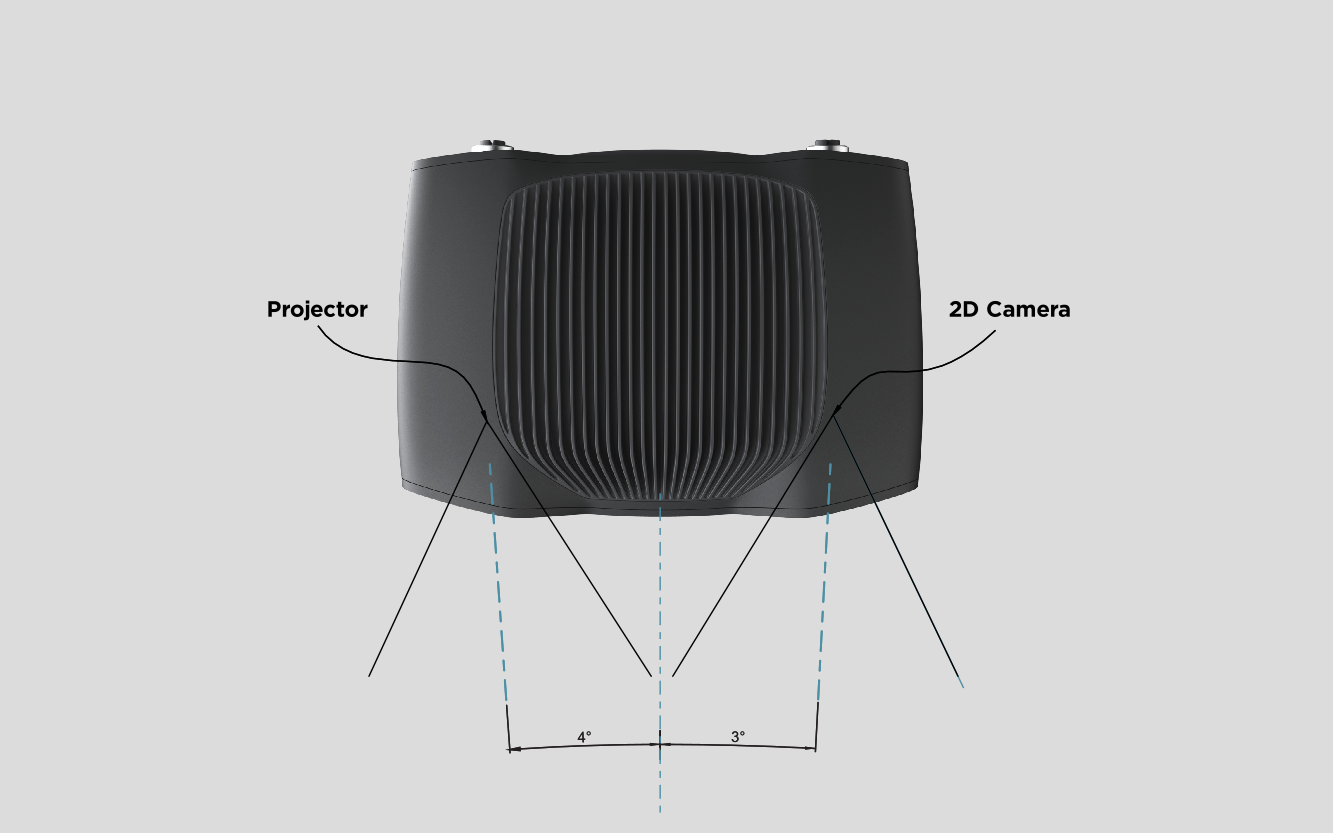
2D 카메라와 프로젝터는 중심축을 기준으로 각도를 가집니다. 카메라를 장면에 수직으로 배치하려면 이 점을 고려해야 합니다.
Zivid 3
XL250
Zivid 2+
MR130/M130
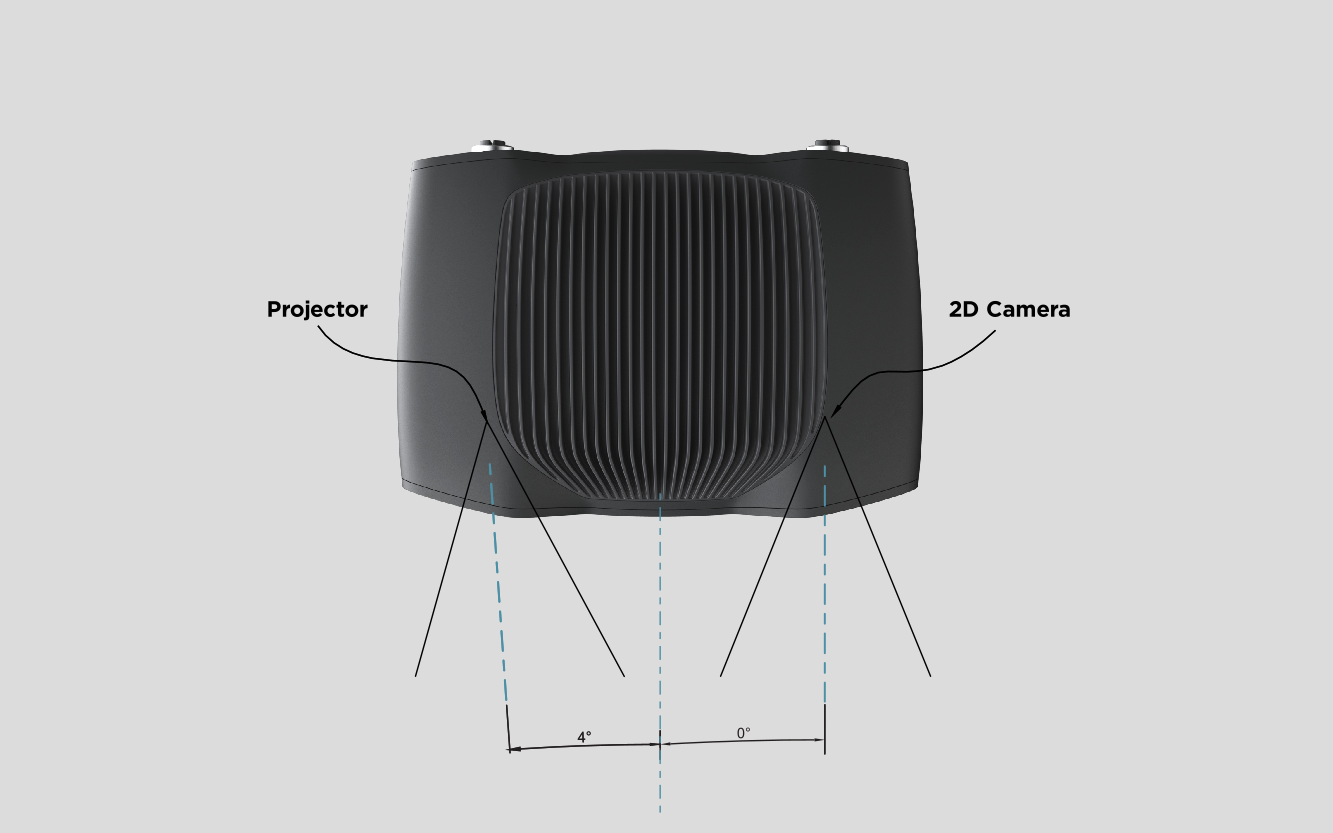
LR110/L110

MR60/M60
Zivid 2
In bin-picking applications
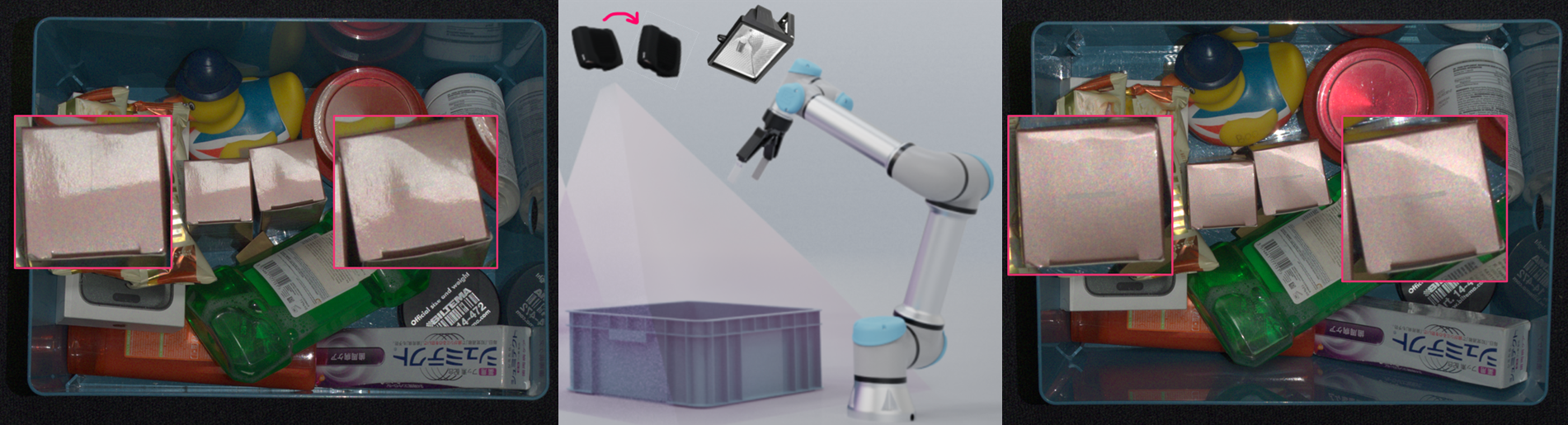
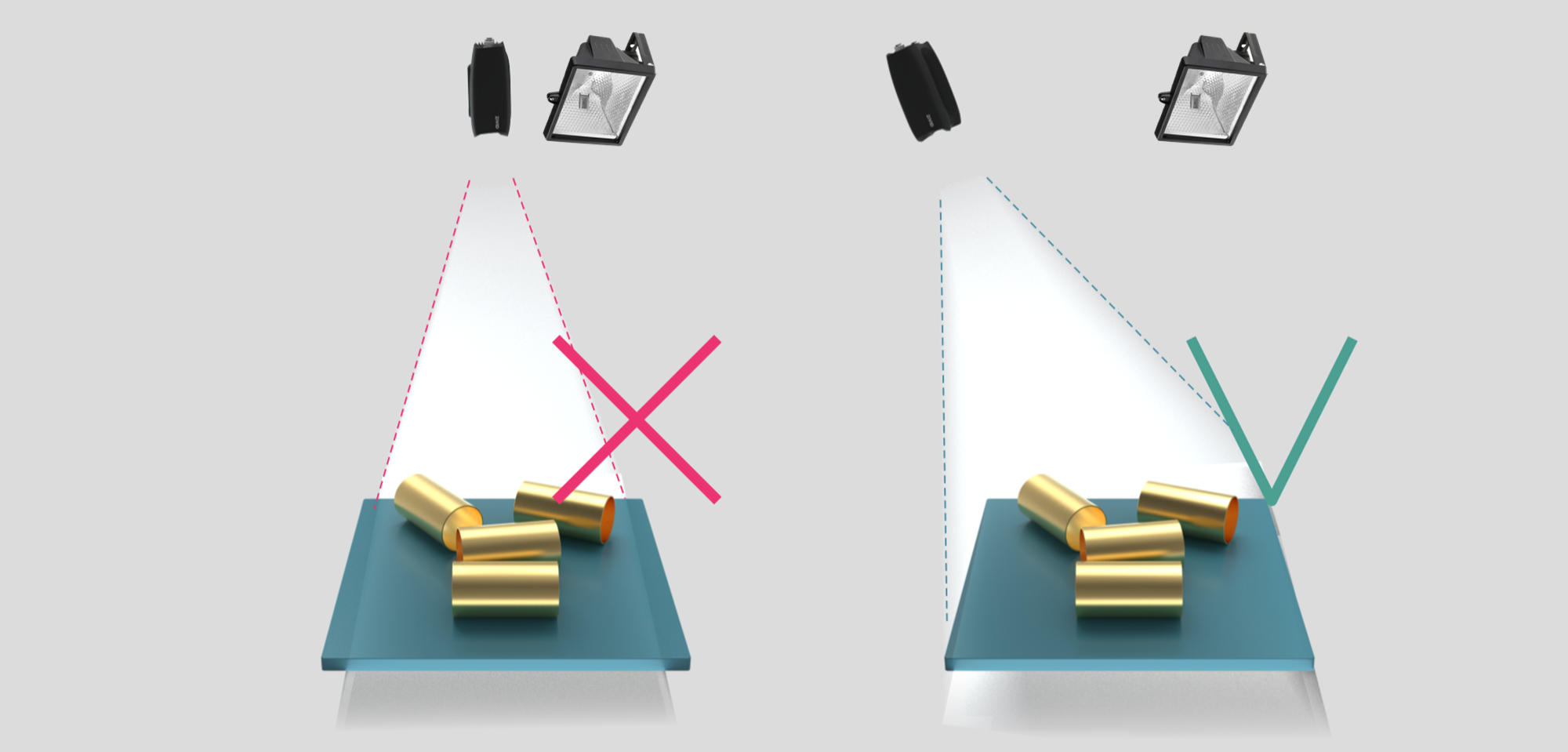
상자 벽에서 강한 상호 반사가 발생하는 경우, Zivid 카메라 프로젝터를 상자의 뒤쪽 가장자리 위 또는 뒤쪽 모서리 위에 배치할 수 있습니다(아래 이미지 참조). 2D 카메라가 상자 중앙을 바라보도록 팬 및 틸트를 조정하십시오. 프로젝터 광선이 프로젝터에서 가장 가까운 두 벽의 안쪽 표면에 닿지 않도록 하고, 광선이 그 두 벽과 거의 평행하게 유지되도록 하십시오.
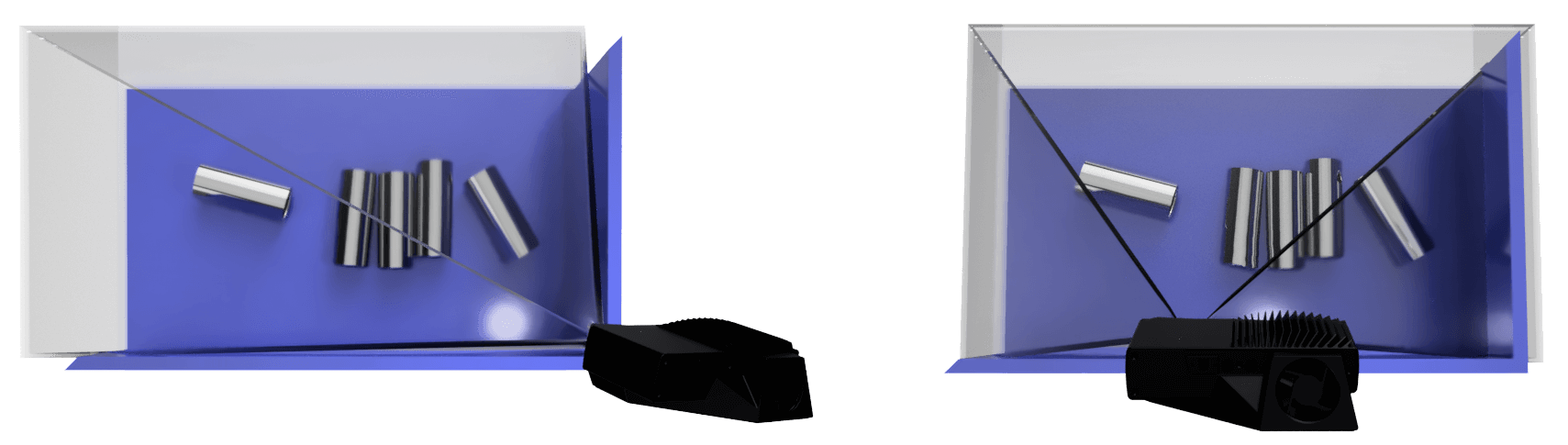
이런 식으로 카메라를 장착하면 상자 벽에서의 상호 반사가 최소화되고, 장면 위쪽 공간이 확보되어 도구와 로봇이 더 쉽게 접근할 수 있습니다.
Zivid 카메라는 추가 광원이 필요하지 않습니다. 프로젝터가 2D와 3D에 필요한 모든 조명을 제공합니다. 상자 바로 위에 장착된 스포트라이트와 같은 강하고 집중된 조명은 카메라로 직접 반사되어 센서를 포화시키고 2D 이미지에 블루밍 현상을 일으킬 수 있습니다. 이러한 반사를 정면으로 바라보는 위치에 카메라를 장착하지 않도록 하십시오. 이를 최소화하려면 불필요한 조명을 제거하거나 카메라를 약간 이동하거나 기울여 보십시오. 이러한 조건에서 캡처하는 방법에 대한 자세한 내용은 Dealing with Strong Ambient Light 를 참조하십시오.
In surface imaging applications
반사율이 높은 표면의 경우, 카메라 프로젝터든 외부 조명이든 광원에서 직접 반사되는 빛이 2D 이미지에 원치 않는 하이라이트를 생성할 수 있습니다. 이러한 반사를 최소화하려면 카메라를 약간 기울여 반사광이 카메라 시야에서 벗어나도록 설치하십시오. 광원의 위치를 조정하거나 확산 조명을 사용하는 것도 눈부심을 줄이는 데 도움이 됩니다.
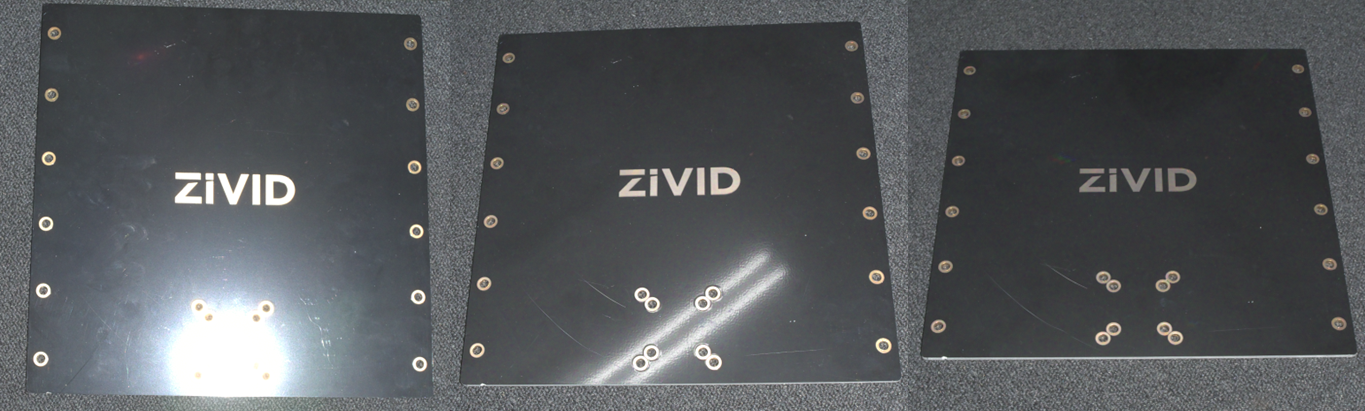
프로젝터의 하이라이트가 있는 2D 이미지(왼쪽), 주변광이 있는 2D 이미지(가운데), 하이라이트가 없는 2D 이미지(오른쪽)는 카메라 위치와 각도에 따라 달라집니다.
Cooling clearance
Zivid 카메라는 능동 냉각 및 수동 냉각을 사용하며 장치 주변에 공기 흐름을 위한 공간을 확보해야 하고 전면 및 후면의 공기 구멍을 막지 않아야 합니다. 카메라의 작동 온도 범위에 대한 datasheets 를 참조하십시오.
Signal protection
높은 수준의 전자파 장애를 일으킬 수 있는 고전압 장치 옆에 Zivid 카메라 및 케이블을 설치하지 마십시오. 높은 수준의 방해를 방출하는 AC 전원 케이블 및 케이블이 있는 동일한 트렁크/도관을 통해 카메라 케이블을 배선하지 마십시오.
Connectivity and Power Supply 에 대한 내용을 계속 읽어보세요.
Version History
SDK |
Changes |
|---|---|
2.17.0 |
Zivid 3 XL250에 대한 지원이 추가되었습니다. |
2.15.0 |
빈 피킹 및 표면 이미징 애플리케이션을 위해 2D 이미지의 하이라이트를 처리하는 방법을 추가했습니다. |
2.14.0 |
Zivid 2+ MR130, LR110, MR60에 대한 지원이 추가되었습니다. |
2.12.0 |
Zivid One+는 제품 수명이 종료되어 더 이상 지원되지 않습니다. |