AMD Driver Ubuntu
경고
드라이버의 낮은 사용률과 OpenCL 안정성 문제로 인해 AMD 컴퓨팅 장치/GPU 사용 지원이 제거되었습니다. Config.yml 파일에서 옵션을 활성화하여 지원되지 않는 컴퓨팅 장치로 SDK를 실행하도록 옵트인 할 수 있습니다. 하지만 이러한 설정은 예상치 못한 결과와 오류를 일으킬 수 있으며, Zivid에서 테스트되지 않았습니다.
경고
Radeon은 일부 GPU에서 더 이상 SPIR을 지원하지 않습니다. GPU 드라이버가 Zivid 소프트웨어와 호환되도록 SPIR을 지원하는지 확인하십시오.
Linux용 올바른 Radeon 소프트웨어를 다운로드하고 압축을 풉니다.
키보드에서 Ctrl + Alt + T 키를 눌러 터미널 창을 엽니다.
임시 폴더를 만들고 해당 폴더로 이동합니다.
mkdir amd
cd amd
Ubuntu 22.04
이 드라이버에 대한 AMD의 릴리스 노트 페이지는 더 이상 제공되지 않습니다. 다음 지침에서는 저희가 테스트를 거쳐 정상적으로 작동하는 버전을 사용합니다. 이 글을 작성하는 시점 기준으로 22.20.3 버전입니다. AMD는
/latest경로를 제공하지만, 이 경로는 여전히 오류가 있는 22.20 버전을 가리킵니다.wget --referer http://support.amd.com http://repo.radeon.com/amdgpu-install/22.20.3/ubuntu/jammy/amdgpu-install_22.20.50203-1_all.deb
이 패키지를
apt로 설치하십시오:sudo apt install ./amdgpu-install_22.20.50203-1_all.deb sudo apt update
Ubuntu 20.04
Linux 커널 버전을 확인하십시오.
uname -rKernel 5.4
Linux 커널 버전 5.4(Ubuntu LTS)의 경우 Ubuntu 20.04용 Radeon Software 20.45를 다운로드하십시오.
wget --referer http://support.amd.com https://drivers.amd.com/drivers/linux/amdgpu-pro-20.45-1188099-ubuntu-20.04.tar.xz
내용을 추출합니다.
tar -Jxvf amdgpu-pro-20.45-1188099-ubuntu-20.04.tar.xz
cd amdgpu-pro-20.45-1188099-ubuntu-20.04
Kernel 5.8
Linux 커널 버전 5.8(Ubuntu LTS HWE 스택)의 경우 Linux 20.04용 Radeon Software 20.50을 다운로드하십시오.
wget --referer http://support.amd.com https://drivers.amd.com/drivers/linux/amdgpu-pro-20.50-1234664-ubuntu-20.04.tar.xz
내용을 추출합니다.
tar -Jxvf amdgpu-pro-20.50-1234664-ubuntu-20.04.tar.xz
cd amdgpu-pro-20.50-1234664-ubuntu-20.04
Ubuntu 18.04
참고
SDK 2.10부터 Ubuntu 18.04에 대한 지원이 종료되었습니다. 이전 SDK 버전에 대한 Ubuntu 18.04 지침을 보려면 왼쪽 상단 모서리에서 기술 자료 버전을 변경하십시오.
graphics stack을 설치합니다.
Ubuntu 22.04
amdgpu-install --usecase=graphics,opencl --no-32 --no-dkms
참고
보안 부팅이 필요한 경우 DKMS를 포함해야 할 수 있습니다(위 명령에서
--no-dkms제거). 자세한 내용은 secure-boot-support 를 참조하십시오.이제 사용자를
render그룹과video그룹의 구성원으로 추가합니다.sudo gpasswd -a $USER render sudo gpasswd -a $USER video
변경 사항을 적용하려면 재부팅해야 할 수 있습니다.
sudo reboot이제
ZividStudio를 열어볼 수 있습니다. 실패하면 다음 단계를 따르십시오.ZividStudio
Ubuntu 20.04
./amdgpu-pro-install --opencl=pal
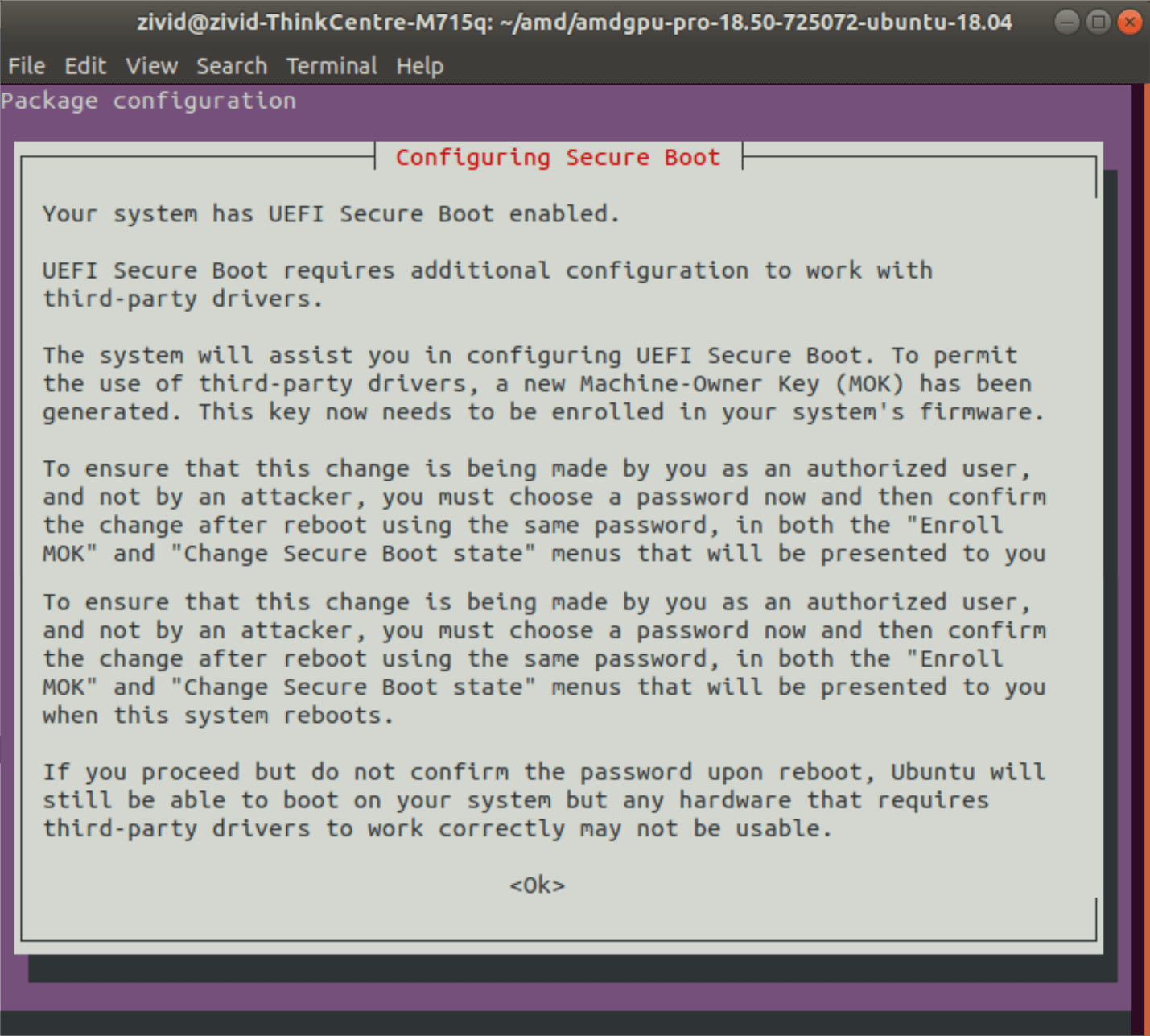
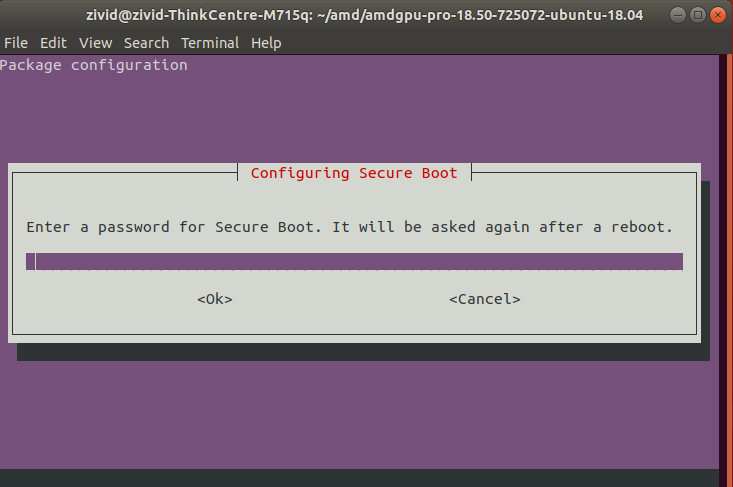
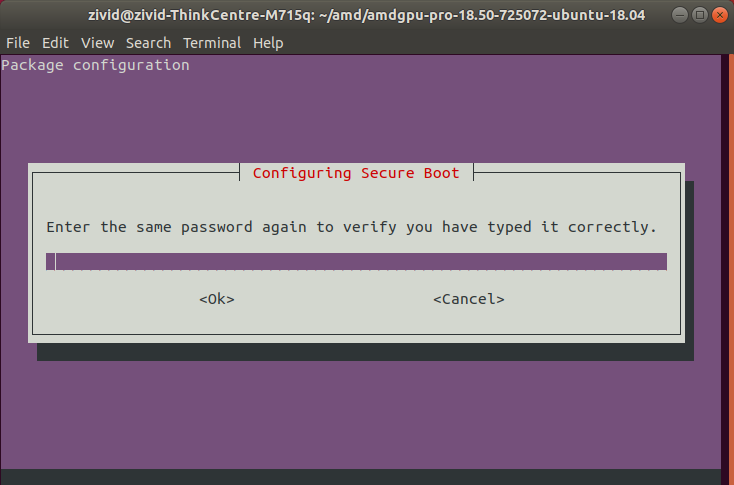
보안 부팅 구성 단계를 따르십시오(메시지가 표시되는 경우).
Zivid Studio 를 열고 OpenCL 오류가 발생하지 않는지 확인하세요.
참고
OpenCL 오류가 발생하는 경우 add your user to group Video 를 실행해야 할 수도 있습니다.