Barcode Detection
참고
이 API에는 유효한 software license 가 필요합니다.
바코드 감지 API를 사용하면 2D 이미지에서 바코드를 감지하고 디코딩할 수 있습니다.
바코드는 일반적으로 평행선, 공간 또는 도형 패턴으로 데이터를 시각적으로 기계가 읽을 수 있도록 표현한 것으로, 제품 번호와 같은 정보를 인코딩합니다. Zivid SDK는 다음과 같은 선형(1D) 및 행렬(2D) 바코드 형식을 지원합니다.
Linear: EAN-13, EAN-8, Code 128, Code 93, Code 39, UPC-A [1], UPC-E, ITF
Matrix: QR Code, Data Matrix
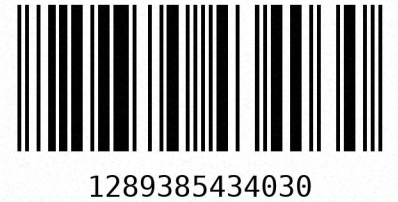
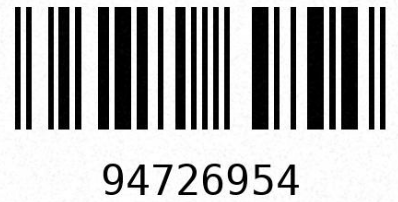
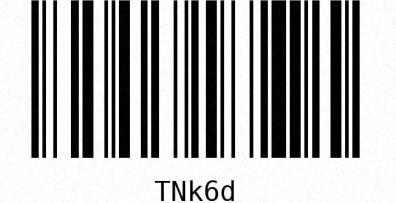
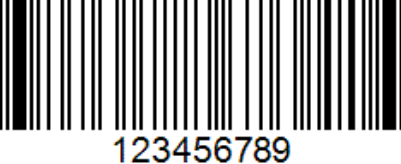
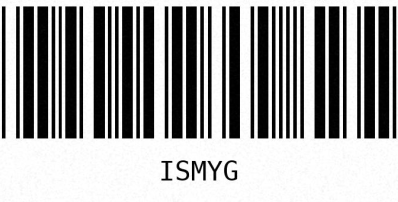
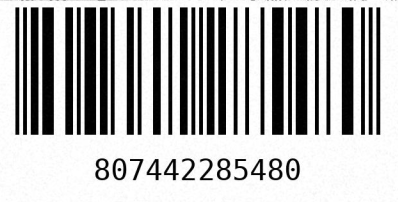
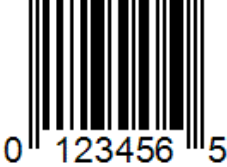
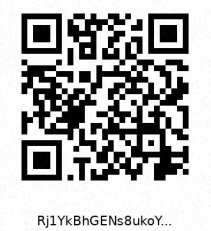
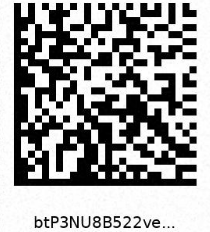
지원되는 바코드 형식의 예입니다.
바코드는 다양한 크기로 제공되며, 가장 작은 막대 또는 공간의 너비가 주요 크기 기준입니다. 이 가장 작은 요소를 모듈 크기 (또는 X-치수)라고 하며, 일반적으로 밀(mil) 단위로 표시되는데, 1밀은 1/1000인치(0.0254mm)입니다. 예를 들어, 표준 소매용 선형 바코드는 일반적으로 7밀(0.178mm)에서 13밀(0.330mm) 사이입니다. 바코드가 작을수록 안정적으로 감지하고 디코딩하려면 더 높은 해상도가 필요합니다.
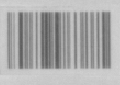 8 mil
8 mil
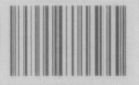 10 mil
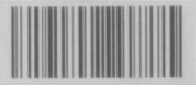 12 mil
동일한 거리에서 캡처한 다양한 Code 128 바코드 크기의 예입니다.
Barcode Detection API
바코드 감지기를 초기화하는 것부터 시작하세요. 이 작업은 한 번만 수행해야 하며, 매번 캡처할 때마다 수행해서는 안 됩니다.
그런 다음 모든 형식을 검색하는 대신, 지원되는 바코드 형식 중 어떤 형식을 감지할지 지정합니다. 이렇게 하면 감지 속도가 빨라지고 디코딩이 더욱 강력해집니다. 이 예제에서는 단순화를 위해 지원되는 모든 형식을 일반화하고 선택합니다.

// Select your specific barcode formats for optimal performance
const auto linearFormatFilter = LinearBarcodeFormat::code128 | LinearBarcodeFormat::code93
                                | LinearBarcodeFormat::code39 | LinearBarcodeFormat::ean13
                                | LinearBarcodeFormat::ean8 | LinearBarcodeFormat::upcA
                                | LinearBarcodeFormat::upcE | LinearBarcodeFormat::itf;
const auto matrixFormatFilter = MatrixBarcodeFormat::qrcode | MatrixBarcodeFormat::dataMatrix;
# Select your specific barcode formats for optimal performance
linear_format_filter = {
    LinearBarcodeFormat.code128,
    LinearBarcodeFormat.code93,
    LinearBarcodeFormat.code39,
    LinearBarcodeFormat.ean13,
    LinearBarcodeFormat.ean8,
    LinearBarcodeFormat.upcA,
    LinearBarcodeFormat.upcE,
    LinearBarcodeFormat.itf,
}
matrix_format_filter = {MatrixBarcodeFormat.qrcode, MatrixBarcodeFormat.dataMatrix}
바코드를 성공적으로 감지하고 디코딩하려면 선명하고 노출이 잘 된 2D 이미지가 매우 중요합니다. 바코드 감지기에서 권장하는 2D 설정을 사용하여 2D 프레임을 캡처하세요.
선형 바코드는 두 단계로 감지되고 디코딩됩니다. 감지 단계에서는 이미지 내에서 바코드가 포함되어 있을 가능성이 있는 후보 영역을 식별합니다. 아직 디코딩을 시도하지 않았기 때문에, 이 목록에는 오탐(false positive)이 포함될 수 있습니다. 이는 바코드처럼 보이지만 실제로는 바코드가 아닌 영역입니다. 디코딩 단계에서는 각 후보에서 실제 코드를 읽어냅니다. 후보를 디코딩할 수 없는 경우, 해당 결과는 비어 있습니다.
참고
더 간단하게 한 번의 호출로 처리하려면 readLinearCodes 를 사용하세요. 이는 감지와 디코딩을 하나의 함수 호출로 결합합니다. 2단계 방식을 사용하면 디코딩 전에 후보 영역과 해당 경계 상자(bounding box)에 명시적으로 접근할 수 있습니다.
선형 바코드 후보 영역을 감지합니다:
그런 다음 감지된 후보를 디코딩합니다:
후보와 디코딩된 결과를 함께 출력합니다. 각 감지 후보는 경계 상자(bounding box)를 제공하며, 각 디코딩 결과는 코드, 형식 및 자체 경계 상자를 제공합니다:
if(!detectionResults.empty())
{
    std::cout << "Detected " << detectionResults.size() << " linear barcode candidates:" << std::endl;
    for(size_t i = 0; i < detectionResults.size(); ++i)
    {
        std::cout << "-- Candidate " << (i + 1) << ":" << std::endl;
        std::cout << "   Bounding box: " << detectionResults[i].boundingBox() << std::endl;
        const auto &decodingResult = decodingResults[i];
        if(decodingResult.has_value())
        {
            const auto &decoded = decodingResult.value();
            std::cout << "   Code:         " << decoded.code() << std::endl;
            std::cout << "   Format:       " << toString(decoded.codeFormat()) << std::endl;
            std::cout << "   Bounding box: " << decoded.boundingBox() << std::endl;
        }
        else
        {
            std::cout << "   Failed to decode" << std::endl;
        }
    }
}
else
{
    std::cout << "No linear barcode candidates detected" << std::endl;
}
if detection_results:
    print(f"Detected {len(detection_results)} linear barcode candidates:")
    for i, (candidate, decoded) in enumerate(zip(detection_results, decoding_results, strict=False)):
        print(f"-- Candidate {i + 1}:")
        print(f"   Bounding box: {candidate.bounding_box()}")
        if decoded is not None:
            print(f"   Code:         {decoded.code()}")
            print(f"   Format:       {decoded.code_format()}")
            print(f"   Bounding box: {decoded.bounding_box()}")
        else:
            print("   Failed to decode")
else:
    print("No linear barcode candidates detected")
매트릭스 바코드에는 2단계 API가 없습니다. 한 번의 호출로 감지와 디코딩을 수행하려면 readMatrixCodes 를 사용하세요:
디코딩된 매트릭스 바코드를 경계 상자와 함께 출력합니다:
if(!matrixBarcodeResults.empty())
{
    std::cout << "Detected " << matrixBarcodeResults.size() << " matrix barcodes:" << std::endl;
    for(const auto &result : matrixBarcodeResults)
    {
        std::cout << "-- Code:         " << result.code() << std::endl;
        std::cout << "   Format:       " << toString(result.codeFormat()) << std::endl;
        std::cout << "   Bounding box: " << result.boundingBox() << std::endl;
    }
}
else
{
    std::cout << "No matrix barcodes detected" << std::endl;
}
if matrix_barcode_results:
    print(f"Detected {len(matrix_barcode_results)} matrix barcodes:")
    for result in matrix_barcode_results:
        print(f"-- Code:         {result.code()}")
        print(f"   Format:       {result.code_format()}")
        print(f"   Bounding box: {result.bounding_box()}")
else:
    print("No matrix barcodes detected")
Barcode Detection in Zivid Studio
팁
Zivid Studio에서 바코드를 감지하는 데는 소프트웨어 라이선스가 필요하지 않습니다.
Zivid Studio를 사용하면 바코드 인식을 쉽게 테스트할 수 있습니다. 카메라에 연결하고 바코드 프리셋을 선택하여 바코드가 포함된 장면을 2D로 캡처합니다. 그런 다음 View → Show barcodes 를 클릭하여 디코딩된 바코드를 이미지에 시각화합니다.
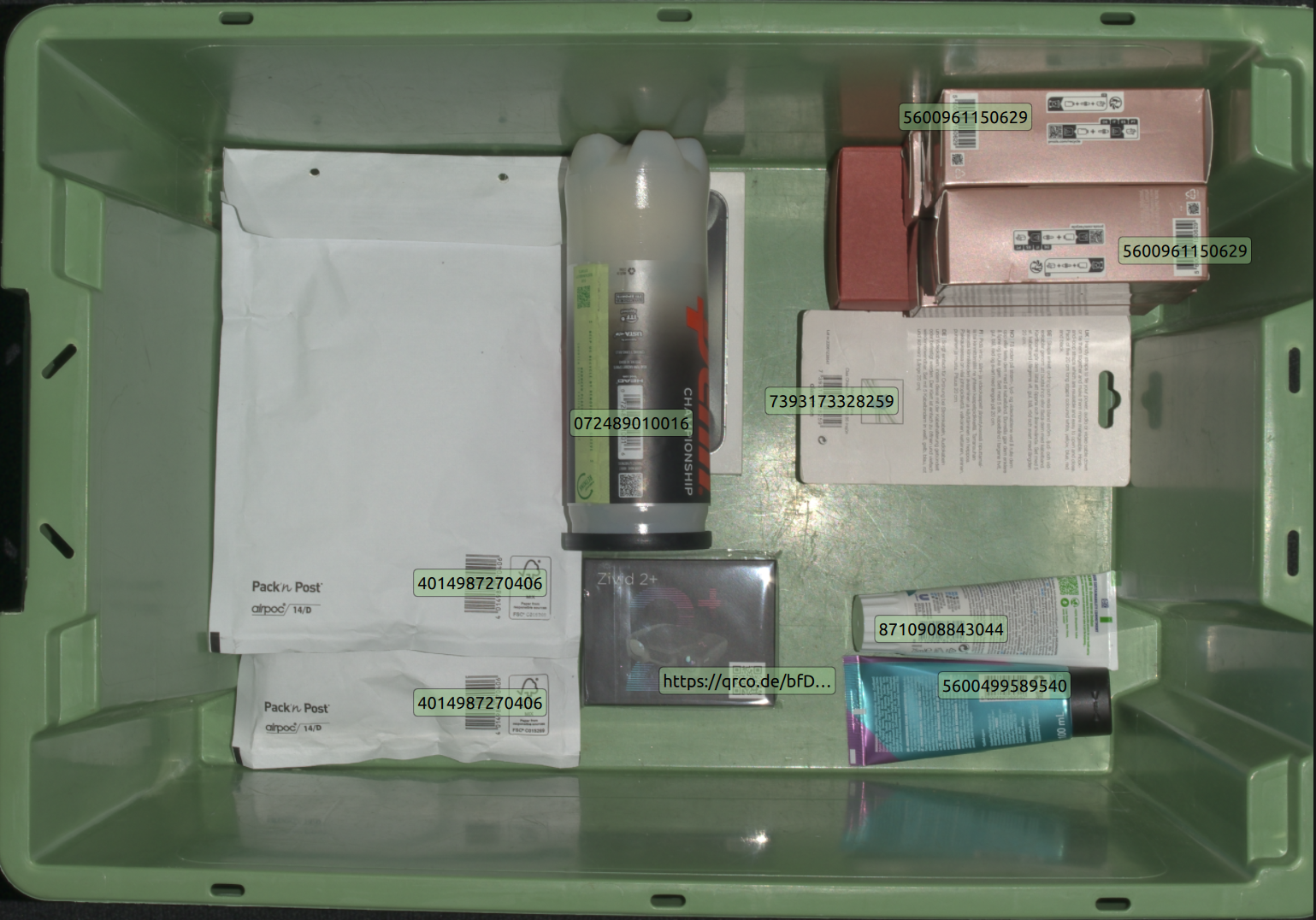
감지된 바코드를 Zivid Studio에서 시각화했습니다.
View → Configure barcodes to detect 에서 특정 바코드 형식을 선택하면 감지 속도를 높일 수 있습니다.
Barcode Detection Performance
탐지 및 디코딩 성능은 다음을 포함한 여러 요인에 따라 달라집니다.
바코드 크기
바코드까지의 거리
이미지 해상도
이미지 초점
수평 및 수직 FOV
이러한 요소들은 바코드 표면의 공간적 해상도를 효과적으로 구성하는데, 이는 안정적인 감지와 디코딩을 위해 최대화하는 것이 중요합니다.
이미지 해상도와 초점은 카메라 설정으로 제어할 수 있으며, 최적의 촬영 설정을 위해 BarcodeDetector::suggestSettings(camera) 권장합니다. 카메라의 수평 및 수직 FOV는 각 카메라 모델마다 고정되어 있으며, FOV가 클수록 공간 해상도가 낮아집니다. 바코드까지의 거리는 애플리케이션에서 어느 정도 제한 조건 내에서 제어할 수 있지만, 카메라의 작동 범위에 따라서도 제한됩니다.
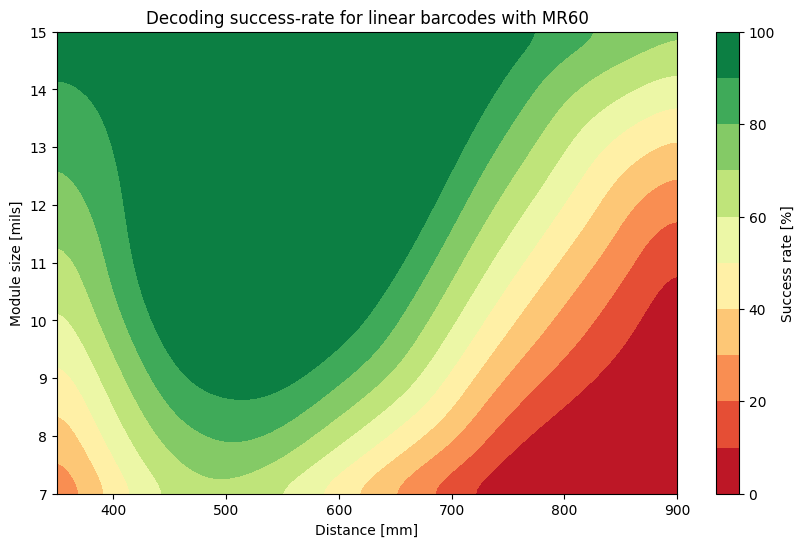
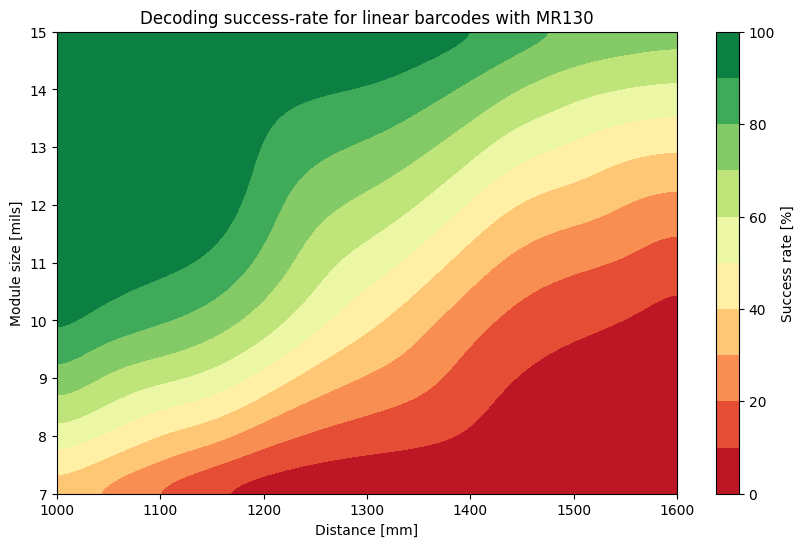
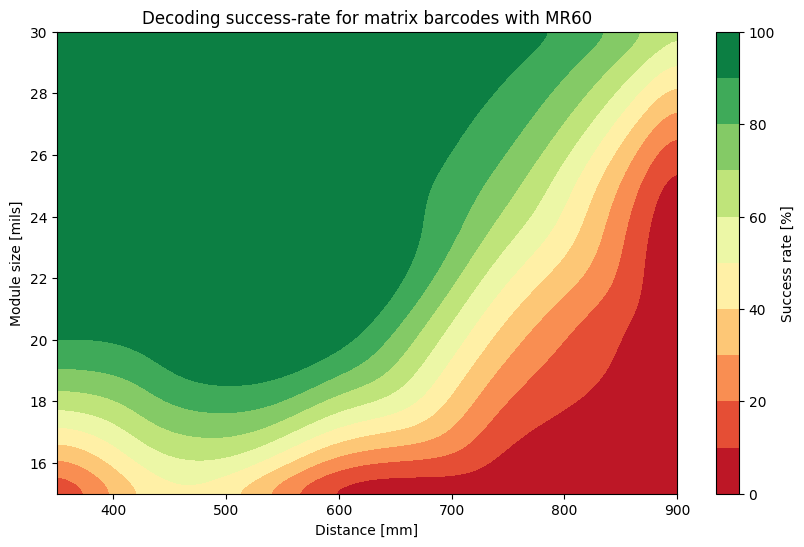
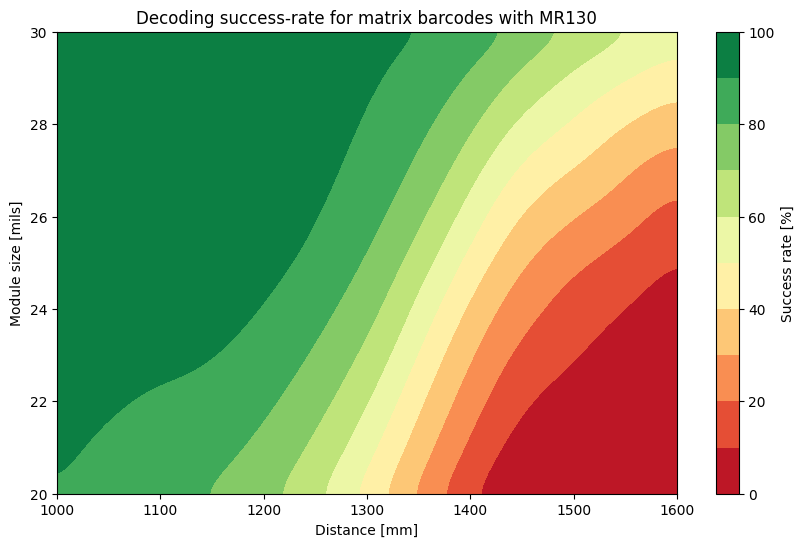
따라서 바코드 감지에 권장되는 카메라는 Zivid 2+ MR130과 MR60입니다. 이 카메라들은 작동 범위 내에서 충분한 공간 해상도를 제공하기 때문입니다. 아래는 다양한 거리, 방향 및 시야각(FOV) 내 배치에서 검증된 다양한 바코드에 대한 몇 가지 벤치마크입니다.
팁
신뢰할 수 있는 디코딩 결과를 얻으려면 녹색 영역 내에 머물러야 합니다.
Version History
SDK |
Changes |
|---|---|
2.18.0 |
선형 바코드 감지 및 디코딩이 이제 두 단계로 분리되었습니다. |
2.17.0 |
Barcode detection API가 추가되었습니다. |