为 Zivid 软件选择特定 GPU
本文介绍了如何为 Zivid 软件指定计算设备。当您有多个 GPU 并想使用特定的 GPU 时,这一点很重要。这可以是一个集成 GPU 和一个或多个独立 GPU。
备注
确保满足 Zivid 的 GPU 要求 。如果您尝试使用 CPU 或 AMD GPU 运行 Zivid SDK,请查看如何 选择使用不受支持的计算设备 运行 SDK。
Specifying GPU is done by updating the Zivid Config file.
If the file already exists and it's located in %LOCALAPPDATA%ZividAPI for Windows or "${XDG_CONFIG_HOME-$HOME/.config}"/Zivid/API for Ubuntu, skip ahead to editing the ComputeDevice parameters below.
如果文件不存在:
下 载
Config.yml文件。配置文件包含以下信息:
__version__: 4
Configuration:
    ComputeDevice:
        SelectionFilter: ""
        Type: GPU
        Vendor: Nvidia
将配置文件放在以下目录中:
Windows
mkdir %LOCALAPPDATA%\Zivid\API
move %HOMEPATH%\Downloads\Config.yml %LOCALAPPDATA%\Zivid\API\
Ubuntu
mkdir --parents "${XDG_CONFIG_HOME-$HOME/.config}"/Zivid/API
mv ~/Downloads/Config.yml "${XDG_CONFIG_HOME-$HOME/.config}"/Zivid/API/
小心
任何现有的配置文件都将被覆盖。
小心
Zivid 配置文件必须使用.yml 文件扩展名(而不是.yaml)。
通过更改配置文件的
ComputeDevice参数来分配所需的 GPU(如果已知):如果每个供应商只有一个 GPU(例如集成 Intel GPU 和专用 NVIDIA GPU),请将
Type更改为GPU,Vendor更改为NVIDIA或Intel,例如ComputeDevice: SelectionFilter: "" Type: GPU Vendor: Nvidia
如果您有同一供应商的多个 GPU(例如两个 Nvidia GPU),则
SelectionFilter必须指定要使用哪个 GPU。请先找到确切的设备名称:使用 OpenCL 版本的 SDK 时,运行clinfo -l以列出所有计算设备;使用 CUDA 版本时,则运行nvidia-smi -L。将Type和Vendor保留为Any,并将SelectionFilter设置为设备名称中任何唯一的部分,例如对于 NVIDIA GeForce RTX 3060:ComputeDevice: SelectionFilter: "RTX 3060" Type: Any Vendor: Any
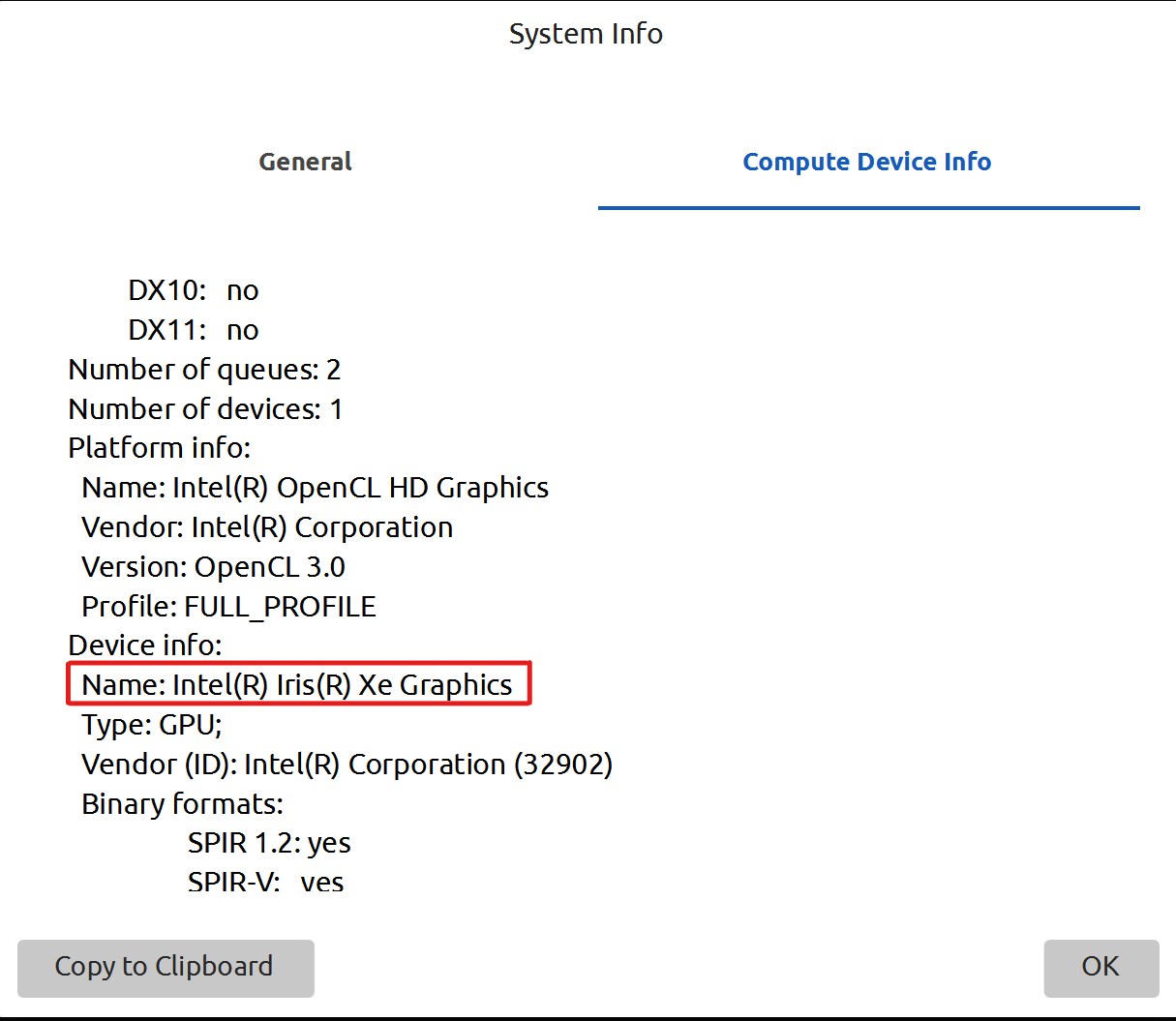
要验证设置是否成功,需要重新启动 Zivid Studio,然后点击 Help → About Zivid Studio → System Info → Compute Device Info。可以 在 Device info 下看到指定的 GPU 设备。
Version History
SDK |
变更 |
|---|---|
2.11.0 |
不再推荐使用 AMD。 SDK 中已移除官方支持,请参阅 为 Zivid 软件启用不支持的计算设备 。 移除了仅在 CPU 上运行 SDK 的说明。 |