Windows に Zivid をインストールする
To install Zivid on Windows, download and run the Zivid installer, selecting the GPU compute backend that matches your GPU.
最新の Zivid Software インストーラをダウンロードして実行します。
Select the GPU compute backend to install, depending on the GPU you will use with Zivid.
GPU
CUDA
OpenCL
Intel
No
Yes
NVIDIA
Optimal
Yes
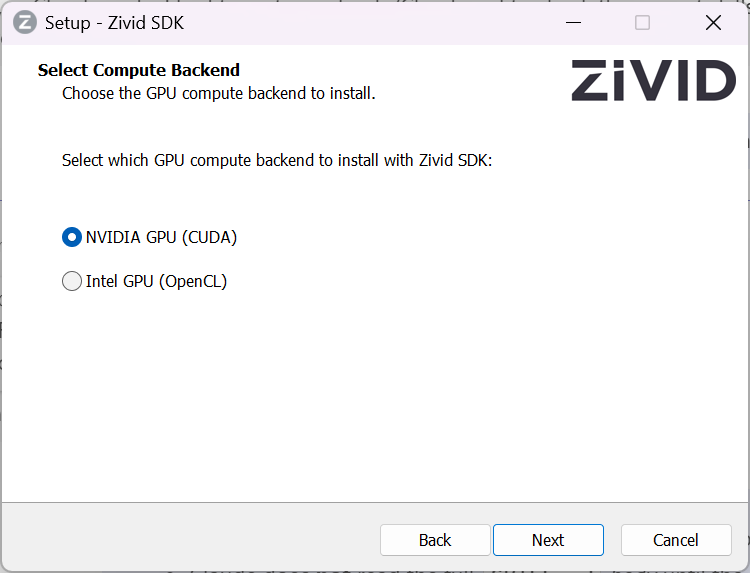
注釈
If you install OpenCL on an NVIDIA GPU, the SDK will fail to start until you edit the Config.yml file to explicitly allow it. See NVIDIA Compute Devices Are Not Supported by the OpenCL Version for details.
HALCON を使用している場合は、GenICam GenTL プロデューサー (実験的) をインストールするオプションをオンにします。
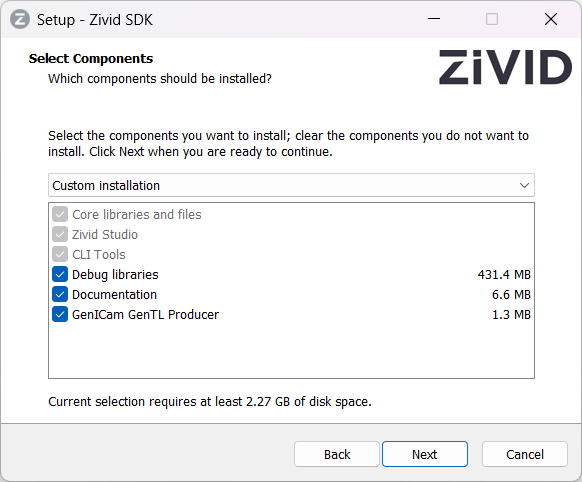
注意
GenICam/HALCON support is experimental.
Zivid Studio を開き、エラーが発生しないことを確認して、インストールが成功したことを確認します。
注釈
問題が発生した場合は、 GPU ドライバー をインストールまたは更新する必要がある場合があります。
Proceed to Network Configuration.