2D Color Spaces, Lens Distortion, and Output Formats
Zivid カメラは、3D データの一部として色を出力することも、2D 画像として色を個別に出力することもできます。カメラのモデルによって、2D 画像を撮影する際の解像度が異なります。解像度は以下のとおりです。
カメラ |
メガピクセル (MP) |
解像度 |
|---|---|---|
Zivid 3 |
8 |
2816 x 2816 |
Zivid 2+ |
5 |
2448 x 2048 |
Zivid 2 |
2.3 |
1944 x 1200 |
色空間
色空間は、画像内の色の値がどのように解釈され、表現されるかを定義します。画像の色空間は、人間の目に画像がどのように見えるか、またデバイスが画像をどのように解釈して表示するかに影響します。 Zivid SDK は、2D データに対して 2 つの色空間をサポートしています。
- sRGB:
モニターやプリンターなどのデバイス間で一貫した色再現を保証します。
ほとんどの家電製品とインターネットのデフォルト設定です。
事前学習済みモデルは sRGB 画像で学習されているため、画像分類や物体検出などの機械学習タスクに適しています。
ガンマ補正(2.2)が含まれているため、強度値は非線形になります。
- リニア RGB:
ガンマ補正なし。強度値は光強度に直接比例します。
精密な色彩操作や物理モデリングに適しています。
従来型の画像処理やコンピュータビジョンで広く使用されています。
主な違いは、強度値のエンコード方法です。アプリケーションのニーズに基づいて選択してください。
sRGB: 機械学習モデル、画像の表示と交換に使用します。
リニア RGB: 従来型の画像処理に使用します。
Zivid Studio は色を sRGB で表現しますが、データを保存する色空間を選択することもできます。
注釈
Zivid Studio は色を sRGB で表示します。特定のピクセルのヒストグラムと RGB カラーチャンネル値は、線形色空間で表示されます。
以下に、sRGB とリニア RGB で保存された同じ画像を示します。モニターは sRGB を想定しており、逆ガンマ補正を適用するため、リニア RGB 画像は暗く表示されます。そのため、モニターに表示されるリニア RGB 画像は、実際の色よりも暗く見えることがあります。手動で評価する場合は、2D データを sRGB で表示することをお勧めします。
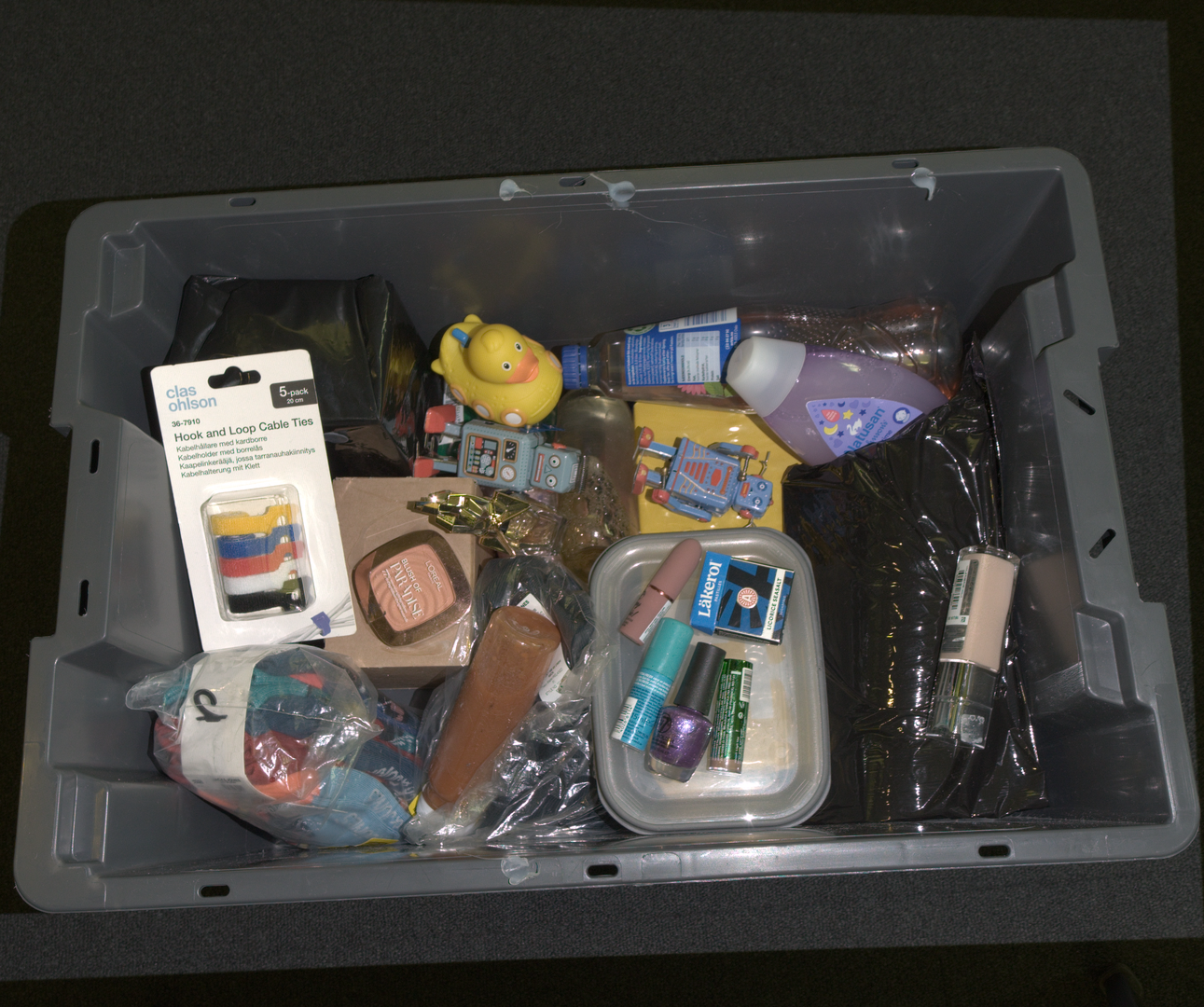 sRGB 空間で表現された色。
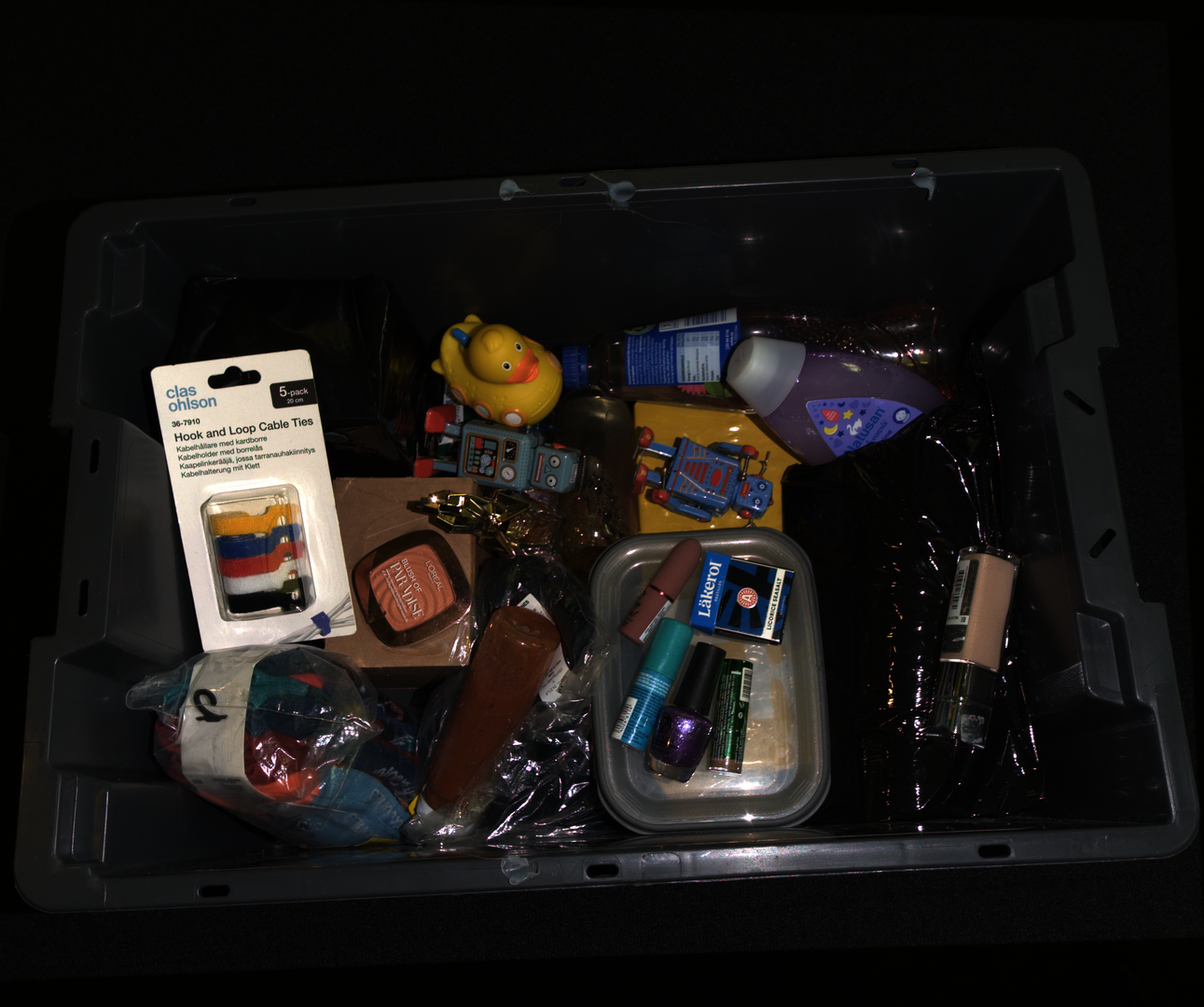 リニア RGB 空間で表現された色。
Lens distortion
The 2D color image returned from a capture is distorted, meaning it is not corrected for the lens distortion of the camera.
This applies both to the image from a 2D capture (capture2D()) and to the color image extracted from the point cloud (from capture2D3D() or capture3D()).
As a result, straight lines in the scene can appear slightly curved in the image, most noticeably towards the edges.
The 3D point cloud is not affected (the lens distortion is already accounted for when the point cloud is generated). The 2D image is kept distorted to preserve the 1:1 correspondence between the 2D image and the organized 3D point cloud. The distortion only matters if your application relies on the geometry of the 2D image, for example to detect straight lines. In that case you can undistort the image using the camera intrinsics (see カメラ内部パラメータ).

const auto cameraIntrinsicsCV =
    use2D ? reformatCameraIntrinsics(Zivid::Experimental::Calibration::intrinsics(camera, settings2D))
          : reformatCameraIntrinsics(Zivid::Experimental::Calibration::intrinsics(camera, settings));
const auto distortionCoefficients = cameraIntrinsicsCV.distortionCoefficients;
const auto cameraMatrix = cameraIntrinsicsCV.cameraMatrix;

const auto size = bgr.size();
const auto optimalCameraMatrix =
    cv::getOptimalNewCameraMatrix(cameraMatrix, distortionCoefficients, size, 1, size);

cv::Mat bgrUndistorted;
cv::Mat bgrUndistortedFull;

cv::undistort(bgr, bgrUndistorted, cameraMatrix, distortionCoefficients);
cv::undistort(bgr, bgrUndistortedFull, cameraMatrix, distortionCoefficients, optimalCameraMatrix);
if use_2d:
    camera_matrix, distortion_coefficients = _reformat_camera_intrinsics(
        zivid.experimental.calibration.intrinsics(camera, settings_2d)
    )
else:
    camera_matrix, distortion_coefficients = _reformat_camera_intrinsics(
        zivid.experimental.calibration.intrinsics(camera, settings)
    )

size = (bgr.shape[1], bgr.shape[0])
optimal_camera_matrix = cv2.getOptimalNewCameraMatrix(camera_matrix, distortion_coefficients, size, 1, size)[0]

bgr_undistorted = cv2.undistort(bgr, camera_matrix, distortion_coefficients)
bgr_undistorted_full = cv2.undistort(bgr, camera_matrix, distortion_coefficients, None, optimal_camera_matrix)
2D カラー出力フォーマット
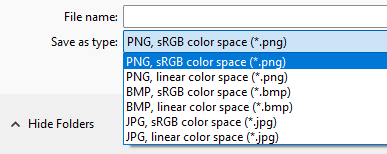
From Zivid Studio, you can save the color image (File → Save Color Image) in the following formats:
バージョン履歴
SDK |
変更点 |
|---|---|
2.17.0 |
Zivid 3 XL250 のサポートを追加しました。 |