Windows 用 Zivid + HALCON をインストールする
Zivid は HALCON と連携するための 2 つの方法を提供しています。
Zivid SDK を通じて、HALCON で利用可能な C++/C# ライブラリを活用します。 C++ と C# 両方のサンプルを提供しています。(推奨)
Zivid Software に付属する GenICam GenTL プロデューサーを介して直接行います。
2 番目のオプションを選択する場合は、以下の手順に従ってください。推奨オプションを開始するには、お好みのプログラミング言語のサンプルを参照してください。
Zivid SDK をインストールする
Install Zivid SDK by following the instruction on this page: ソフトウェアのインストール.
注釈
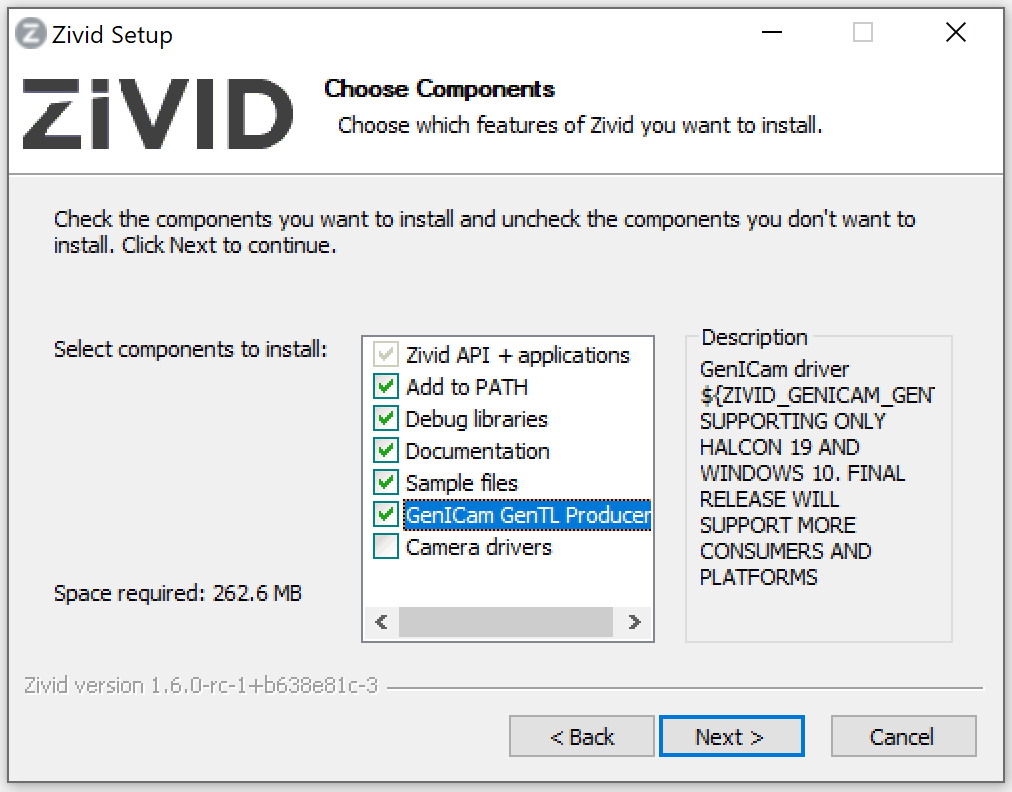
Make sure to check the GenICam GenTL Producers box when choosing which components to install. This installs the GenTL Producer that HALCON needs to see the camera.
HALCON をインストールする
Visit MVTec download page and sign in to download the MVTec Software Manager. Use the Software Manager to select HALCON, pick a version, and install it for Windows. We recommend that you use a HALCON version that has been tested by Zivid.
重要
Select the GenICamTL image acquisition package (GenTL Consumer) in the Software Manager.
The package is optional, and installing a newer HALCON version does not carry it over from an older one.
Without it, HALCON detects only the File and DirectFile interfaces and the Zivid camera stays hidden.
See Only the File and DirectFile interfaces are detected.
始めましょう!
これで HALCON サンプル の一部を試してみる準備ができました。
警告
HALCON Image Acquisition Assistant を使用する際は、 USB3Vision インターフェースを使用して Zivid カメラに接続しないでください。これにより、汎用 HALCON USB ドライバーがインストールされ、 Zivid USB ドライバーが上書きされます。代わりに GenICamTL インターフェースを使用して接続してください。