Mechanical Interface
This page covers the mechanical dimensions, mounting holes, mounting specifications, and mounting-surface flatness requirements for each Zivid camera.
Expand your camera below.
Zivid 3
Dimensions

Mounting Specifications
Zivid cameras have three M5 mounting holes, one Ø5 positioning hole, and one Ø5x1 obround alignment hole. We recommend using DIN 912 / ISO 4762 Hexagon or ISO 14579 Hexalobular socket head cap screws in stainless steel (A2 or A4). To ensure not damaging the threads, we recommend not exceeding the specified maximum torque value when fastening the screws.
Zivid 3 also has a tripod mount hole (UNC 1/4”-20).

Mounting Holes

Flatness of Mounting Surface
For optimal performance we recommend a mounting surface flatness of ±0,05 mm or better. Mounting the camera to an uneven surface can in some cases affect the calibration.
We recommend using one of the Zivid Camera Mounts to ensure problem free installation of the camera.

Zivid 2+
Dimensions
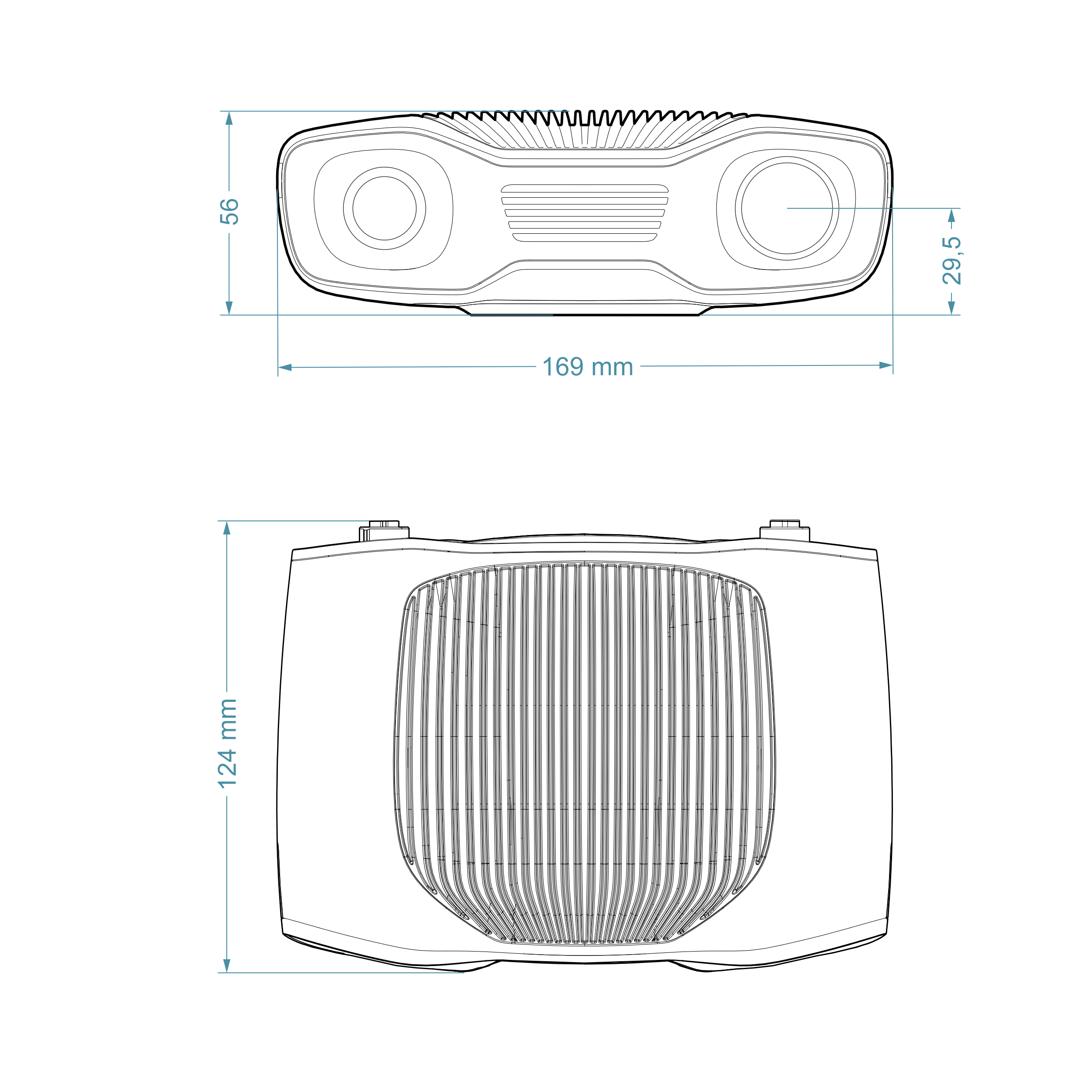
Mounting Specifications
Zivid cameras have three M5 mounting holes, one Ø5 positioning hole, and one Ø5x1 obround alignment hole. We recommend using DIN 912 / ISO 4762 Hexagon or ISO 14579 Hexalobular socket head cap screws in stainless steel (A2 or A4). To ensure not damaging the threads, we recommend not exceeding the specified maximum torque value when fastening the screws.
The Zivid 2+ camera does not have a tripod mount hole, but you can use our Tripod Adapter.

Mounting Holes

Flatness of Mounting Surface
For optimal performance we recommend a mounting surface flatness of ±0,05 mm or better. Mounting the camera to an uneven surface can in some cases affect the calibration.
We recommend using one of the Zivid Camera Mounts to ensure problem free installation of the camera.

Zivid 2
Dimensions
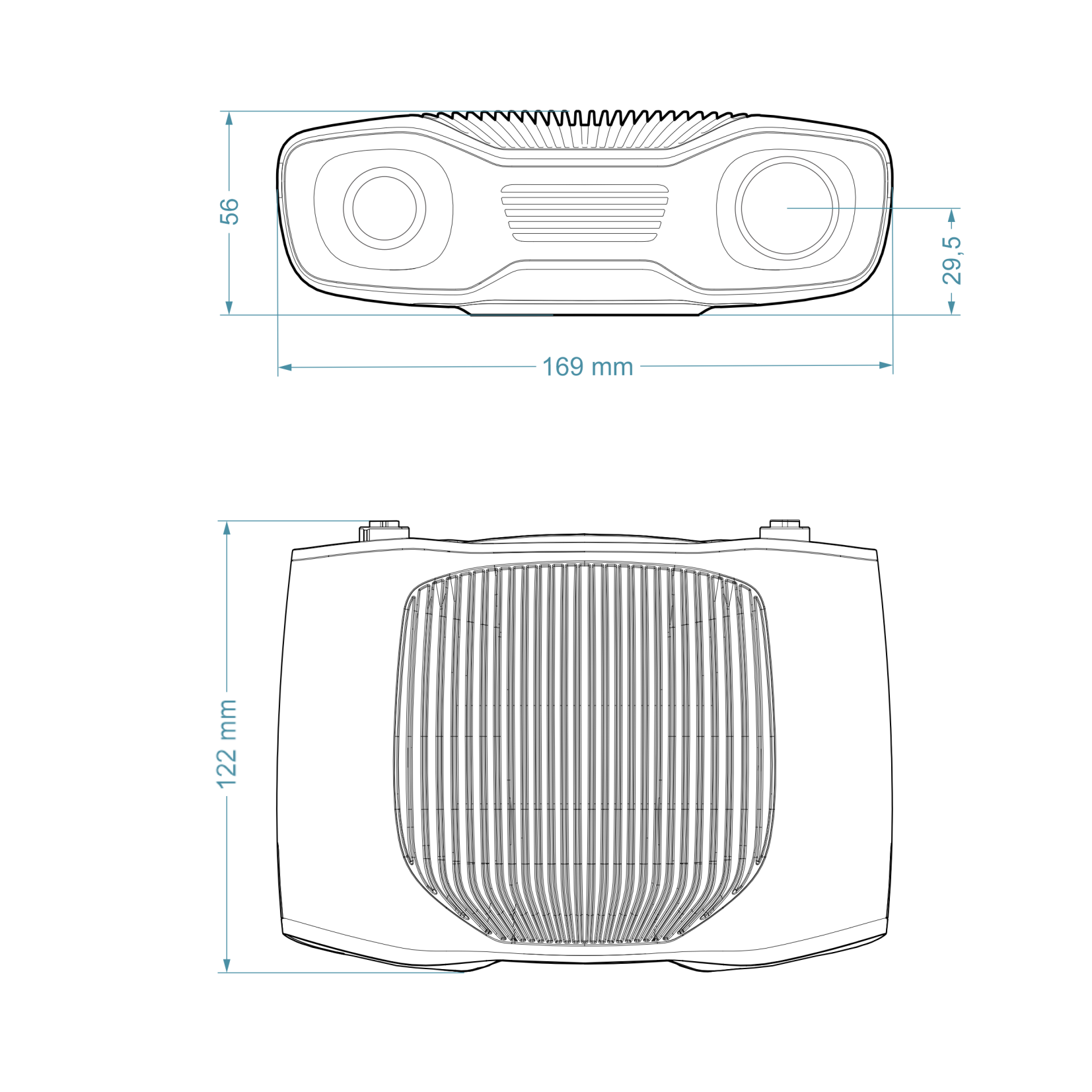
Mounting Specifications
Zivid cameras have three M5 mounting holes, one Ø5 positioning hole, and one Ø5x1 obround alignment hole. We recommend using DIN 912 / ISO 4762 Hexagon or ISO 14579 Hexalobular socket head cap screws in stainless steel (A2 or A4). To ensure not damaging the threads, we recommend not exceeding the specified maximum torque value when fastening the screws.
The Zivid 2 camera does not have a tripod mount hole, but you can use our Tripod Adapter.
Mounting Holes
Flatness of Mounting Surface
For optimal performance we recommend a mounting surface flatness of ±0,05 mm or better. Mounting the camera to an uneven surface can in some cases affect the calibration.
We recommend using one of the Zivid Camera Mounts to ensure problem free installation of the camera.
Continue reading to find out more about Mounting options for Zivid cameras.
Version History
SDK |
Changes |
|---|---|
2.17.0 |
Added support for Zivid 3 XL250. |
2.14.0 |
Added support for Zivid 2+ MR130, LR110, and MR60. |
2.12.0 |
Zivid One+ has reached its End-of-Life and is no longer supported. |