Spyder IDE を使用して Python「Hello World」アプリケーションを作成する
導入
このチュートリアルでは、Spyder IDE を使用して Zivid 用の Python アプリケーションを作成する方法を示します。
要件
手順
スクリプトを作成して実行するためのステップバイステップの手順は、以下のスクリーンショットとともに提供されます。
新しいプロジェクトを作成する
Spyder IDE を実行し、デフォルトのコードを次のコード ブロックに置き換えます。
import zivid


def _main() -> None:
    print("Hello World!")
    print(f"Zivid SDK: {zivid.SDKVersion.full}")


if __name__ == "__main__":  # NOLINT
    _main()
コードを目的の場所に zivid_hello_world.py として保存します。
プログラムを実行する
キーボードの F5 キーを押してプログラムを実行します。プロンプトが表示されたら、 Run をクリックします。
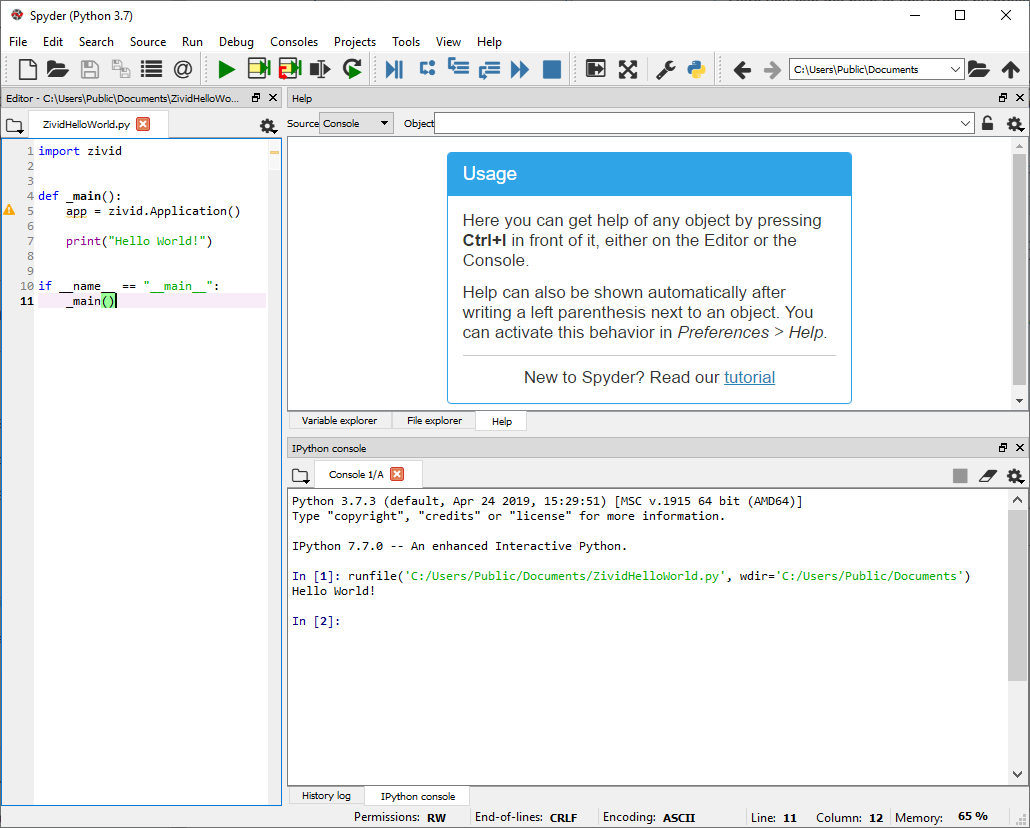
Zivid と Python での開発を続けるには、 Zivid Python Samples をご覧ください。