Presets
The Zivid SDK ships presets, sets of pre-tuned settings for common application categories, so you do not have to tune capture settings manually. There are two types of presets:
3D presets: contain the 2D and 3D capture settings and can be used with all capture functions.
2D presets: consist of the 2D settings only and can only be used for 2D captures.
Presets are coupled with an SDK version, so the parameters in a preset may change if you upgrade or downgrade the SDK. If you want to use a preset in an application, save the .yml file and load it using the load function from the API, rather than depending on the preset staying the same across SDK versions.

const auto settingsFile = "Settings.yml";
std::cout << "Loading settings from file: " << settingsFile << std::endl;
const auto settingsFromFile = Zivid::Settings(settingsFile);
var settingsFile = "Settings.yml";
Console.WriteLine("Loading settings from file: " + settingsFile);
var settingsFromFile = new Zivid.NET.Settings(settingsFile);
Each preset category below lists its general assumptions, download links to the presets, an example scene, and benchmarking results. Try out different presets within your application to find the preset best suited for you.
3D Presets
The presets are designed to simplify the tuning of camera parameters and in most cases eliminate the need for manual adjustments. They are specifically tuned for the following categories:
Within each category, you will find various presets. These are separated by scene complexity, working distance or by the typical type of material property of objects within that. Different cameras have different presets based on what they are commonly used for.
Consumer Goods
Consumer goods cover all items you will find in a Piece Picking or Item Picking application in a fulfillment center. This usually includes thousands of different objects (SKUs) in a wide range of shapes and sizes. Capture time often lies between 400-1000 ms assuming a high-end hardware set-up. It is assumed that having enough data points is often more important than having fewer but precise ones. For more information about settings guidance, optimal camera mounting, and capture strategies, see our in-depth Piece Picking Tutorial.
Zivid 2+
Consumer goods are divided into Fast and Quality. Quality preset has a wide dynamic range and provides good data for a large variety of objects including transparent, dark, and bright, reflective objects. Fast preset provides significantly faster captures, but with reduced object surface coverage in comparison to Quality.
MR60
Normal
MR130
LR110
M60
Normal
M130
Normal
L110
Normal
Zivid 2
Consumer goods are divided into Fast and Quality. Quality preset has a wide dynamic range and provides good data for a large variety of objects including bright and reflective objects and dark boxes. Fast preset has less dynamic range, but provides significantly faster captures.
M70
L100
Normal
Below are examples of each subcategory.
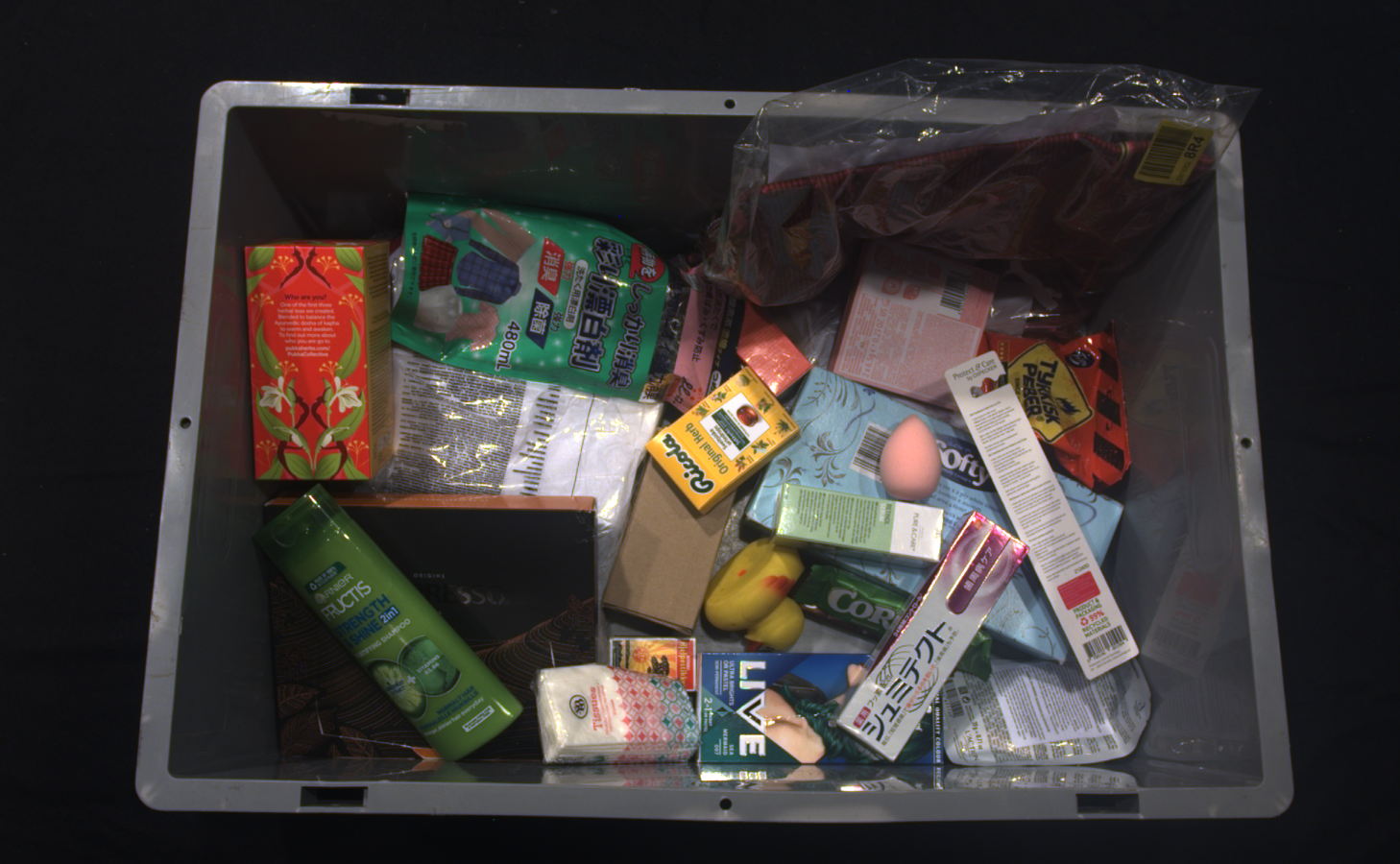 Typical Consumer Goods Fast scene
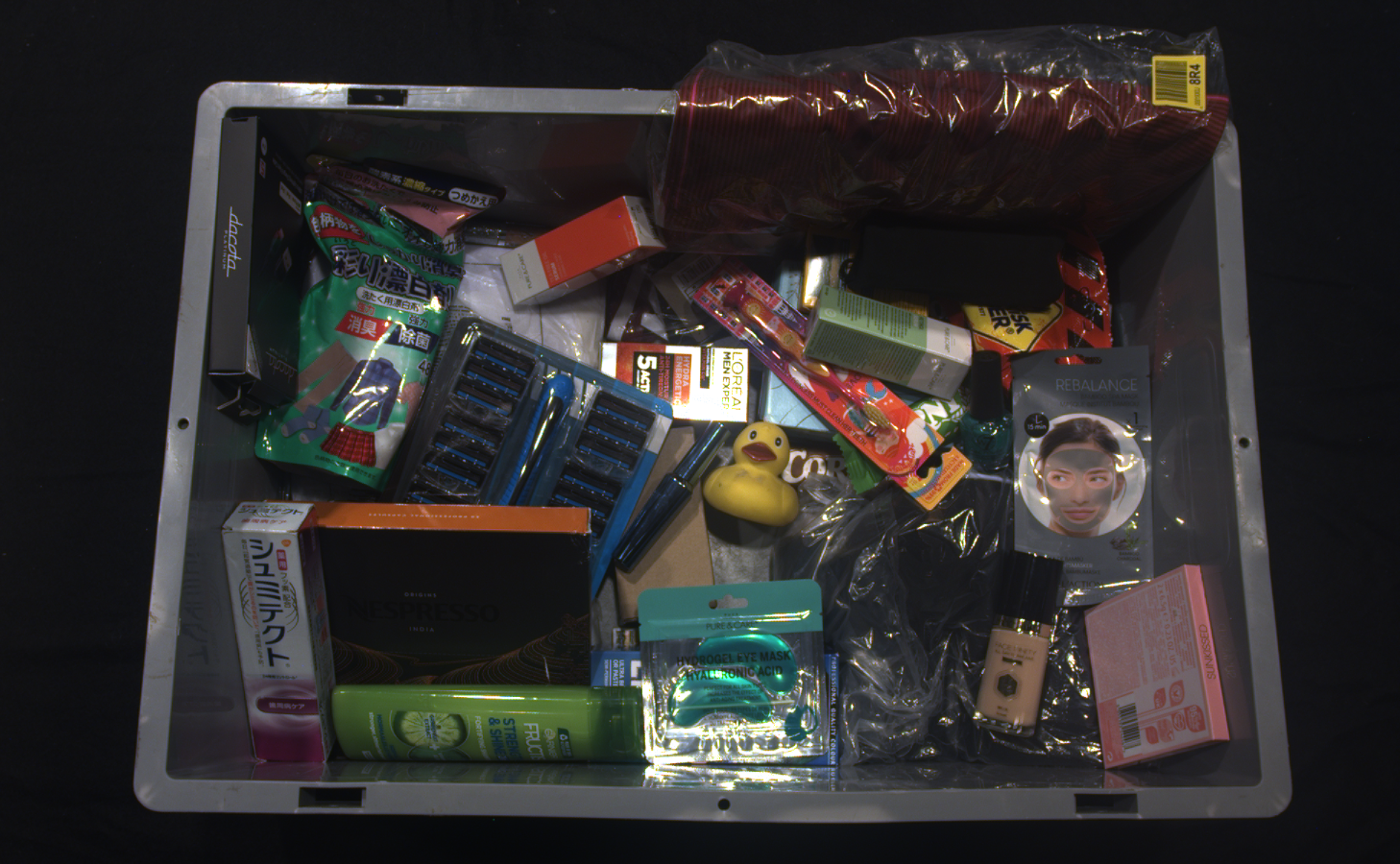 Typical Consumer Goods Quality scene
Preset benchmarks
Zivid 2+R
Zivid 2+
Zivid 2
Parcels
Parcels aim to cover all types of objects in logistics centers, such as boxes, plastic bags, and packages. Capture time usually lies between 200-400 ms assuming a high-end hardware set-up. It is assumed that it is more important to have good data coverage than precise data.
Zivid 3
The parcels preset combines the ability to capture more challenging scenes with high-speed acquisitions. It can handle challenging scenes including plastic bags and dark, reflective parcels, as well as scenes with limited dynamic range, such as cardboard boxes, cartons, and envelopes.
XL250
Zivid 2+
Parcels are divided into Fast and Quality. Fast preset is for scenes with limited dynamic range, such as cardboard boxes, cartons, and envelopes, and provides fast captures. Quality preset is for more challenging scenes, including plastic bags and dark, reflective parcels.
MR130
LR110
M130
Normal
L110
Normal
Zivid 2
Parcels are divided into Matte and Reflective. Matte preset is for scenes with limited dynamic range, such as cardboard boxes, cartons and envelopes. Reflective preset is for more challenging scenes, including plastic bags and dark boxes.
M70
Normal
L100
Below are examples of scenes that the presets cover.
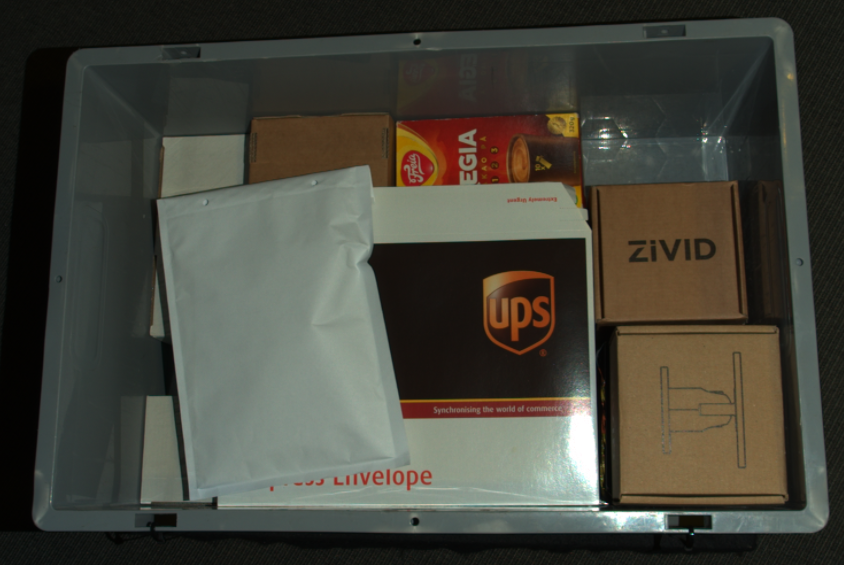 Typical Parcels Fast / Matte scene
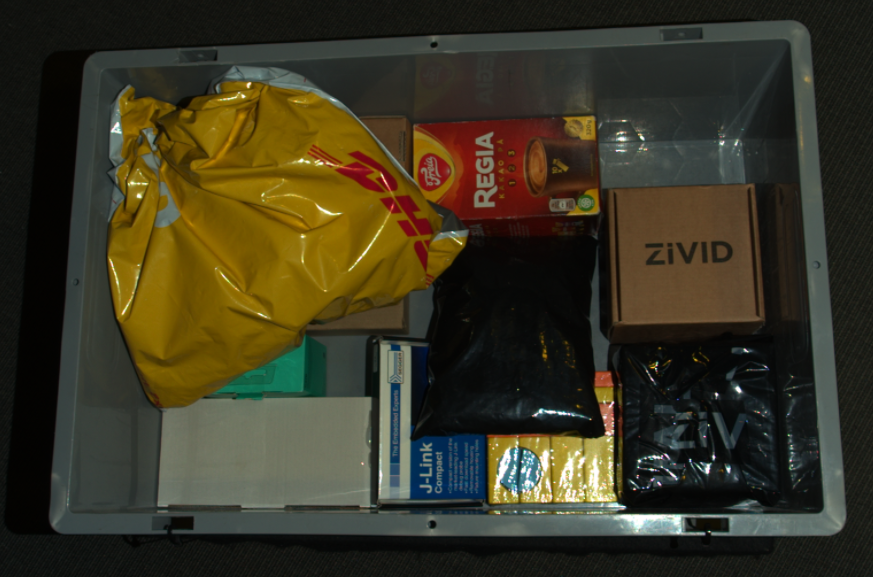 Typical Parcels Quality / Reflective scene
Preset benchmarks
Zivid 3
Zivid 2+R
Zivid 2+
Zivid 2
Manufacturing
Manufacturing presets cover all types of objects commonly found in industrial Bin Picking or Machine tending. This can be anything from plastic and rubber parts to shiny metallic cylinders, with notable variations in size, color, and material. Typical for these applications is that the bin often contains only one type of part. Capture time is generally between 400-1500 ms assuming a high-end hardware set-up. It is assumed that it is more important with less, but accurate, data than the opposite.
Zivid 3
Manufacturing is divided into three subcategories: Diffuse, Specular and Small Features. Diffuse is for scenes without reflections or high dynamic range, and it provides great coverage even on dark reflective objects. It also retains features such as holes or sharp angles, although Small features will be better suited for the smallest features. Specular is for scenes where you have shiny and reflective parts with lots of reflections, and therefore need a lot of dynamic range. Small Features is for scenes with reflective parts that have small and detailed features. The expected capture time for the Small Features preset is 1100-3000 ms.
Zivid 2+
Manufacturing is divided into four subcategories: Diffuse, Semi-Specular, Specular, and Small Features. Diffuse is for relatively simple scenes without reflection or high dynamic range. Semi-specular is for scenes with some reflections and hence requires higher dynamic range. Specular is for scenes where you have shiny and reflective parts and therefore need a lot of dynamic range. Small Features is for scenes with reflective parts that have small and detailed features such as a thread of M5 bolt. The expected capture time for the Small Features preset is 1900-2200 ms.
MR60
MR130
LR110
M60
M130
Zivid 2
Manufacturing is divided into three subcategories: Diffuse, Semi-Specular, and Specular. Diffuse is for relatively simple scenes without reflection or high dynamic range. Semi-Specular is for scenes with some reflections and hence requires higher dynamic range. Specular is for scenes where you have shiny and reflective parts and therefore need a lot of dynamic range.
M70
Below are examples of scenes that the presets cover.
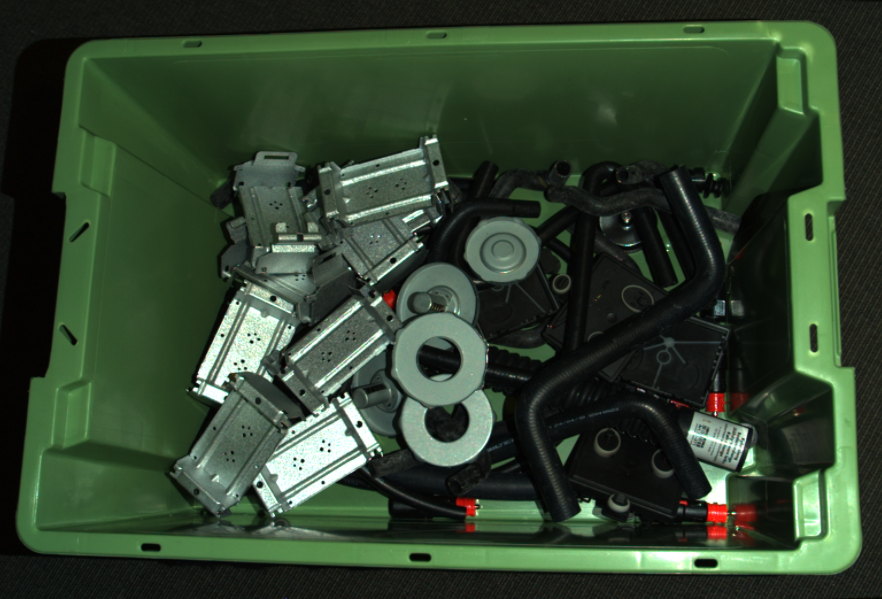 Typical Manufacturing Diffuse scene
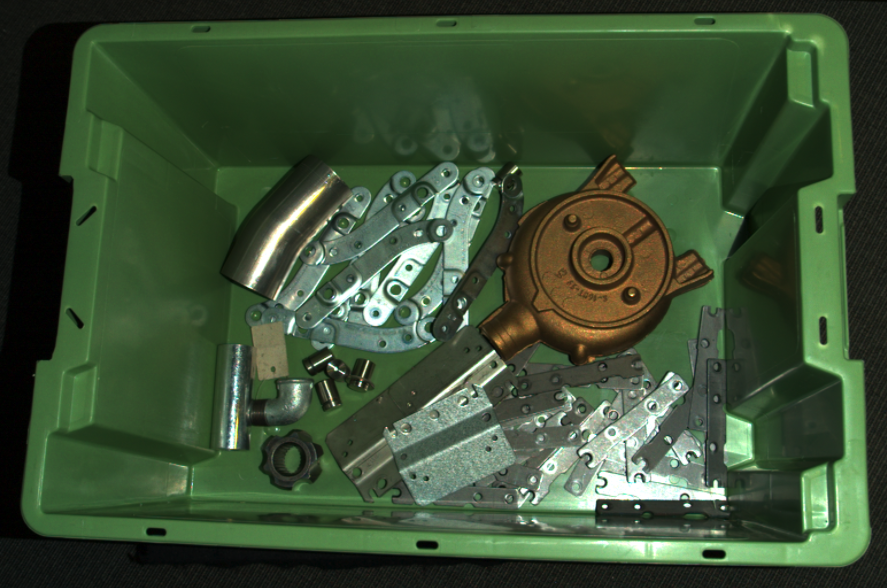 Typical Manufacturing Semi-Specular scene
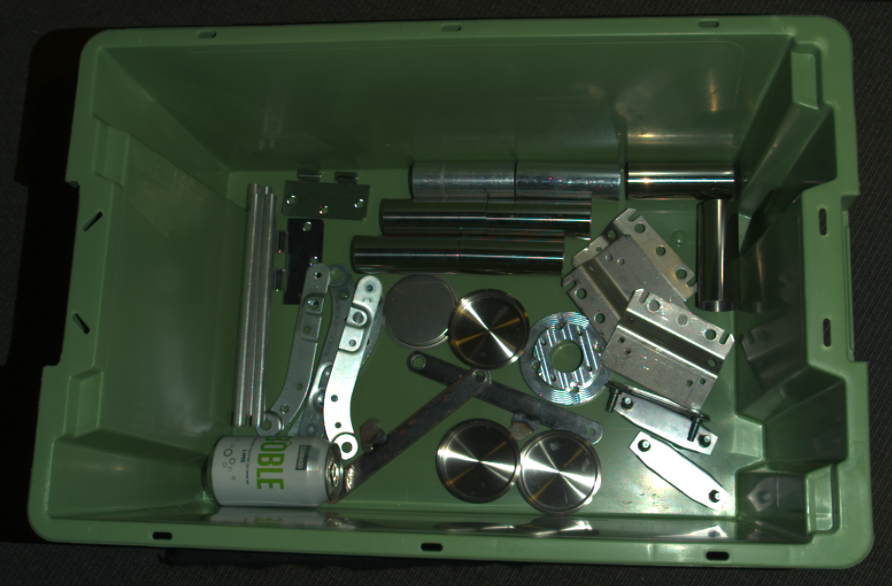 Typical Manufacturing Specular scene
The point cloud shows an example of a typical Manufacturing Small Features scene.
Preset benchmarks
Zivid 3
Zivid 2+R
Zivid 2+
Zivid 2
Inspection
Inspection presets cover typical objects in industrial Maintenance Inspection. This can be anything from inspection welding applications to wheels and 3D printed parts. Capture time is generally between 1000-3000 ms assuming a high-end hardware set-up. What is important is that the point cloud data contains as little noise as possible.
Zivid 2+
Inspection is divided into Default and Small Features. Default preset is for scenes with reflective parts that need a high dynamic range. Small Features preset is for scenes with reflective parts with small and detailed features such as components on a PCB board.
MR60
Zivid 2
Inspection is divided into Close and Far. This refers to working distances, where close is ~350 mm and far is ~600 mm.
M70
Below are examples of scenes that the presets cover.
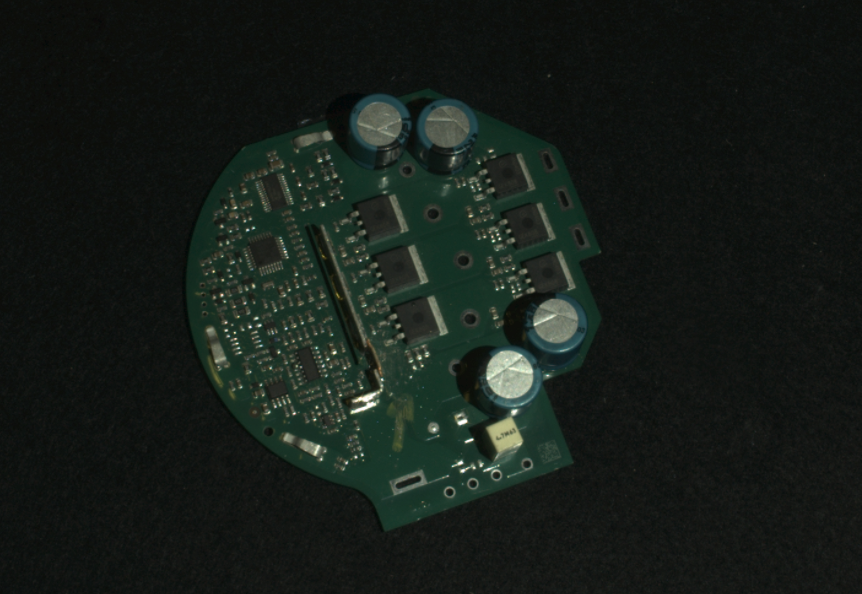 Typical Inspection Small Features / Close scene
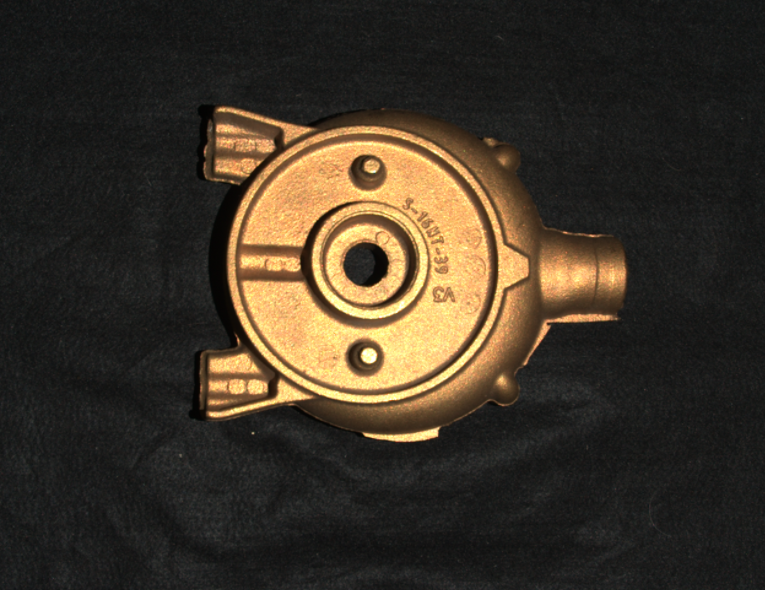 Typical Inspection Default / Far scene
Preset benchmarks
Zivid 2+R
Zivid 2+
Zivid 2
Depalletization
Depalletization presets cover typical objects in industrial depalletization. This can be anything from simple matte cardboard boxes to plastic wrapped bottles and cans. Capture time is generally between 500-2000 ms assuming high-end hardware set-up. Point cloud coverage on all items is what is most important.
Zivid 3
Depalletization is divided into Fast and Quality. The fast preset provides significantly faster captures and sharper edges in the point cloud, but has reduced surface coverage when compared to Quality. The Quality preset has a wide dynamic range and provides good data for a large variety of objects, including plastic wrapped, dark and bright, reflective objects.
XL250
Normal
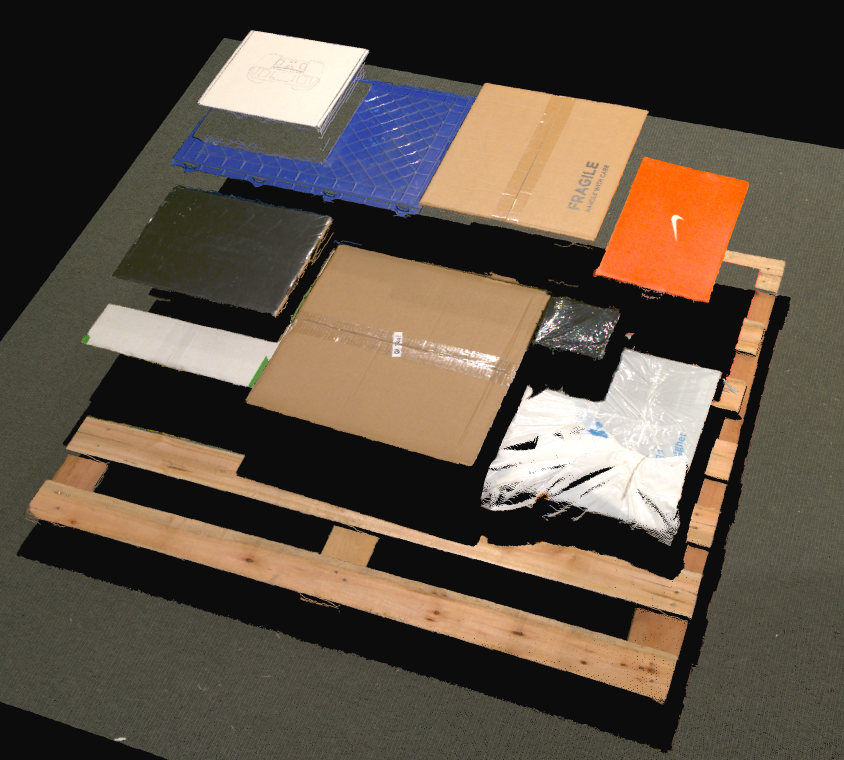 Typical Depalletization Fast Scene
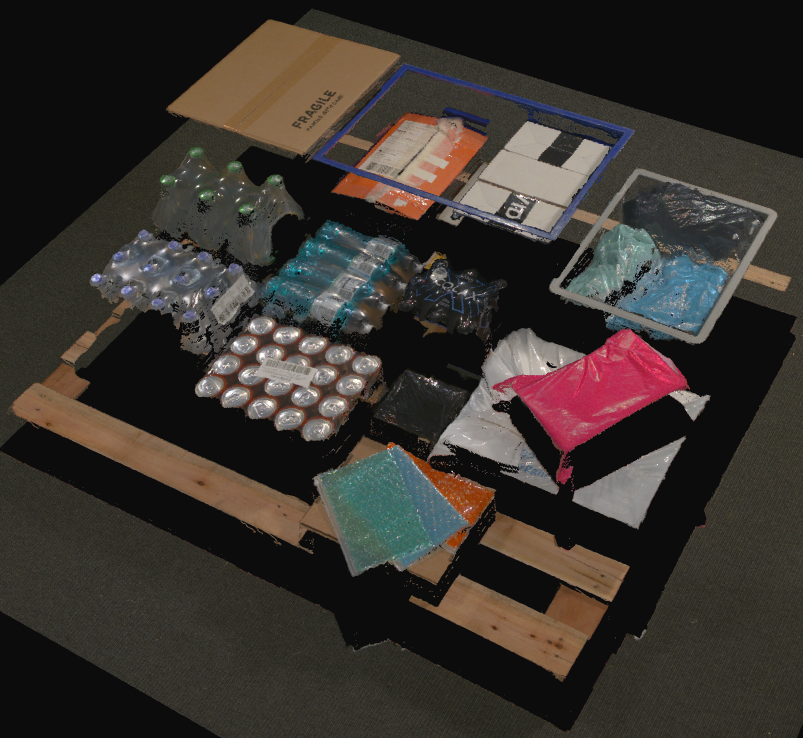 Typical Depalletization Quality Scene
Preset benchmarks
2D Presets
High Resolution
The High Resolution presets prioritizes image detail and resolution. Choose this preset if you are willing to sacrifice capture speed to achieve excellent results. It is designed with the following principles:
Full resolution
Low gain
Low Resolution
The Low Resolution preset balances quality and speed, offering a quicker capture while maintaining a moderate level of detail. This preset is designed with:
Moderate acquisition time
Lower resolution for faster processing
Zivid 3
Zivid 2+
MR60
MR130
LR110
Zivid 2
Preset benchmarks
Zivid 3
Zivid 2+R
Below are examples of a 2D capture taken with Zivid 2+ MR130 using High Resolution Color, Low Resolution Color, and Low Resolution Grayscale 2D presets.
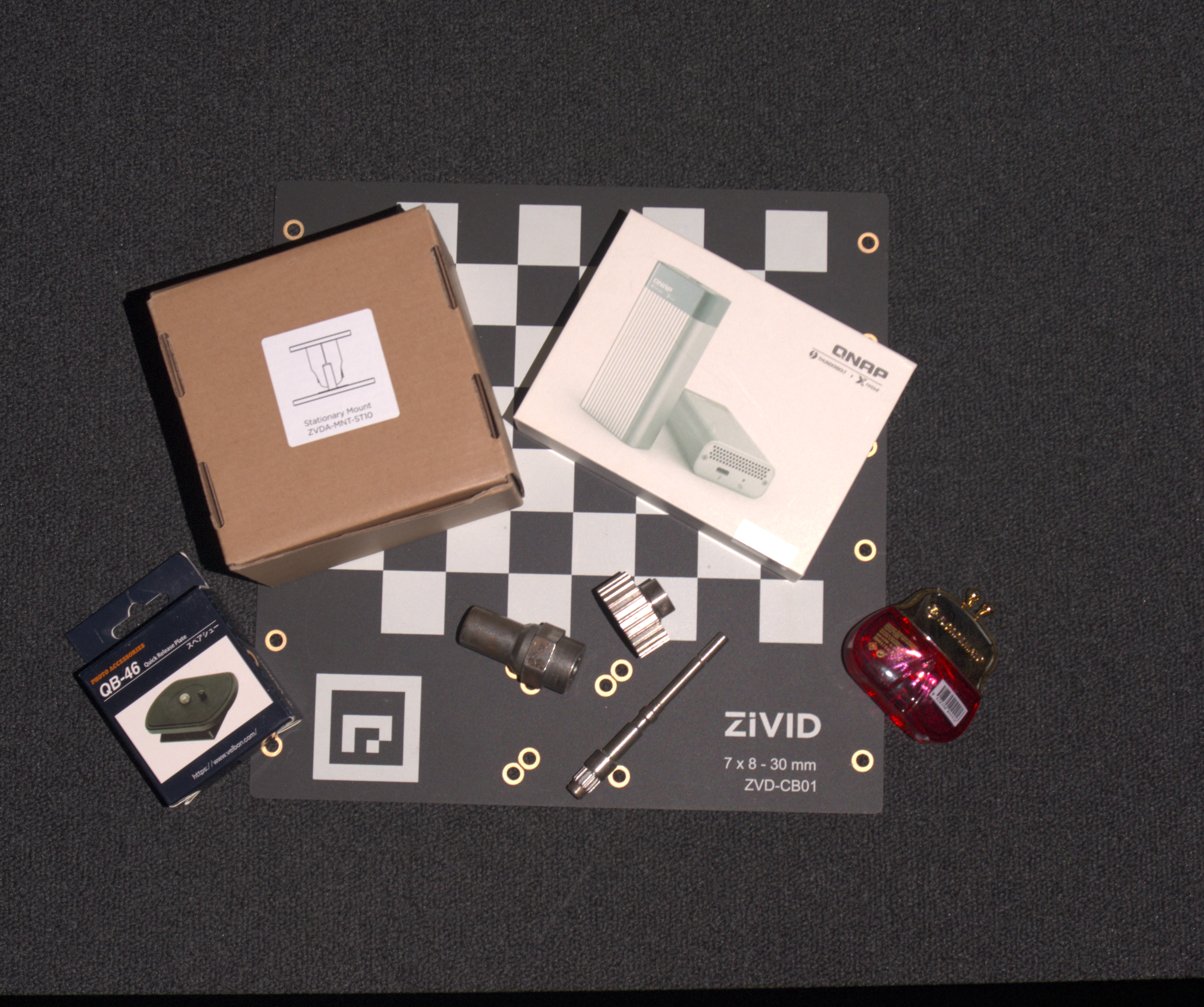 High Resolution Color
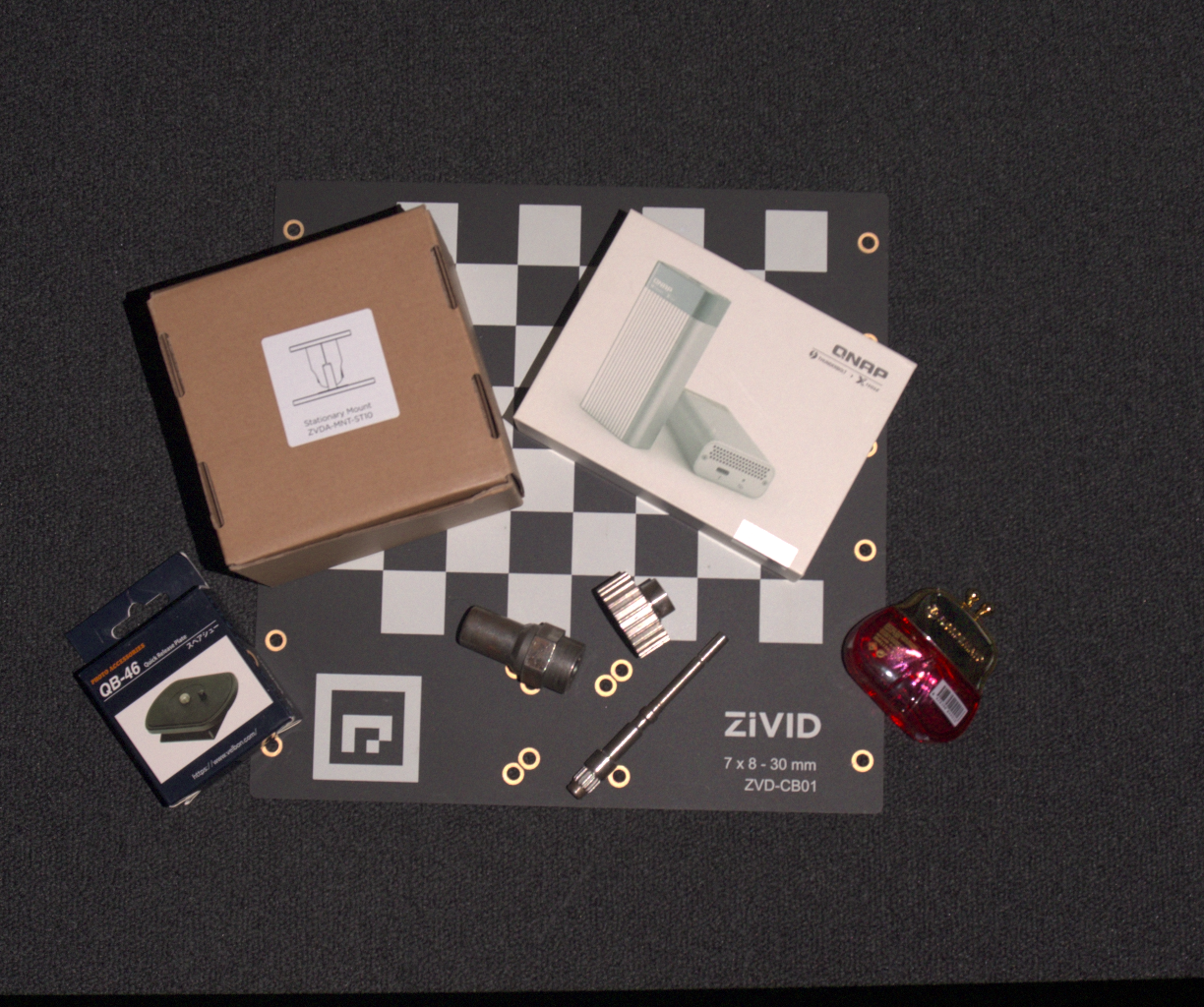 Low Resolution Color
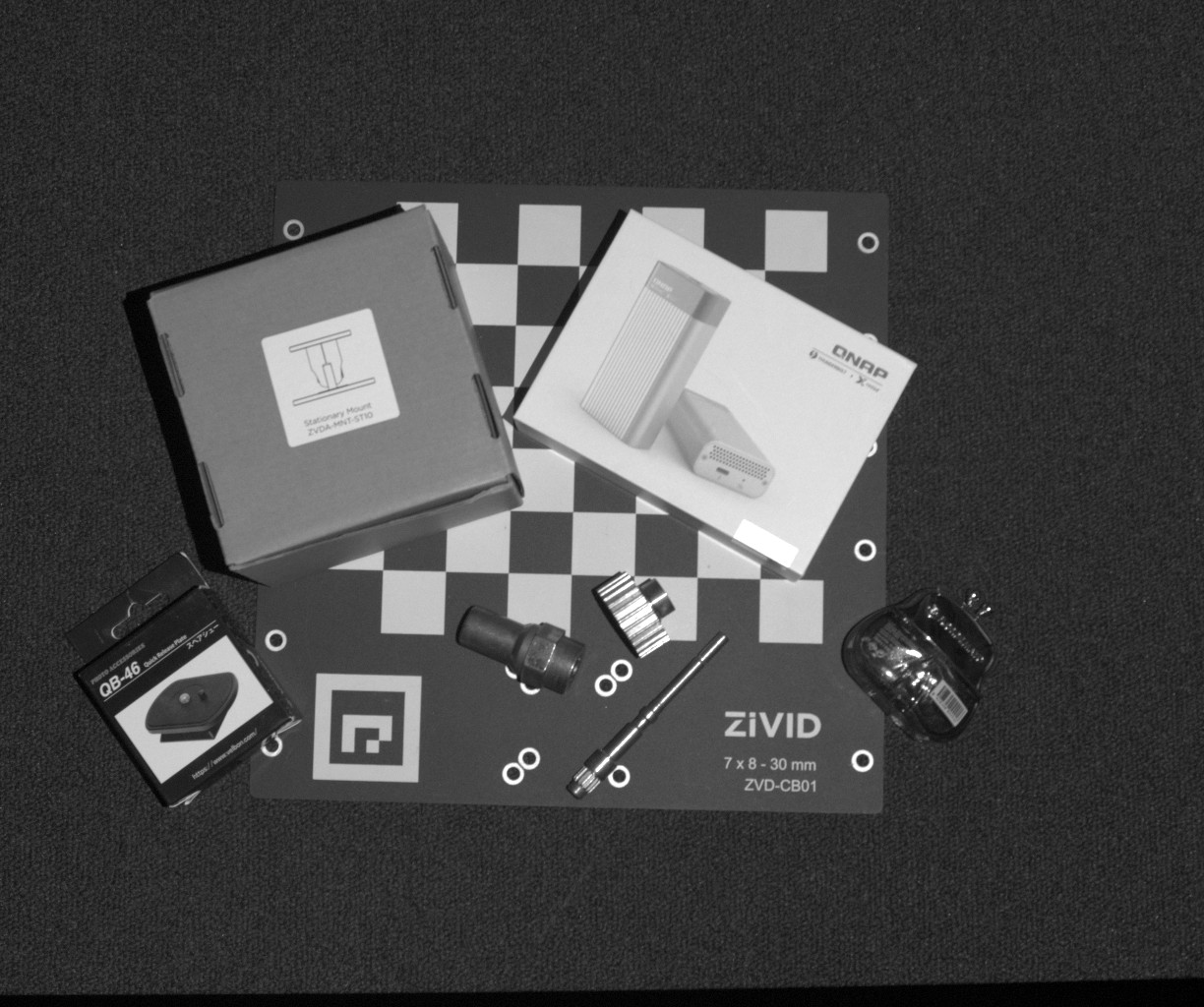 Low Resolution Grayscale
Version History
SDK |
Changes |
|---|---|
2.17 |
Presets for Zivid 3 XL250 are added. |
2.14 |
2D Presets are added for all cameras and 3D presets for 2+ MR60, MR130, and LR110 camera. |
2.10 |
3D Presets for Zivid 2+ camera family are added and 3D presets for all cameras, adapted for ambient light (grid) frequency. |
2.9 |
3D Presets are added. |