2D Color Spaces, Lens Distortion, and Output Formats
Zivid cameras can output colors as part of the 3D data or separately as a 2D image. Different camera models have different resolutions for capturing 2D images. The resolutions are shown below:
Camera |
Megapixels (MP) |
Resolution |
|---|---|---|
Zivid 3 |
8 |
2816 x 2816 |
Zivid 2+ |
5 |
2448 x 2048 |
Zivid 2 |
2.3 |
1944 x 1200 |
Color spaces
Color spaces define how color values in an image are interpreted and represented. The color space of an image will affect both how the image looks to human eyes, and how a device will interpret and display the image. Zivid SDK supports two color spaces for 2D data:
- sRGB:
Ensures consistent color reproduction across devices such as monitors and printers.
Default for most consumer electronics and the internet.
Suitable for machine learning tasks like image classification and object detection as pre-trained models are trained on sRGB images.
Includes gamma correction (2.2), making intensity values non-linear.
- Linear RGB:
No gamma correction; intensity values are directly proportional to light intensity.
Suitable for precise color manipulation and physical modeling.
Common in traditional image processing and computer vision.
The main difference is how intensity values are encoded. Choose based on your application needs:
sRGB: For ML models, displaying and interchanging images.
Linear RGB: For traditional image processing.
Zivid Studio represents colors in sRGB, but you can decide which color space to save the data as.
Note
Zivid Studio displays colors in sRGB. The histogram and the RGB color channel values for a given pixel are displayed in linear color space.
Below you can see the same image stored as sRGB and linear RGB. Monitors expect sRGB and will apply inverse gamma correction, making linear RGB images appear darker. This will make linear RGB images look darker when displayed on a monitor than they truly are. We recommend viewing 2D data in sRGB for manual evaluation.
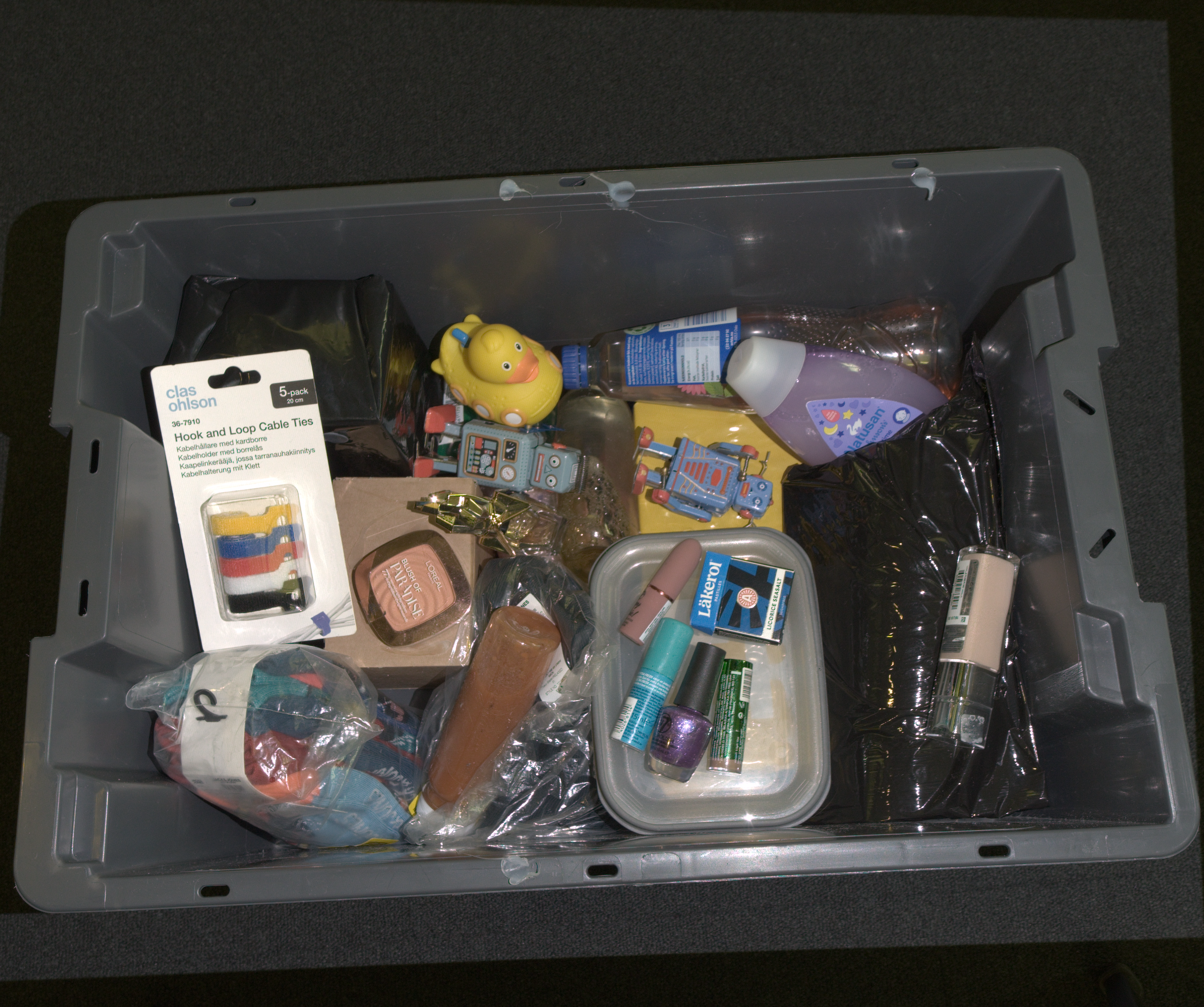 Color represented in sRGB space.
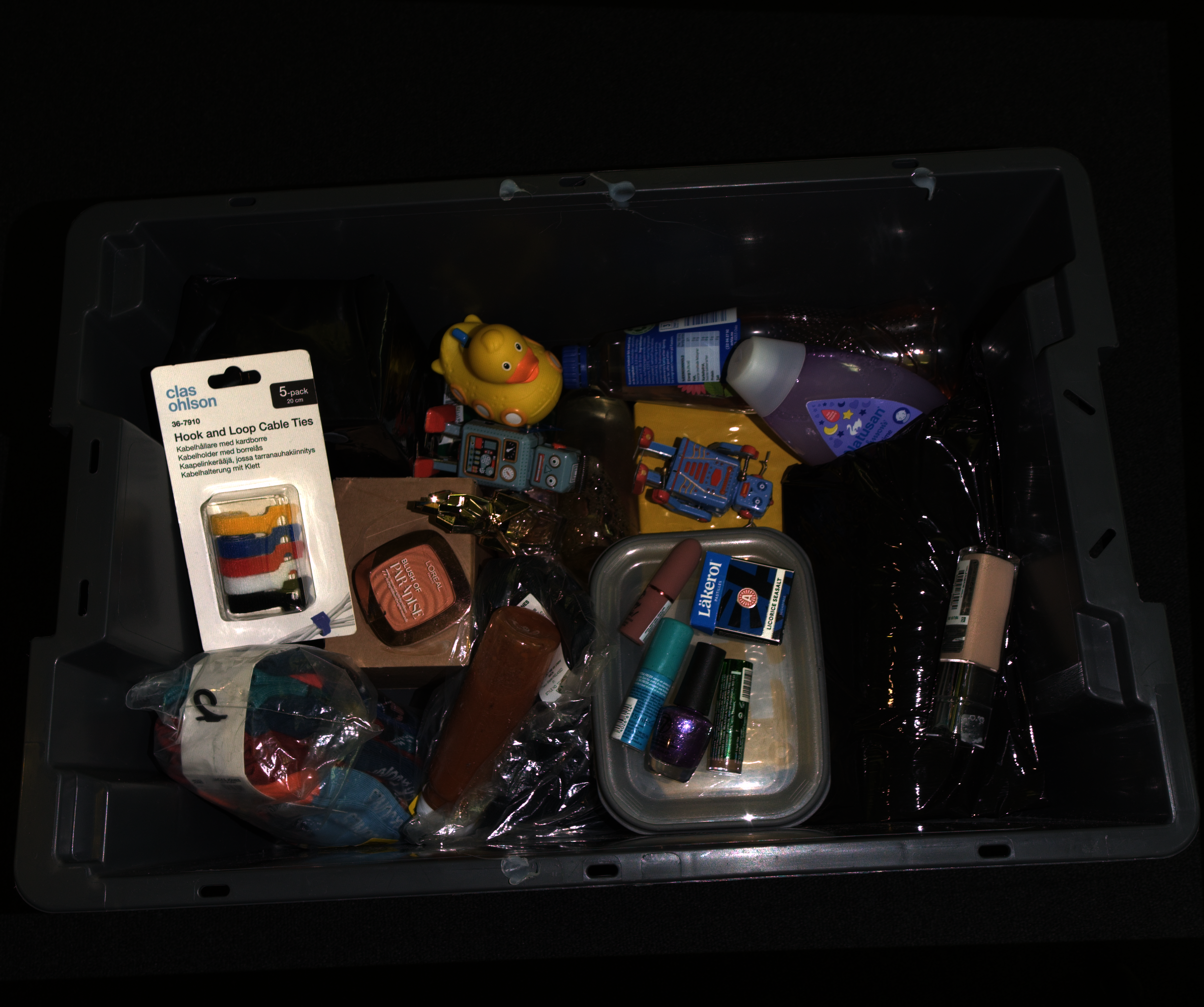 Color represented in linear RGB space.
Lens distortion
The 2D color image returned from a capture is distorted, meaning it is not corrected for the lens distortion of the camera.
This applies both to the image from a 2D capture (capture2D()) and to the color image extracted from the point cloud (from capture2D3D() or capture3D()).
As a result, straight lines in the scene can appear slightly curved in the image, most noticeably towards the edges.
The 3D point cloud is not affected (the lens distortion is already accounted for when the point cloud is generated). The 2D image is kept distorted to preserve the 1:1 correspondence between the 2D image and the organized 3D point cloud. The distortion only matters if your application relies on the geometry of the 2D image, for example to detect straight lines. In that case you can undistort the image using the camera intrinsics (see Camera Intrinsics).

const auto cameraIntrinsicsCV =
    use2D ? reformatCameraIntrinsics(Zivid::Experimental::Calibration::intrinsics(camera, settings2D))
          : reformatCameraIntrinsics(Zivid::Experimental::Calibration::intrinsics(camera, settings));
const auto distortionCoefficients = cameraIntrinsicsCV.distortionCoefficients;
const auto cameraMatrix = cameraIntrinsicsCV.cameraMatrix;

const auto size = bgr.size();
const auto optimalCameraMatrix =
    cv::getOptimalNewCameraMatrix(cameraMatrix, distortionCoefficients, size, 1, size);

cv::Mat bgrUndistorted;
cv::Mat bgrUndistortedFull;

cv::undistort(bgr, bgrUndistorted, cameraMatrix, distortionCoefficients);
cv::undistort(bgr, bgrUndistortedFull, cameraMatrix, distortionCoefficients, optimalCameraMatrix);
if use_2d:
    camera_matrix, distortion_coefficients = _reformat_camera_intrinsics(
        zivid.experimental.calibration.intrinsics(camera, settings_2d)
    )
else:
    camera_matrix, distortion_coefficients = _reformat_camera_intrinsics(
        zivid.experimental.calibration.intrinsics(camera, settings)
    )

size = (bgr.shape[1], bgr.shape[0])
optimal_camera_matrix = cv2.getOptimalNewCameraMatrix(camera_matrix, distortion_coefficients, size, 1, size)[0]

bgr_undistorted = cv2.undistort(bgr, camera_matrix, distortion_coefficients)
bgr_undistorted_full = cv2.undistort(bgr, camera_matrix, distortion_coefficients, None, optimal_camera_matrix)
2D color output formats
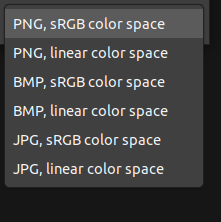
From Zivid Studio, you can save the color image (File → Save Color Image) in the following formats:
Version History
SDK |
Changes |
|---|---|
2.17.0 |
Added support for Zivid 3 XL250. |