Install Zivid + HALCON for Windows
Zivid offers two ways of interfacing with HALCON:
Through the Zivid SDK, utilizing the C++/C# libraries available for HALCON. We provide samples for both C++ and C#. (Recommended)
Directly through a GenICam GenTL producer that comes with the Zivid Software.
To go with the second option, follow the steps below. To get started with the recommended option, follow the samples for your preferred programming language.
Install Zivid SDK
Install Zivid SDK by following the instruction on this page: Software Installation.
Note
Make sure to check the GenICam GenTL Producers box when choosing which components to install. This installs the GenTL Producer that HALCON needs to see the camera.
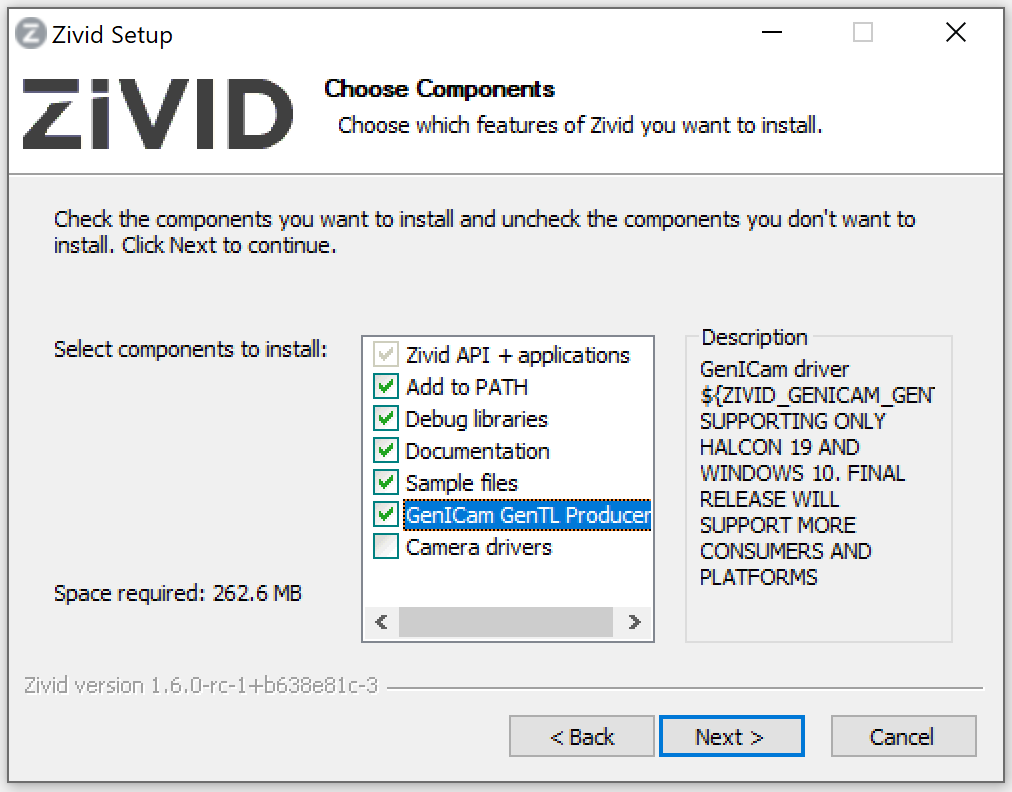
Install HALCON
Visit MVTec download page and sign in to download the MVTec Software Manager. Use the Software Manager to select HALCON, pick a version, and install it for Windows. We recommend that you use a HALCON version that has been tested by Zivid.
Important
Select the GenICamTL image acquisition package (GenTL Consumer) in the Software Manager.
The package is optional, and installing a newer HALCON version does not carry it over from an older one.
Without it, HALCON detects only the File and DirectFile interfaces and the Zivid camera stays hidden.
See Only the File and DirectFile interfaces are detected.
Get started!
You are now ready to go and try out some of our HALCON samples!
Warning
Do not connect to the Zivid camera with the USB3Vision interface when using the HALCON Image Acquisition Assistant. This will install generic HALCON USB drivers and override Zivid USB drivers. Connect with the GenICamTL interface instead.