Create a HALCON “Hello World” Program
This tutorial shows how to create and start developing a HDevelop program for Zivid using HALCON, using screenshots to guide you through each step.
Requirements
Note
This tutorial was tested with the following HALCON versions: 19.05 Progress, 20.05 Progress, 21.11 Progress, 24.05 Progress, 24.11 Progress-Steady, 25.05 Progress, 25.11 Progress, 26.05 Progress.
Instructions
Create ZividHelloWorld.hdev
Launch HALCON, then click File → New Program.
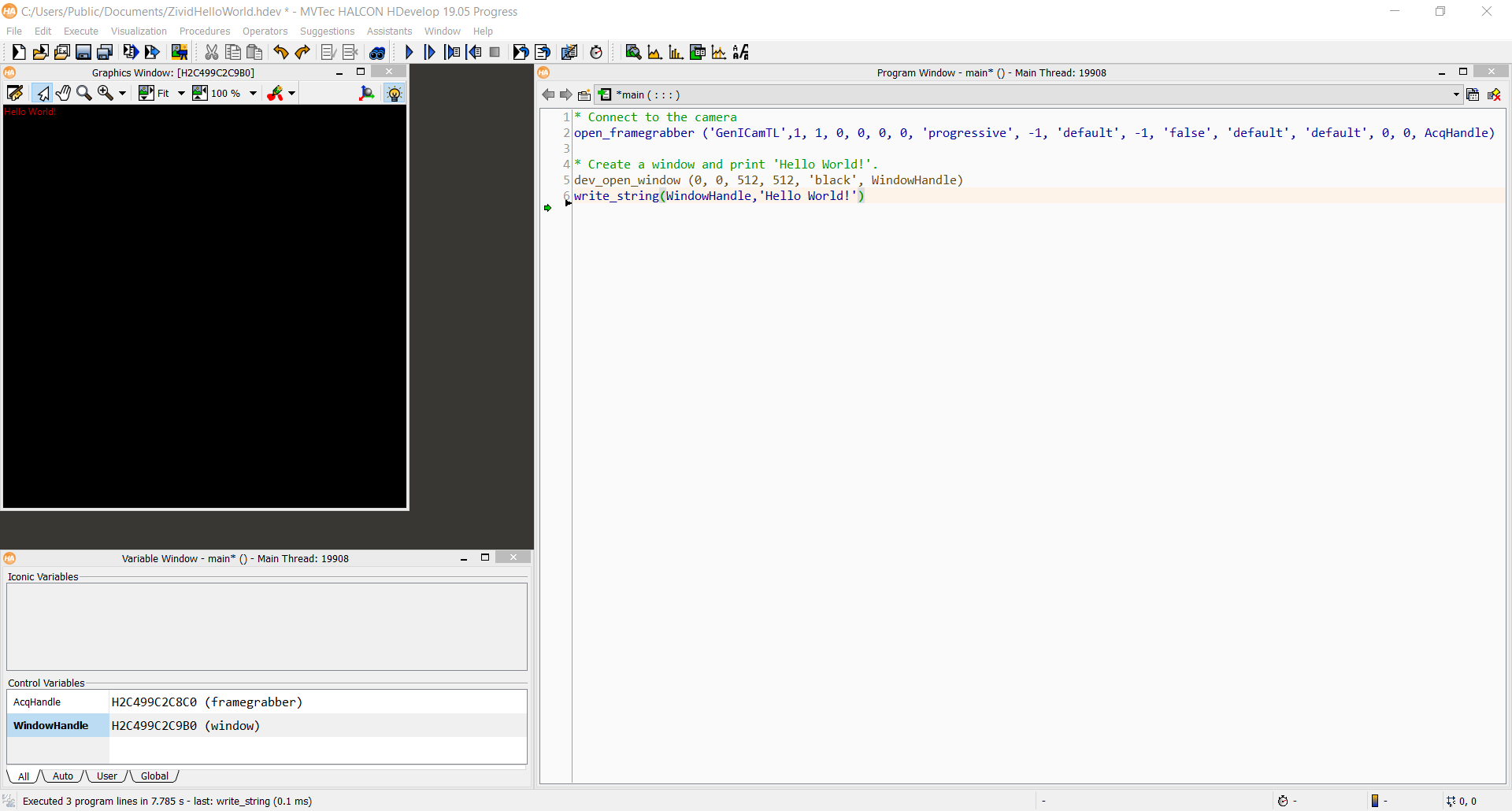
Add the following code to the Program Window main ().
<c>* Connect to the camera</c>
<l>open_framegrabber ('GenICamTL',1, 1, 0, 0, 0, 0, 'progressive', -1, 'default', -1, 'false', 'default', 'default', 0, 0, AcqHandle)</l>
<c/>
<c>* Create a window and print 'Hello World!'</c>
<l>dev_open_window (0, 0, 512, 512, 'black', WindowHandle)</l>
<l>write_string(WindowHandle,'Hello World!')</l>
Save the code to the desired location as ZividHelloWorld.hdev.
Run the program
Press F5 key on your keyboard to run the program.
Check out our HALCON samples and start developing!